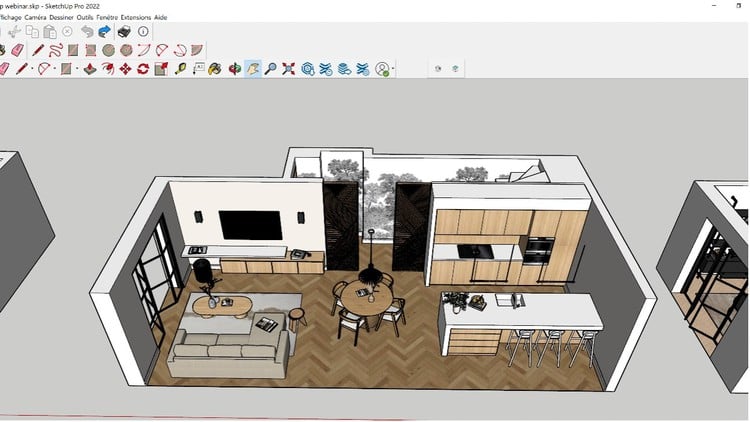
Simple Steps to Building Stunning 3D Models with SketchUp 2023
⏱️ Length: 3.6 total hours
⭐ 4.49/5 rating
👥 41,070 students
🔄 January 2024 update
Add-On Information:
Note➛ Make sure your 𝐔𝐝𝐞𝐦𝐲 cart has only this course you're going to enroll it now, Remove all other courses from the 𝐔𝐝𝐞𝐦𝐲 cart before Enrolling!
- Course Overview
- Embark on a streamlined journey to transform your design aspirations into tangible 3D realities with “SketchUp 2023: The A-Z Course to Mastering 3D Modeling.” This comprehensive yet concise program meticulously guides absolute beginners from foundational concepts to confidently creating stunning architectural models, interior layouts, product prototypes, and more. Despite its efficient 3.6-hour duration, the course adopts a practical, project-centric approach, ensuring every lesson builds directly applicable skills. You’ll move beyond understanding tools to applying them effectively, developing an intuitive grasp of SketchUp’s powerful modeling environment. Perfect for aspiring architects, interior designers, landscape artists, or anyone eager to visualize ideas in three dimensions, this course offers a fast track to proficiency, equipping you with core competencies to tackle a wide array of 3D modeling challenges. Learn industry-standard techniques that have empowered over 41,000 students to design with precision and creativity, all updated for SketchUp 2023.
- Requirements / Prerequisites
- No prior SketchUp or 3D modeling experience is necessary; designed for absolute beginners.
- A working copy of SketchUp 2023 (Free Web Version, SketchUp Go, Pro, or Studio) is required.
- Basic computer literacy, including file navigation and web browsing, is essential.
- A stable internet connection for course materials.
- Enthusiasm for learning 3D design and willingness to practice.
- A 3-button mouse with a scroll wheel is highly recommended for optimal navigation.
- Skills Covered / Tools Used
- Precision Drawing & Construction: Master drawing with exact dimensions, leveraging SketchUp’s inference engine and guides (tape measure, protractor) for accurate complex geometries.
- Advanced Object Manipulation: Efficiently apply Move, Rotate, Scale tools with modifier keys to create precise copies, arrays, and proportional adjustments.
- Component & Group Management: Learn the critical distinction and effective organization of groups and components for reusability, simplified editing, and manageable project structures.
- Efficient Selection & Tag (Layer) Strategies: Discover diverse selection methods and master Tags to control object visibility, organizing complex scenes for better workflow.
- Sectioning & Internal Visualization: Utilize Section Planes to dynamically cut through models, revealing interior details essential for architectural and design presentations.
- Solid Tools Application: Gain practical experience with powerful Solid Tools (Intersect, Subtract, Union, Trim, Split) to create intricate forms by combining or cutting solid objects.
- 3D Warehouse Integration: Learn to seamlessly import and manage pre-existing models from the vast 3D Warehouse into your projects, understanding best practices.
- Custom Scene & Style Creation: Master saving specific camera views, shadow settings, and visual styles through Scenes, and customize Styles for varied aesthetic outputs and presentations.
- Geo-Location & Shadow Analysis: Understand how to geo-locate your model for accurate real-world positioning and perform solar studies, observing sun paths and shadow casting.
- Model Optimization & Output Prep: Learn techniques for maintaining lightweight, organized models by purging unused elements and preparing them for various 2D/3D outputs.
- Benefits / Outcomes
- You will confidently navigate the SketchUp 2023 interface and employ its essential tools to design and model with precision and efficiency.
- Develop the ability to conceptualize 2D ideas and translate them into detailed, accurate 3D models suitable for presentation and further development.
- Gain foundational understanding of 3D modeling principles transferable to other CAD/visualization software, broadening your design skill set.
- Be capable of creating professional-grade visual presentations of your designs, utilizing effective material application, lighting, and scene management.
- Significantly enhance your creative problem-solving skills by exploring different design iterations rapidly within a 3D environment.
- Build a strong portfolio of 3D models, showcasing your proficiency in SketchUp, opening doors to new professional opportunities in design, architecture, and construction.
- Experience the satisfaction of bringing imaginative concepts to life, from initial sketch to polished 3D visualization.
- Acquire a highly sought-after industry skill that empowers you to communicate design intent clearly and effectively to clients, colleagues, and collaborators.
- PROS
- Highly Practical and Action-Oriented: Emphasizes hands-on application, building skills through doing.
- Remarkably Concise: Delivers maximum impact and learning efficiency within a short 3.6-hour duration.
- Current and Relevant: Fully updated for SketchUp 2023, ensuring you learn with the latest tools.
- Proven Success: Highly rated by over 41,000 students, indicating a well-structured and effective experience.
- Exceptional Value: Offers comprehensive foundational mastery at an accessible pace, making 3D modeling approachable.
- CONS
- Given the extensive scope implied by “mastering 3D modeling” and the course’s relatively short runtime, advanced users seeking deep dives into niche features or highly specialized workflows might find it a foundational overview rather than exhaustive expert-level training.
Learning Tracks: English,Design,Design Tools