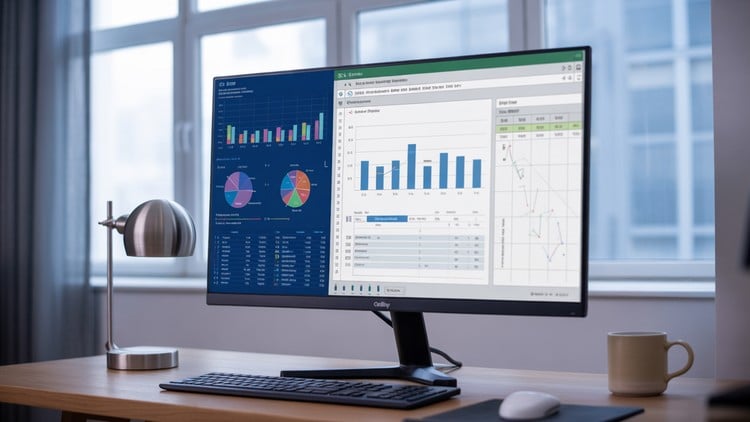
Master Excel and Power BI to create stunning project management dashboards, reports
⏱️ Length: 2.8 total hours
⭐ 4.33/5 rating
👥 8,666 students
🔄 June 2025 update
Add-On Information:
Note➛ Make sure your 𝐔𝐝𝐞𝐦𝐲 cart has only this course you're going to enroll it now, Remove all other courses from the 𝐔𝐝𝐞𝐦𝐲 cart before Enrolling!
-
Course Overview
- This course revolutionizes how project professionals communicate progress, risks, and performance by transforming raw, complex project data into compelling, easy-to-understand visual stories.
- Move beyond static spreadsheets to dynamic, interactive dashboards that empower stakeholders with real-time insights, fostering proactive decision-making and project success.
- Explore the critical intersection of project management principles and advanced data visualization techniques, equipping you to be a data-driven leader in any project environment.
- Understand the lifecycle of project data, from its collection and organization to its ultimate presentation as actionable intelligence for various audiences.
- Uncover the power of visual analytics to pinpoint trends, anomalies, and critical path items at a glance, significantly reducing time spent on manual data interpretation.
- Learn to articulate project narratives through impactful visuals, ensuring your reports not only inform but also persuade and guide strategic conversations.
- Designed for project managers, team leads, and anyone involved in project oversight who wishes to elevate their reporting capabilities beyond standard methods.
- Embrace a practical, hands-on methodology that ensures you immediately apply learned concepts to your real-world project scenarios and challenges.
- Navigate the transition from traditional, tabular reporting to modern, engaging graphical summaries that resonate with today’s fast-paced business demands.
-
Requirements / Prerequisites
- A working computer with internet access capable of running Excel and Power BI Desktop (Power BI Desktop is available as a free download).
- A basic understanding of project management concepts and terminology is beneficial but not strictly required.
- Familiarity with fundamental computer operations and navigating software applications.
- A keen interest in data analysis and a desire to improve project reporting and presentation skills.
- No prior expertise in advanced Excel functions or Power BI is assumed, making this course accessible to motivated beginners.
-
Skills Covered / Tools Used
- Data Storytelling: Master the art of crafting a clear, concise narrative from project data, guiding your audience through insights rather than overwhelming them with numbers.
- Dashboard Design Principles: Learn the fundamentals of effective dashboard layout, color theory, iconography, and user experience (UX) to create visually appealing and intuitive reports.
- KPI Identification & Tracking: Develop the ability to define, measure, and visually track key performance indicators relevant to project health, budget, schedule, and quality.
- Audience-Centric Reporting: Tailor your reports and visualizations to meet the specific informational needs and preferences of diverse stakeholders, from executives to team members.
- Report Automation & Refresh: Set up efficient processes to automate data updates and dashboard refreshes, drastically reducing manual reporting effort and ensuring data timeliness.
- Data Validation & Integrity: Implement techniques to ensure the accuracy and reliability of the data feeding your reports, minimizing errors and enhancing stakeholder trust.
- Interactive Elements: Design reports with slicers, filters, and drill-through capabilities that allow users to dynamically explore data and derive custom insights on demand.
- Visual Best Practices: Understand which chart types are most appropriate for different data stories (e.g., comparing values, showing distribution, illustrating relationships, tracking progress over time).
- Power Query (Transformative ETL): Leverage Power Query within both Excel and Power BI to efficiently extract, transform, and load project data from various sources, preparing it for analysis.
- Strategic Insight Derivation: Learn to move beyond mere data presentation to extracting strategic insights that drive proactive decision-making and foster continuous improvement in projects.
- Cross-Platform Integration: Understand how to effectively combine the strengths of Excel for detailed data manipulation with Power BI for advanced visualization and sharing.
-
Benefits / Outcomes
- Elevated Professional Standing: Become an indispensable asset to your organization by transforming mundane project data into strategic, actionable intelligence.
- Improved Project Performance: Enable earlier identification of risks, bottlenecks, and opportunities, leading to more successful project outcomes and efficient resource allocation.
- Enhanced Communication Skills: Master the ability to convey complex project information with clarity and impact, fostering better collaboration and informed stakeholder decisions.
- Significant Time Savings: Drastically reduce the hours spent on manual report generation through the creation of automated, refreshable dashboards.
- Data-Driven Decision Making: Equip yourself and your teams with the tools to make proactive, evidence-based decisions rather than relying on intuition or outdated information.
- Robust Reporting Portfolio: Build a tangible collection of interactive dashboards and reports that showcase your advanced data visualization and analysis capabilities to potential employers.
- Competitive Career Advantage: Gain a critical skill set highly valued in today’s data-centric project management landscape, boosting your marketability and career growth prospects.
- Empowered Stakeholder Engagement: Present project updates in an engaging and accessible format that encourages active participation and understanding from all project stakeholders.
- Reduced Project Risks: Utilize visual reports to monitor project health continuously, allowing for timely interventions and mitigation of potential issues before they escalate.
-
PROS
- Immediate Practical Application: Skills learned can be applied to real-world project data from day one, offering instant value.
- Dual Tool Proficiency: Gain expertise in two industry-leading tools (Excel and Power BI) simultaneously, enhancing versatility.
- Focus on Communication: Emphasizes not just data analysis, but also the critical skill of effective visual communication.
- Career Advancement Potential: Highly sought-after skills that can significantly boost your professional profile in project management.
- Concise and Focused: A targeted approach ensures maximum learning efficiency without unnecessary filler.
- High Student Satisfaction: Evidenced by a strong rating and high student enrollment, indicating effective content delivery.
-
CONS
- The compact course length, while efficient, may necessitate additional self-practice to achieve advanced mastery.
Learning Tracks: English,Business,Project Management