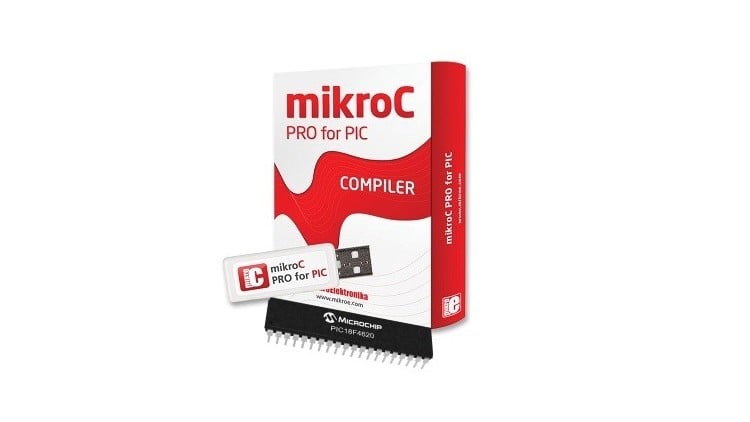
Learn MikroC PRO for PIC | Configure the Microcontroller | Design electronic circuits in Proteus | Simulate the Projects
⏱️ Length: 1.6 total hours
⭐ 4.15/5 rating
👥 10,908 students
🔄 August 2022 update
Add-On Information:
Note➛ Make sure your 𝐔𝐝𝐞𝐦𝐲 cart has only this course you're going to enroll it now, Remove all other courses from the 𝐔𝐝𝐞𝐦𝐲 cart before Enrolling!
- Course Overview
- Embark on a foundational journey into embedded systems, mastering techniques for programming microcontrollers and designing electronic circuits to bring intelligence to hardware.
- Gain comprehensive proficiency with MikroC PRO for PIC, understanding its IDE and key features for efficient PIC microcontroller programming and project management.
- Develop robust capabilities in utilizing Proteus for creating detailed circuit schematics, integrating programmed microcontrollers with virtual components, and conducting thorough simulations to validate designs.
- Explore critical microcontroller configuration, learning to set up and fine-tune key operational parameters essential for optimizing embedded system performance.
- Requirements / Prerequisites
- A standard personal computer (desktop or laptop) with a compatible operating system (typically Windows) capable of running MikroC PRO for PIC and Proteus efficiently.
- Basic computer literacy, including software installation and file management, is recommended for a smooth learning curve.
- An elementary understanding of fundamental electrical concepts (e.g., voltage, current, resistance) will enhance hardware interaction comprehension.
- No prior programming experience is required; the course builds programming skills from a zero-level starting point.
- Skills Covered / Tools Used
- Embedded C Programming Fundamentals: Grasp core programming constructs like variables, data types, operators, conditionals, and loops, essential for commanding microcontroller behavior and developing logical control flows.
- Microcontroller Hardware Interfacing: Acquire the ability to translate high-level ideas into low-level MikroC instructions, focusing on managing GPIO pins for external component interaction.
- MikroC PRO for PIC IDE Mastery: Learn to effectively navigate and utilize the MikroC PRO for PIC IDE for project creation, code writing, compilation, debugging, and leveraging its integrated libraries.
- Proteus Circuit Design & Simulation: Develop expertise in using Proteus to design and simulate electronic circuits, integrating programmed microcontrollers and analyzing system behavior for validation.
- Systematic Debugging & Problem-Solving: Cultivate strong analytical skills to identify and resolve issues within both code logic and circuit design, employing systematic debugging within MikroC IDE and Proteus.
- Practical Project Conceptualization: Gain the capacity to conceptualize, design, and simulate small-scale embedded projects, applying learned principles to create functional virtual prototypes.
- Benefits / Outcomes
- Solid Foundation for Embedded Systems: Establish a robust groundwork for exploring advanced topics, serving as a stepping stone for specialized learning and innovation.
- Practical Project Development Readiness: Acquire the immediate capability to design, program, and simulate basic electronic projects, enabling creation of simple automated systems or foundational IoT devices.
- Enhanced Logical & Critical Thinking: Refine problem-solving skills through embedded coding and debugging, strengthening analytical abilities applicable across diverse technical challenges.
- Proficiency in Industry-Standard Tools: Achieve working expertise with MikroC PRO for PIC and Proteus, two widely recognized tools highly valued in electronics design and embedded systems industries.
- Accelerated Learning Curve: Benefit from a structured, beginner-friendly approach, ensuring fundamental concepts are deeply ingrained for rapid progress toward complex embedded applications.
- Entry-Level Career Advantage: Position yourself favorably for entry-level opportunities or further training in fields like electronics engineering, firmware development, or industrial automation.
- PROS
- Highly Practical & Hands-On: Emphasizes direct application through coding and simulation.
- Beginner-Friendly: Designed for complete novices, building skills from the ground up.
- Industry-Relevant Tools: Experience with professional-grade MikroC PRO for PIC and Proteus.
- Effective Simulation: Utilizes Proteus for safe, cost-effective design validation.
- Project-Oriented Learning: Fosters understanding of the full embedded development lifecycle.
- CONS
- Introductory Depth: Provides a strong foundation but requires additional self-study for mastery of advanced embedded systems concepts or complex real-world applications.
Learning Tracks: English,IT & Software,Other IT & Software