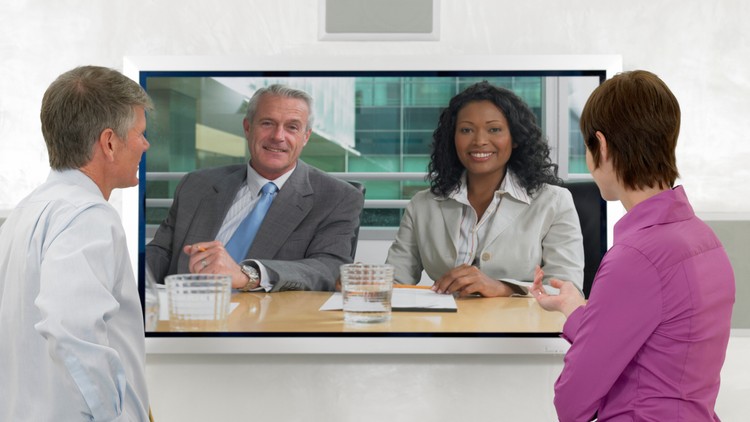
Presentation Skills: You can give effective presentations in any online environment.
What you will learn
Give online presentations
Present on Skype and other online venues
Speak on camera
Overview
Look, I’ve been in the tech industry for over fifteen years, and I’ve seen some of the most brilliant engineers lose a promotion simply because they couldn’t command a room—or in today’s world, a Zoom or Skype window. “Presentation Skills: Give Great Skype Video Presentations” is a course that addresses the modern professional’s biggest hurdle: the transition from physical boardroom presence to digital screen-share dominance. While the title specifically mentions Skype, don’t let that fool you. This is a comprehensive masterclass in remote communication that applies to Teams, Zoom, Google Meet, or even high-stakes certification prep webinars.
The reality is that most people treat a video presentation like a phone call with a visual feed. That’s a career-killing mistake. This course dives deep into the psychology of the camera lens. It’s not just about what you say; it’s about how you use your environment to project authority. The instructor moves past the surface-level “don’t wear stripes” advice and gets into the grit of how to engage an audience that is likely distracted by five other browser tabs. Whether you are navigating beginner to advanced levels of public speaking, the course forces you to look at your setup as a professional studio rather than just a desk with a laptop. It focuses on the shift from being a passive participant to a dynamic lead, ensuring you have the job-ready skills to facilitate high-level strategy meetings without the awkward technical fumbles that usually plague remote work.
Prerequisites
You don’t need a degree in cinematography to get started, but you do need a basic comfort level with your operating system.
- A functioning webcam (internal is fine, but external is better for real-world projects).
- A stable internet connection capable of streaming HD video.
- Basic familiarity with Skype, though the principles translate to any industry-standard tools.
- A willingness to record yourself and watch it back—this is where the real growth happens.
Skills & Tools
This isn’t just a “talking head” course. You’ll be working through hands-on labs (essentially your own home office setup) to master:
- Environmental Engineering: Mastering lighting, background composition, and framing to look like a C-suite executive.
- Audio Mastery: Understanding why sound quality is actually more important than video quality for career growth.
- Screen Sharing Tactics: How to transition between your face and your slides without breaking the “flow” of the presentation.
- The “Camera Gaze”: Training your brain to look at the lens, not the screen, to build a direct psychological connection with the viewer.
- Software Optimization: Using Skype and other industry-standard tools to their full potential, including blur features and high-fidelity audio settings.
Career Benefits & Job Roles
In an era where “remote-first” is the new standard, being “good on camera” is no longer a soft skill—it’s a core technical competency. Mastering these job-ready skills opens doors for:
- Solution Architects & Sales Engineers: Who need to deliver high-stakes demos to stakeholders across the globe.
- Project Managers: Who must keep remote teams aligned and motivated without the benefit of physical proximity.
- Corporate Trainers: Transitioning from live workshops to real-world projects in a virtual classroom environment.
- Technical Leads: Who need to present complex certification prep materials to junior devs over a screen share.
Having this level of polish on camera is a massive differentiator during the interview process for high-paying remote roles, where your first impression is made entirely through a 1080p window.
Pros
- Immediate Applicability: You can watch a twenty-minute module and immediately improve the quality of your next meeting. There is no fluff here; it’s all about real-world projects and results.
- Psychological Edge: The course teaches you how to manage “tech anxiety,” which is that specific type of panic that sets in when your screen-share freezes or your mic cuts out.
- Focus on Eye Contact: Most people fail at this, but the course provides specific drills to help you stop looking at your own thumbnail and start looking at your audience.
- Cost-Effective Upgrades: The instructor offers brilliant advice on how to use household items to improve your lighting and sound without spending thousands on “pro” gear.
Cons
The only real drawback is the branding. Since “Skype for Business” has largely been phased out in favor of Microsoft Teams, the course title feels slightly dated. If you’re looking for a deep dive into the specific UI buttons of the latest Zoom update, you might be disappointed—but if you want the underlying skills that make you a pro on any platform, this is still a goldmine. While it covers beginner to advanced concepts, I wish there were more sections on integrating third-party broadcast software like OBS for more complex real-world projects.