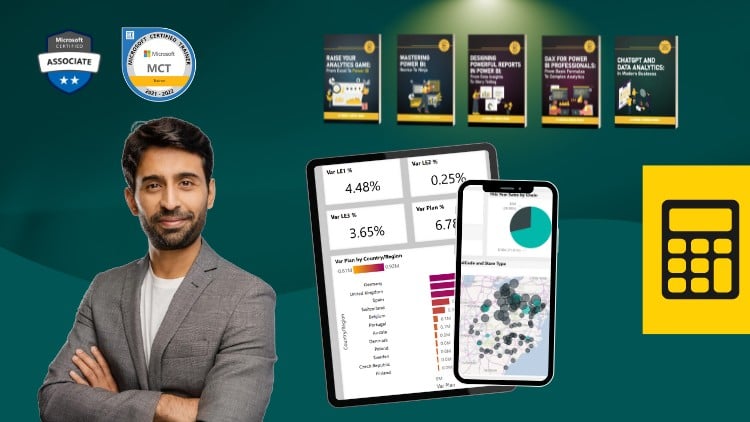
Mastering Complex Calculations and Dynamic Reporting in Power BI
⏱️ Length: 6.7 total hours
⭐ 4.63/5 rating
👥 20,450 students
🔄 September 2025 update
Add-On Information:
Note➛ Make sure your 𝐔𝐝𝐞𝐦𝐲 cart has only this course you're going to enroll it now, Remove all other courses from the 𝐔𝐝𝐞𝐦𝐲 cart before Enrolling!
- Course Caption: Mastering Complex Calculations and Dynamic Reporting in Power BI
- Course Overview:
- This course is meticulously designed for Power BI users aiming to transcend basic data visualization and delve into the sophisticated realm of DAX (Data Analysis Expressions). It focuses on equipping learners with the strategic thinking and tactical DAX skills required to architect highly dynamic, efficient, and insightful data models.
- Go beyond standard aggregations to unlock the true analytical power within your datasets, transforming raw information into compelling, actionable business intelligence. Discover how to tackle real-world data challenges by crafting intricate DAX formulas that adapt to varying report contexts and user interactions.
- Explore the nuanced aspects of Power BI’s calculation engine, learning to predict and control formula behavior for unparalleled data accuracy and report responsiveness. The curriculum emphasizes moving from merely observing data to actively manipulating and interpreting it through advanced logical constructs.
- Understand the deeper implications of data granularity and relationships, leveraging DAX to bridge the gap between disparate data points and generate comprehensive, enterprise-level reporting solutions that drive strategic decision-making. This course is an investment in becoming a Power BI analytics powerhouse.
- Requirements / Prerequisites:
- A foundational understanding of Power BI Desktop interface and basic navigation is essential. Learners should be comfortable importing data, creating simple visuals, and publishing reports.
- Familiarity with core data modeling concepts, including tables, columns, relationships, and basic data types, will provide a solid base for the advanced topics covered.
- Prior exposure to basic DAX formulas (e.g., SUM, AVERAGE, COUNT, simple CALCULATE statements) and an awareness of the distinction between measures and calculated columns is highly recommended to fully benefit from the course’s advanced content.
- A working installation of Power BI Desktop (free version is sufficient) is required for hands-on practice throughout the modules, ensuring you can follow along with practical examples.
- Skills Covered / Tools Used:
- Advanced Context Management: Gain mastery over filter context propagation and row context application, learning to precisely control formula evaluation and data aggregation within complex reporting scenarios for highly accurate results.
- Performance Optimization Techniques: Develop strategies for writing highly optimized DAX code that minimizes calculation overhead, ensuring your reports remain fast and responsive even with large datasets. This includes efficient use of variables, avoiding common performance pitfalls, and understanding query plans.
- Sophisticated Data Manipulation: Learn to dynamically reshape and aggregate data using advanced table functions and expression patterns, creating virtual tables on-the-fly to solve intricate analytical problems that traditional data models cannot directly address.
- Business Logic Implementation: Architect robust DAX solutions that embed complex business rules directly into your data model, enabling dynamic calculations for scenarios like budget vs. actuals, year-over-year growth, cumulative totals, custom ranking, and cohort analysis.
- Interactive Reporting Enhancement: Implement DAX-driven solutions to create highly interactive and personalized reports, allowing users to dynamically switch metrics, dimensions, and analytical perspectives without requiring multiple pre-built visuals.
- Error Handling and Debugging: Acquire practical skills in identifying, diagnosing, and resolving common DAX formula errors, improving the robustness and reliability of your Power BI solutions for production environments.
- Tools Used: Power BI Desktop for development and data modeling, with a strong emphasis on the DAX formula bar, evaluation context understanding, and performance analyzer.
- Benefits / Outcomes:
- Elevated Data Analysis Capabilities: Transform into an expert Power BI analyst capable of tackling virtually any analytical requirement, moving beyond standard drag-and-drop functionalities to custom-built, powerful solutions.
- Strategic Reporting Solutions: Design and implement sophisticated Power BI reports that provide profound strategic insights, enabling stakeholders to make data-backed decisions with greater confidence and accuracy across the organization.
- Enhanced Professional Value: Significantly boost your analytical skill set, positioning yourself as a sought-after Power BI professional capable of architecting complex and high-performing data models in any business environment.
- Autonomous Problem-Solving: Develop the confidence and expertise to independently solve advanced business intelligence challenges, crafting tailor-made DAX solutions for unique organizational needs without external dependency.
- Build Robust & Scalable Models: Learn to construct DAX patterns that are not only powerful but also maintainable and scalable, ensuring your Power BI solutions can grow and adapt with evolving business requirements and increasing data volumes.
- Master of the Power BI Engine: Gain an intuitive understanding of how Power BI processes queries and calculations, allowing you to design formulas that are both logically sound and computationally efficient, leading to superior report performance.
- PROS:
- Highly rated by a large student base (4.63/5 from 20,450 students), indicating strong instructional quality and practical value.
- Delivers advanced, in-depth DAX knowledge essential for professional Power BI development roles.
- Features a practical, hands-on approach designed to build confidence in complex formula creation.
- Updated curriculum (September 2025) ensures relevance with the latest Power BI features and best practices.
- Provides a structured path to mastering the intricacies of DAX, turning complex concepts into actionable skills.
- CONS:
- Requires dedicated practice and consistent application of concepts to achieve true mastery and retain advanced skills.
Learning Tracks: English,Office Productivity,Microsoft