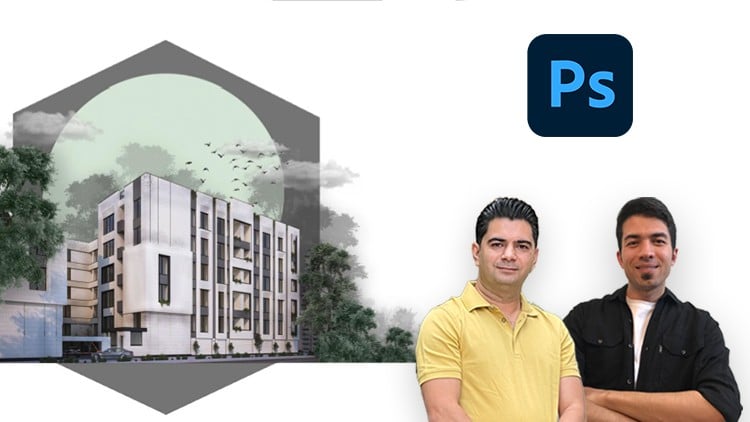
Enhance your architectural renders with Photoshop – fast post-production skills for stunning visualizations
⏱️ Length: 2.8 total hours
⭐ 4.86/5 rating
👥 3,058 students
🔄 September 2025 update
Add-On Information:
Note➛ Make sure your 𝐔𝐝𝐞𝐦𝐲 cart has only this course you're going to enroll it now, Remove all other courses from the 𝐔𝐝𝐞𝐦𝐲 cart before Enrolling!
-
Course Overview
- This “quickstart” course rapidly transforms raw architectural renders into stunning, professional visualizations using Photoshop.
- Discover an efficient workflow to add realism, atmosphere, and artistic flair to your 3D outputs, making designs truly stand out.
- Learn highly actionable techniques for immediate visual enhancement, delivering significant aesthetic improvements with minimal time investment.
- Rated 4.86/5 by over 3,000 students, this course’s effectiveness in fast visualization skills is proven.
- Updated for September 2025, ensuring you learn the most current and relevant methods for architectural visualization and digital presentation.
-
Requirements / Prerequisites
- Access to Adobe Photoshop (recent Creative Cloud version preferred) installed on your computer is essential for practice.
- No prior Photoshop expertise is required; this quickstart guides beginners into architectural applications.
- A basic understanding of architectural design and 3D rendering outputs will contextualize post-production enhancements.
- An eagerness to learn and upgrade your architectural visualization quality is the most crucial prerequisite.
- A stable internet connection is recommended for downloading practice files and seamless course streaming.
-
Skills Covered / Tools Used
- Master advanced layer management and non-destructive workflows crucial for complex architectural compositions and iterative design.
- Precisely control render mood and atmosphere using diverse adjustment layers for color, exposure, and contrast.
- Develop expert selection and masking techniques for flawlessly integrating entourage elements like people, vehicles, and vegetation.
- Explore creative blending modes to combine image elements, add dramatic lighting, and introduce textural overlays for realism.
- Employ custom brushes to quickly add realistic environmental details such as atmospheric haze or subtle material imperfections.
- Work with Smart Objects to maintain maximum flexibility and editability of placed assets without quality loss.
- Apply targeted sharpening and detailing to emphasize intricate textures and geometric precision, ensuring crisp, defined surfaces.
- Learn efficient strategies for compositing rendered models onto photographic backgrounds, creating cohesive and believable scenes.
- Utilize Photoshop’s Camera Raw filter and other options for artistic stylization, lens correction, and professional color grading.
- Streamline your workflow with essential keyboard shortcuts and custom actions, boosting productivity and reducing editing time.
-
Benefits / Outcomes
- Consistently produce portfolio-worthy architectural visuals that capture attention and clearly communicate design intent.
- Significantly accelerate your post-production workflow, transforming hours of adjustments into a rapid, intuitive process.
- Gain confidence in using Photoshop to elevate any architectural render into stunning, professional-grade imagery.
- Reduce reliance on extensive 3D re-renders by mastering critical enhancements and corrections directly within Photoshop.
- Develop a keen eye for visual storytelling, effectively assessing and improving render impact and realism.
- Unlock new creative possibilities beyond raw 3D outputs, experimenting with moods, seasons, and styles in post-processing.
- Enhance your professional standing by demonstrating robust command of industry-standard architectural visualization tools.
- Build an adaptable Photoshop skillset specifically tailored for diverse architectural visualization projects.
-
PROS
- Rapid Skill Acquisition: Quickly gain practical skills for immediate, significant visual improvement in architectural renders.
- High Student Satisfaction: Exceptional 4.86/5 rating from over 3,000 students confirms quality and effective learning.
- Architecturally Focused: Content is specifically curated for architectural visualization, highly relevant to designers.
- Up-to-Date Content: September 2025 update ensures current methods and best practices are taught.
- Practical & Project-Based: Hands-on learning with practice files allows immediate application of concepts.
- Efficiency in Workflow: Teaches methods to significantly reduce post-production time for high-quality renders.
- Portfolio Enhancement: Transforms average renders into portfolio-worthy masterpieces, aiding career advancement.
-
CONS
- Continued Practice Required: Achieving full mastery and advanced application necessitates consistent practice beyond the course duration.
Learning Tracks: English,Design,Graphic Design & Illustration