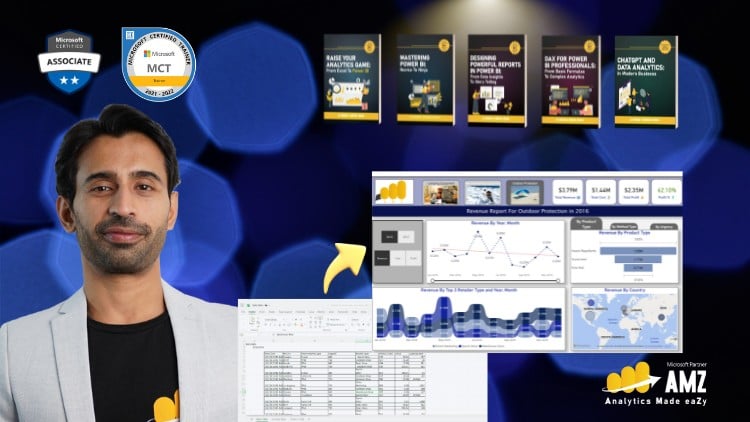
Mastering Data Analysis and Dynamic Visualizations with Microsoft Power BI – Recorded Live with Executives in Training.
⏱️ Length: 4.5 total hours
⭐ 4.52/5 rating
👥 30,620 students
🔄 September 2025 update
Add-On Information:
Note➛ Make sure your 𝐔𝐝𝐞𝐦𝐲 cart has only this course you're going to enroll it now, Remove all other courses from the 𝐔𝐝𝐞𝐦𝐲 cart before Enrolling!
-
Course Overview
- This intensive 4.5-hour course is meticulously crafted for individuals looking to elevate their data analysis capabilities beyond traditional spreadsheets, specifically targeting existing Microsoft Excel users and absolute beginners to Power BI.
- Drawing from a unique live training session with executives, the curriculum is infused with practical, business-centric scenarios, ensuring relevance and immediate applicability of learned concepts in real-world settings.
- You’ll explore how Power BI acts as a powerful bridge, transforming raw, disparate data into compelling, interactive dashboards and reports that drive informed decision-making across organizations.
- The course positions Power BI not just as a tool, but as an essential skill for anyone aspiring to become a data-fluent professional in today’s data-rich environment, empowering you to unlock deeper, actionable insights from your datasets.
- It emphasizes a smooth and intuitive transition from Excel’s familiar interface to Power BI’s dynamic analytical environment, making the learning curve manageable and highly rewarding for those accustomed to spreadsheets.
- With over 30,000 satisfied students and a high rating, this course is a proven pathway to mastering the fundamentals of modern business intelligence.
-
Requirements / Prerequisites
- Basic Computer Literacy: Familiarity with operating a computer, managing files, and navigating software applications is essential.
- Fundamental Excel Skills: A working knowledge of Microsoft Excel is highly recommended. This includes understanding spreadsheet structure, basic formulas (e.g., SUM, AVERAGE), and data organization principles, as the course leverages this foundation for a seamless transition into Power BI.
- No Prior Power BI Experience: This course is explicitly designed for beginners; therefore, no previous exposure to Power BI is necessary or expected. We start from the very beginning.
- Access to a Computer with Internet: A stable internet connection is required for accessing course materials and for downloading the necessary software.
- Desire to Learn and Grow: An enthusiastic approach to mastering data visualization and analytical techniques is the most crucial prerequisite for success in this domain.
- Power BI Desktop Software: Instructions will be provided to download and install the free Microsoft Power BI Desktop application, which is the primary tool used throughout the course for hands-on exercises.
-
Skills Covered / Tools Used
- Dashboard Storytelling: Developing the ability to construct compelling narratives with data, translating complex information into easily digestible and actionable insights through interactive dashboards.
- Data Integration Mastery: Techniques for consolidating information from diverse business systems, databases, and flat files, preparing it for cohesive analysis within a unified platform.
- Interactive Report Design: Crafting visually engaging and user-friendly reports that empower stakeholders to dynamically explore data, uncover trends, and drill down into details independently.
- Analytical Querying Foundations: Utilizing the powerful capabilities of Power Query for efficient data cleaning, shaping, and structuring, laying the essential groundwork for robust analytical models.
- Introductory Data Relationship Management: Establishing logical and accurate connections between different data tables to ensure consistent cross-table analysis and reliable reporting.
- Performance Metrics Visualization: Effectively representing key performance indicators (KPIs) and critical business metrics in a clear, concise, and impactful manner for quick strategic assessment.
- Tools Utilized: The core tool is Microsoft Power BI Desktop, complemented by foundational concepts and data preparation skills transferable from Microsoft Excel.
- Strategic Data Exploration: Learning methodologies to probe datasets for underlying patterns, anomalies, and opportunities that might otherwise remain hidden in raw data.
-
Benefits / Outcomes
- Enhanced Career Prospects: Acquire a highly sought-after skill in data analytics and business intelligence, significantly boosting your professional resume and opening doors to new career opportunities across various industries.
- Data-Driven Decision Making: Transform from a passive data consumer to an active data producer, empowering yourself and your team to make more informed, evidence-based strategic choices grounded in solid analytical insights.
- Increased Efficiency: Automate routine reporting tasks and streamline data analysis processes, saving significant time and reducing manual errors associated with traditional spreadsheet-based analysis.
- Become a Data Champion: Gain the confidence to present compelling data stories, influence strategic discussions, and champion data literacy and an analytical mindset within your organization.
- Bridge to Advanced Analytics: Establish a solid foundational understanding of core BI principles and Power BI functionalities, preparing you for seamless progression into more complex data science and advanced Power BI topics.
- Actionable Business Insights: Develop the capability to extract meaningful, high-impact insights from vast datasets, identifying crucial trends, anomalies, and lucrative opportunities that drive tangible business growth.
- Professional Development: Leverage the “Recorded Live with Executives in Training” context to gain unique insights into real-world business challenges and understand precisely how Power BI addresses them at a strategic level.
-
PROS
- Executive-Level Insights: Directly benefits from real-world scenarios and questions posed during live training with executives, offering a practical, business-oriented perspective that goes beyond mere tool functionality.
- High Student Satisfaction: A 4.52/5 rating from over 30,000 students attests to its effectiveness, quality, and pedagogical value for beginners and Excel users.
- Efficient Learning Curve: The concise 4.5-hour duration provides essential, high-impact skills rapidly without unnecessary fluff, respecting your time.
- Ideal for Excel Users: Specifically designed to ease the transition from traditional spreadsheet analysis to dynamic, interactive business intelligence reporting, making it highly accessible.
-
CONS
- Foundation-Focused: As a beginner course, it serves as an introduction, requiring further self-study or advanced courses for deep specialization in all nuanced Power BI features.
Learning Tracks: English,IT & Software,Other IT & Software