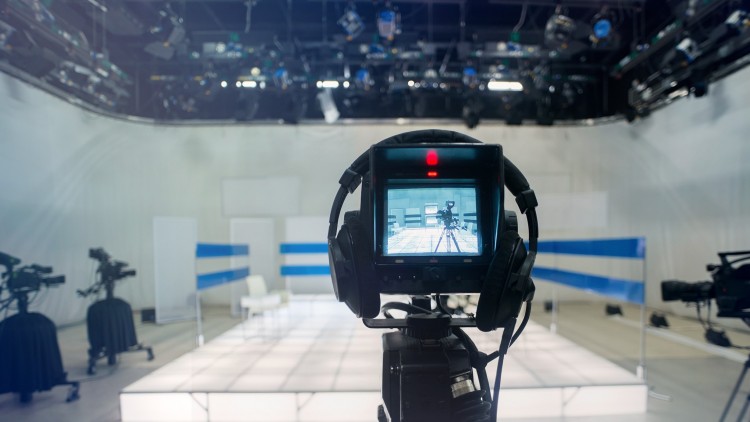
Media Training: Know how to look comfortable, confident and relaxed anytime you appear on video or TV.
What you will learn
Looking comfortable on TV
Appearing confident on video
Understanding body Language for TV
Feeling relaxed in front of a camera
Description
Media Training. Imagine yourself going on TV, knowing you look your absolute best. You come across with complete confidence and authority. You are as relaxed on live national TV as you are having a conversation with your best friend.
This can be you after you have been properly media trained by a Media Training master
This course will teach you every aspect of how to look your best on TV or Video. You will learn all the fundamentals of how to sit, stand, gesture, and look comfortable and confident. We are moving to a video-centric world. You can know how to come across as professional and as a ‘natural’ anytime you have to opportunity to be on TV or a part of video production.
Why waste even one more day where you could end of on TV looking nervous or stiff? Sign up for this Media Training course now.
There is a 100% Money-Back Guarantee for this Media Training course. And the instructor also provides an enhanced guarantee.
What will students achieve or be able to do after taking this Media Training course?
- Looking comfortable on TV
- Appearing confident on video
- Understanding body Language for TV
- Feeling relaxed in front of a camera
What do Udemy students say about this Media Training Course?
“5 Stars! I took this course not so much for appearances on TV but for online video productions and communications. This course is a must for Udemy instructors reluctant to appear on the video. For me, the content was a refresher of what I had learned from TV appearances in the past century. Excellent instructor! The content was comprehensive, beyond my expectations.” Barbara Tomlin
“5 Stars! Precise, right to the point, and practical. Thank you.” Wessam Adib
“5 Stars! Great tips and tricks! You can tell the author knows what he is talking about. It is engaging, funny at times, and very well put together.” Ayda Walsh
Content
You Will Look Great On Your Next TV Appearance
Housekeeping Matters
Overview
Let’s be honest: most of us in the tech world would rather debug a legacy codebase for twelve hours straight than spend twenty minutes in front of a camera. I’ve seen senior architects who can command a room of fifty engineers turn into a stuttering mess the moment a red “recording” light flickers on. Whether it’s for a high-stakes real-world project demo, a keynote at a conference, or just an internal company update, video presence has become a non-negotiable part of the modern career stack.
The “Media Training: Looking Good on TV” course isn’t about becoming a Hollywood actor; it’s about tactical professional survival. It addresses the “lens anxiety” that plagues even the most seasoned experts. The core insight here is that looking “natural” on camera is actually a highly unnatural process that requires specific job-ready skills. This isn’t just “talk slower”; it’s a deep dive into the psychology of how viewers perceive authority and warmth through a 2D screen. I approached this as a bit of a skeptic, thinking my Zoom calls were “fine,” but I quickly realized how much my nervous ticks were undermining my technical expertise. This course bridges the gap between being an expert and looking like one, moving you from beginner to advanced in your visual communication repertoire.
Prerequisites
- Basic Video Access: You don’t need a studio, but you do need a smartphone or a webcam to record yourself. Think of these as your hands-on labs.
- Willingness to Self-Critique: You have to be okay with watching yourself on screen—which, let’s face it, is the hardest part for most of us.
- A Quiet Space: Somewhere you can practice your delivery without your roommates or coworkers wondering why you’re talking to a wall.
- No Prior Media Experience: This is designed for the “uninitiated.” You don’t need a background in communications to get value here.
Skills & Tools
- Non-Verbal Mastery: Learning to control micro-expressions and hand gestures that can either project confidence or scream “I’m uncomfortable.”
- Eye Contact Simulation: Techniques for talking to the lens—not the screen—to build a 1:1 connection with the audience.
- Vocal Modulation: Using industry-standard tools (even if it’s just your phone’s voice memo app) to analyze your pitch, pacing, and those dreaded “umms” and “ahhs.”
- Wardrobe & Lighting Logic: Understanding how certain patterns or lighting setups can distract from your message, ensuring your career growth isn’t hindered by a grainy, poorly lit silhouette.
Career Benefits & Job Roles
In an era of remote-first work and “thought leadership,” your ability to present well on video is a massive multiplier for your career growth. If you’re looking at a certification prep path for leadership roles, consider this an essential “soft skill” module. Being the face of a product or a brand requires a level of polish that sets you apart from the crowd.
- CTOs & Technical Founders: Crucial for pitching to VCs or appearing in press releases where you need to look like a steady hand at the wheel.
- Product Managers: Essential for internal stakeholder meetings and external product launch videos where clarity and enthusiasm are marketable skills.
- Developer Advocates: If you’re building a portfolio on YouTube or Twitch, these techniques are the difference between “just another tutorial” and a professional-grade channel.
- Solutions Architects: When you’re presenting a complex migration plan to a C-suite, looking relaxed and confident translates directly into trust in your technical solution.
Pros
- Practical, Not Theoretical: The course doesn’t get bogged down in media history. It’s all about job-ready skills that you can apply to your next Zoom call immediately. It feels more like a coaching session than a lecture.
- High ROI on Time: You don’t need to spend 40 hours here. The “aha” moments come fast, especially regarding how to position your body to avoid looking stiff. It’s a hands-on approach that yields results by the second or third module.
- Focus on Authenticity: It doesn’t try to turn you into a news anchor. Instead, it teaches you how to be the “best version of yourself” on camera, which is vital for maintaining credibility in tech.
Cons
The only real downside is that the production value of the course itself feels a bit dated in a few sections. While the advice is timeless, I would have liked to see more updated industry-standard tools for home setups—specifically, more tips on using software like OBS or Elgato Stream Decks to manage your presence while live-streaming, which is a major part of real-world projects today.