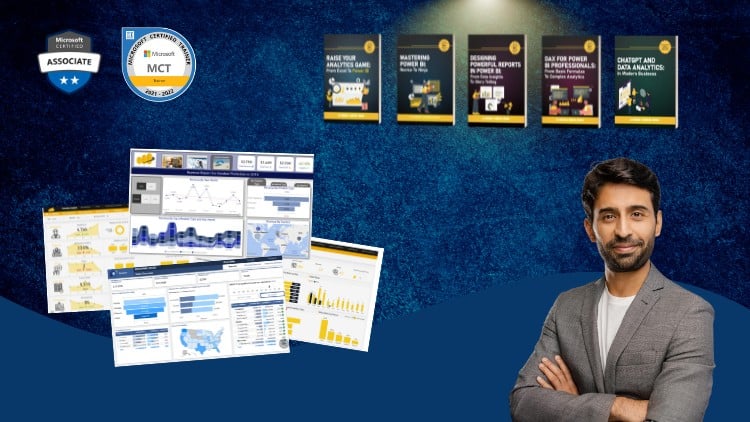
A Full Guide to Creating Insightful Reports, Interactive Dashboards, and Effective Data Storytelling Using Power BI
⏱️ Length: 3.6 total hours
⭐ 4.52/5 rating
👥 25,859 students
🔄 September 2025 update
Add-On Information:
Note➛ Make sure your 𝐔𝐝𝐞𝐦𝐲 cart has only this course you're going to enroll it now, Remove all other courses from the 𝐔𝐝𝐞𝐦𝐲 cart before Enrolling!
-
Course Overview
- Master Power BI report design from foundational concepts to advanced techniques.
- Transform raw data into compelling, insightful, and actionable visual narratives.
- Develop a design-centric approach for highly effective data communication.
- Ideal for aspiring data analysts, BI professionals, and business users.
- Learn practical, hands-on techniques for immediate real-world application.
- Efficiently structured curriculum maximizes learning in minimal time (3.6 hours).
- Cultivate skills in translating complex data into engaging, understandable stories.
- Understand critical principles for crafting user-friendly, high-impact reports.
-
Requirements / Prerequisites
- Basic computer literacy and navigation skills are necessary for the course.
- No prior Power BI experience is required; this course is suitable for beginners.
- A keen interest in data visualization and deriving insights is highly beneficial.
- Access to Power BI Desktop, a free Microsoft download, is essential for practice.
- Familiarity with fundamental data concepts (like tables, columns) is helpful.
-
Skills Covered / Tools Used
- Strategic Report Layout: Optimize visual placement for clarity and impact.
- Intuitive UI Design: Craft user-friendly, easy-to-navigate reports and dashboards.
- Interactive Elements: Master slicers, filters, and cross-highlighting for dynamic exploration.
- Data Model Integration: Understand how data structure supports robust visualizations.
- Basic DAX: Create foundational calculated measures to enrich report data.
- Power Query Essentials: Learn data cleaning and transformation techniques effectively.
- Report Performance: Optimize for fast-loading, responsive Power BI reports.
- Accessibility Standards: Design inclusive reports for diverse user audiences.
- Custom Visuals: Explore and integrate advanced, specialized visuals to enhance reports.
- Dashboard Storyboarding: Plan logical narratives for guided user insights.
- Corporate Theming: Apply consistent styles aligning with brand identity.
- Advanced Filtering: Utilize complex filtering options for precise data exploration.
- Drill-through Configuration: Enable seamless navigation to detailed data views.
- Bookmark Implementation: Create pre-defined views and analytical paths within reports.
- Enhanced Tooltips: Design custom, data-rich pop-up information on demand.
- Dynamic Titles: Make report titles responsive to user selections for better context.
- Visual Hierarchy: Emphasize key data points effectively using design principles.
- Conditional Formatting: Apply rules-based styling for highlighting critical insights.
- Shape & Image Integration: Enhance visual appeal and emphasize content strategically.
- Page Navigation Design: Create clear pathways between different report pages.
- Report Publishing Basics: Understand deployment processes to Power BI Service.
- Best Practices: Choose optimal chart types for specific data stories effectively.
- User Engagement Techniques: Design reports that encourage active data exploration.
- Data Integrity Visualization: Represent data accurately and ethically in all reports.
- Iterative Design Process: Learn to refine reports based on user feedback and analysis.
-
Benefits / Outcomes
- Confidently design professional Power BI reports: Build complete, polished solutions.
- Create stunning, highly functional dashboards: Deliver both aesthetic appeal and utility.
- Communicate complex data effectively to any audience: Master clear, concise messaging.
- Elevate your data analysis and visualization skills: Become a proficient data professional.
- Boost career opportunities in data-intensive roles: Enhance your marketability significantly.
- Drive better business decisions: Empower stakeholders with actionable, data-driven insights.
- Develop an expert understanding of Power BI design: Go beyond basic tool usage.
- Optimize report creation workflows: Streamline your Power BI development process.
- Transform raw data into compelling, actionable narratives: Convert numbers into stories.
- Ensure report consistency and professional branding: Maintain high presentation standards.
-
PROS
- Exceptional User Endorsement: Boasts a 4.52/5 rating from over 25,000 satisfied students.
- Time-Efficient Learning: Comprehensive skills delivered effectively in just 3.6 hours.
- Future-Ready Content: Updated for September 2025, ensuring current relevance and features.
- Broad Skill Progression: Seamlessly guides learners from beginner concepts to advanced design.
- Practical Application Focus: Emphasizes real-world, immediately usable techniques and projects.
- Expert-Led Data Storytelling: Master crafting persuasive, impactful data narratives for any audience.
-
CONS
- Given its condensed format, learners seeking exhaustive coverage of highly niche or extremely complex Power BI functionalities may require supplementary specialized resources beyond this course.
Learning Tracks: English,Office Productivity,Microsoft