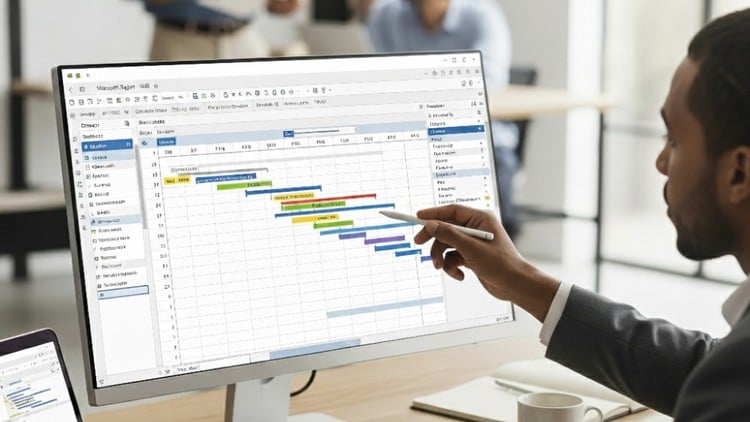
Master Project Planning & Control with Microsoft Project – With Earned value management – S curve
⏱️ Length: 56 total minutes
⭐ 5.00/5 rating
👥 32 students
🔄 September 2025 update
Add-On Information:
Note➛ Make sure your 𝐔𝐝𝐞𝐦𝐲 cart has only this course you're going to enroll it now, Remove all other courses from the 𝐔𝐝𝐞𝐦𝐲 cart before Enrolling!
- Course Overview:
- Master strategic project planning, scheduling, and control using Microsoft Project for complex construction and civil engineering projects.
- Navigate advanced features to manage entire project lifecycles, from detailed initiation to precise closure, with enhanced governance.
- Transform your approach to project management, evolving from basic task tracking to proactive, data-driven project oversight.
- This course is specifically tailored for project managers, civil engineers, project planners, and construction professionals seeking to optimize operational efficiency and predictability in their initiatives.
- Learn to integrate real-world operational constraints and unforeseen opportunities into robust, adaptable project plans that minimize disruption.
- Leverage Microsoft Project’s powerful analytical capabilities to anticipate potential challenges and implement timely, effective corrective actions.
- Position yourself as a highly capable professional, adept at orchestrating successful, large-scale construction and infrastructure development initiatives.
- Requirements / Prerequisites:
- Possess a foundational understanding of core project management principles and common industry terminology.
- Be familiar with basic scheduling concepts, including task dependencies, critical path, and initial project scope definition.
- Have working knowledge of the Windows operating system and general proficiency in using standard desktop applications.
- Access to a licensed version of Microsoft Project (e.g., Project 2016, 2019, or Project 365) is essential for hands-on practice.
- An analytical mindset and a strong desire to significantly enhance project planning and control skills are highly beneficial for maximum course engagement.
- Skills Covered / Tools Used:
- Deep dive into Critical Path Method (CPM) for precise schedule optimization, focusing on identifying and managing critical activity sequences.
- Implement advanced techniques for defining, updating, and analyzing multiple project baselines for robust performance measurement and deviation tracking.
- Master risk identification, analysis, and comprehensive mitigation strategies directly integrated within Microsoft Project.
- Develop custom fields, intricate formulas, and intuitive visual indicators to tailor project data and reporting to specific organizational or client needs.
- Learn to create and manage sophisticated multi-project environments, consolidating master schedules with inter-project dependencies and shared resources.
- Design and generate highly customized, impactful visual reports and interactive dashboards for diverse stakeholder communication and executive reviews.
- Optimize resource utilization through advanced techniques like resource overallocation resolution strategies, fast-tracking, and crashing schedules within Project.
- Gain expertise in precisely managing various project calendars, working times, and task-specific resource availability for accurate scheduling.
- Apply robust version control, change tracking, and archival strategies for maintaining project data integrity and comprehensive audit trails.
- Understand how to manage various detailed cost components, including fixed, variable, and accrual methods, beyond basic financial tracking.
- Strategically manage project portfolios by effectively grouping related projects and analyzing overall program performance across aggregated data.
- Utilize the Organizer feature to create and manage custom views, tables, filters, and groups for personalized, efficient project data analysis.
- Learn effective techniques for updating project progress, including entering actuals, remaining work, and setting accurate status dates for realistic forecasting.
- Employ advanced filtering and grouping capabilities to quickly analyze, segment, and present specific subsets of project data for targeted insights.
- Explore integration possibilities with other Microsoft Office applications (e.g., Excel for data analysis, PowerPoint for presentations) for enhanced data sharing and reporting.
- Benefits / Outcomes:
- Significantly enhance your capability to plan, execute, and monitor complex construction projects with high predictability and accuracy.
- Make more informed, data-driven decisions throughout the entire project lifecycle, improving strategic foresight and responsiveness.
- Boost your career trajectory in project management, planning, and civil engineering with highly sought-after, advanced software skills.
- Develop the expertise to critically evaluate, optimize, and defend project schedules for maximum efficiency and timely completion.
- Improve communication and transparency with all project stakeholders through clear, customized, and insightful reporting and dashboards.
- Gain the confidence and practical skills to mitigate common project pitfalls and proactively address potential bottlenecks before they escalate.
- Lead projects to successful, on-budget, and on-schedule conclusions, establishing a reputation for reliable and expert project delivery.
- Streamline your project workflows, substantially reducing manual effort and increasing overall team productivity and focus on critical tasks.
- PROS:
- Highly Targeted Skill Development: Specifically designed for elevating Microsoft Project proficiency in construction and civil engineering contexts.
- Practical and Hands-On Learning: Emphasizes real-world application through practical exercises, ensuring immediate and relevant skill transfer.
- Comprehensive Advanced Coverage: Addresses a wide array of advanced MS Project features crucial for expert project planning and control.
- Industry-Relevant Techniques: Incorporates essential methodologies and best practices vital for modern, data-driven project management.
- Significant Career Advancement: Equips learners with in-demand skills highly valued by leading employers, enhancing professional standing.
- Efficient Learning Format: Delivers substantial knowledge within a focused timeframe, making it ideal for busy professionals seeking rapid skill acquisition.
- CONS:
- Potentially Limited Deep Dive: The concise 56-minute duration for a “mastering” course might restrict extensive exploration of extremely complex scenarios or in-depth troubleshooting techniques, potentially requiring further independent study for truly intricate challenges.
Learning Tracks: Hindi,Business,Project Management