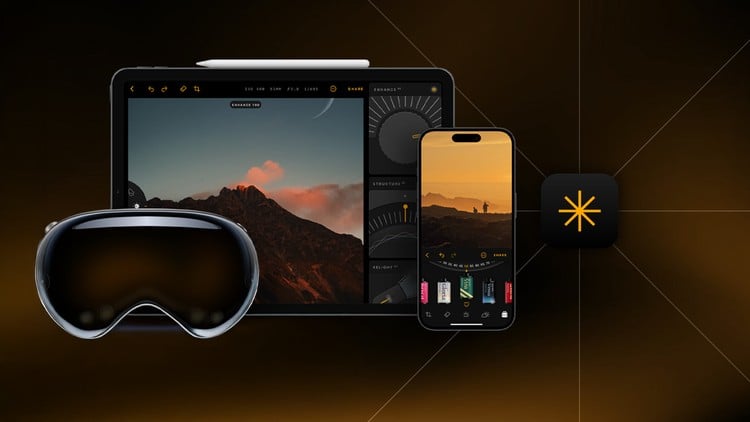
Transform Your iPhone Photos with Various Editing Techniques and Take Your Mobile Photography to the Next Level
⏱️ Length: 1.4 total hours
⭐ 3.96/5 rating
👥 12,254 students
🔄 February 2025 update
Add-On Information:
Note➛ Make sure your 𝐔𝐝𝐞𝐦𝐲 cart has only this course you're going to enroll it now, Remove all other courses from the 𝐔𝐝𝐞𝐦𝐲 cart before Enrolling!
-
Course Overview
- Embark on a creative journey to redefine your relationship with iPhone photography, transforming it from a casual habit into a powerful medium for artistic expression. This course meticulously guides you beyond simple point-and-shoot, unlocking the true potential of your device.
- Discover the nuanced art of visual storytelling, learning to see, capture, and refine moments that resonate. You’ll gain insights into the deliberate choices photographers make to create impactful images, all through the accessible lens of your iPhone.
- This program serves as your comprehensive guide to mastering the post-capture process, demonstrating how strategic editing can elevate an ordinary photo into an extraordinary piece of visual art, reflecting your unique perspective and style.
- Uncover the secrets to achieving a polished, professional aesthetic with just your iPhone, bridging the gap between amateur snapshots and gallery-worthy mobile photography, all with practical, immediately applicable techniques.
-
Requirements / Prerequisites
- An Apple iPhone: Preferably iPhone X or a newer model to fully utilize advanced camera features and processing capabilities, though core principles are broadly applicable.
- Basic Device Familiarity: Comfort with your iPhone’s operating system and general navigation is assumed. No prior photography or advanced editing experience is required.
- Adequate Storage Space: Ensure sufficient free storage on your device for new photos, practice files, and the installation of recommended third-party editing applications.
- Internet Access: A reliable internet connection is necessary for streaming course content, downloading suggested apps, and staying updated with course materials.
- Enthusiasm for Learning: An open mind and a genuine desire to experiment, practice, and push the creative boundaries of mobile photography are the most valuable assets.
-
Skills Covered / Tools Used
- Advanced Visual Composition & Storytelling: Move beyond fundamental rules to actively craft narrative and emotional depth within your images, employing techniques like subject isolation, utilizing negative space, and understanding psychological impact of frame elements.
- Mastering Diverse Lighting Conditions: Learn to effectively adapt your shooting techniques to various natural light scenarios, from golden hour warmth to challenging low-light and high-contrast environments, leveraging shadows and highlights for dramatic effect.
- Exploiting iPhone’s Creative Camera Modes: Dive deep into specific iPhone camera functionalities such as Cinematic Mode for video aesthetics, Pano mode for sweeping landscapes, and time-lapse for dynamic sequences, integrating them into your photographic repertoire for diverse visual outcomes.
- Developing a Robust Post-Processing Workflow: Establish an efficient, sequential editing routine that ensures consistency and maximizes impact. This includes global adjustments (exposure, white balance) followed by localized refinements (sharpening, dodging, burning) for a polished final look.
- Navigating Digital Darkroom Principles on Mobile: Gain practical understanding of core photographic concepts like color theory for grading, interpreting histograms for tonal control, managing digital noise, and applying selective adjustments to enhance specific image areas effectively.
- Strategic Ecosystem Integration for Professional Results: Learn to seamlessly combine the strengths of your iPhone’s native editing suite with powerful third-party applications. This involves understanding the unique capabilities of various apps (e.g., advanced curve adjustments, HSL sliders, healing tools) and building a cohesive mobile editing toolkit for superior results.
-
Benefits / Outcomes
- Cultivate a Unique Photographic Voice: Develop a distinctive personal style that sets your images apart, enabling you to consistently produce work that is recognizable and reflective of your creative vision.
- Transform Everyday Scenes into Art: Learn to perceive and capture beauty in ordinary moments, turning mundane surroundings into captivating and artistic photographs that tell compelling stories.
- Achieve Professional-Quality Imagery: Gain the expertise to produce iPhone photos that boast exceptional sharpness, accurate colors, and impactful compositions, suitable for sharing, printing, or portfolio inclusion.
- Boost Creative Confidence and Expression: Acquire the technical and artistic skills necessary to confidently share your photographic work, experiment with new ideas, and articulate your visual narratives with clarity.
- Enhance Social Media Visual Presence: Create engaging, visually stunning content that commands attention and elevates your social media feeds, establishing a strong and attractive personal or brand identity.
- Develop a Critical Artistic Eye: Sharpen your ability to analyze photographs, both your own and others, understanding the elements that contribute to a powerful image and continually refining your creative judgment.
-
PROS
- Highly Condensed and Actionable: The 1.4-hour duration provides substantial, practical knowledge in a time-efficient format, perfect for busy learners seeking quick improvements.
- Proven Student Satisfaction: An impressive 3.96/5 rating from over 12,000 students attests to the course’s effectiveness and the quality of its instruction.
- Currency and Relevance: The February 2025 update ensures all techniques, apps, and iPhone features discussed are up-to-date with the latest mobile photography landscape.
- Directly Applicable to iPhone Users: Specifically tailored content means every lesson is immediately actionable for the vast global community of iPhone owners, maximizing relevance.
- Empowers Mobile Creativity: Fosters a deeper appreciation and skill set for mobile photography, turning a common device into a sophisticated tool for artistic expression.
-
CONS
- Limited Scope for Deep Dives: Given its concise nature, the course may not cover highly advanced or niche professional editing techniques that require extensive dedicated software or in-depth theoretical study.
Learning Tracks: English,Photography & Video,Photography