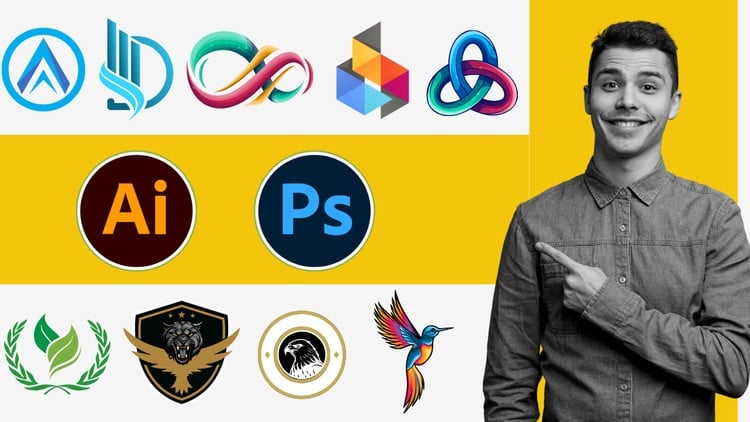
Learn Logo Design Techniques: A Comprehensive Guide with Photoshop and Illustrator
⏱️ Length: 4.0 total hours
⭐ 4.00/5 rating
👥 26,366 students
🔄 August 2024 update
Add-On Information:
Note➛ Make sure your 𝐔𝐝𝐞𝐦𝐲 cart has only this course you're going to enroll it now, Remove all other courses from the 𝐔𝐝𝐞𝐦𝐲 cart before Enrolling!
-
Course Overview
- Embark on a transformative “zero to pro” journey into professional logo design using Adobe Photoshop and Illustrator, tailored for aspiring designers, entrepreneurs, and marketers.
- This hands-on curriculum provides a holistic workflow, from initial concept to advanced digital execution, equipping you to craft compelling visual identities.
- Understand the critical role logos play in brand recognition and how to design symbols that resonate, communicate effectively, and stand the test of time.
- Explore the synergy between Photoshop for conceptualization and texture, and Illustrator for vector precision, forming an indispensable modern logo design toolkit.
- Gain the confidence and skills to conceptualize, design, and present distinctive logos that capture any brand’s essence.
-
Requirements / Prerequisites
- No Prior Design Experience Needed: Designed for absolute beginners, guiding you step-by-step through core principles and software.
- Basic Computer Literacy: Familiarity with operating Windows or macOS is beneficial.
- Access to Adobe Creative Cloud: Requires Adobe Photoshop and Illustrator (trial versions are sufficient).
- Stable Internet Connection: For course access and resource downloads.
- Desire to Learn & Create: Enthusiasm to practice and apply techniques is crucial for success.
- Mouse or Graphics Tablet: Recommended for precision, though a mouse is sufficient.
-
Skills Covered / Tools Used
- Mastering Vector Precision in Illustrator:
- Expertly use the Pen Tool and Curvature Tool for crafting precise, scalable vector shapes and custom typography.
- Efficiently employ Pathfinder and Shape Builder to create complex geometric and organic designs from basic shapes.
- Develop consistent, rich color palettes using advanced gradient, pattern, and swatch management for brand integrity.
- Convert hand-drawn sketches or raster images into editable vector artwork using Live Trace (Image Trace).
- Organize and manage multiple logo variations across various Artboards for streamlined presentation.
- Integrating Photoshop for Visual Effects & Mockups:
- Seamlessly transfer vector assets from Illustrator into Photoshop via Smart Objects for non-destructive editing.
- Apply sophisticated Layer Styles, blending modes, and adjustment layers for dynamic effects like textures, metallic finishes, and embossing.
- Create realistic logo mockups on diverse surfaces (e.g., stationery, apparel, digital screens) for professional presentations.
- Utilize raster manipulation within Photoshop to add subtle textures or stylistic overlays, enhancing logo character.
- Conceptual Development & Branding Strategy:
- Structured brainstorming and ideation to transform abstract concepts into tangible design directions.
- Apply principles of visual hierarchy, balance, and negative space for memorable logo compositions.
- Make informed choices in color and typography to evoke desired emotions and communicate brand values.
- Implement an iterative design process, from sketches to digital refinement, ensuring robust and versatile logos.
- Professional Workflow & Output:
- Establish efficient file organization and project management practices.
- Master various export formats (SVG, PNG, JPG, EPS, PDF) for optimal quality across web and print.
- Implement version control and effective client feedback strategies.
- Optimize your workspace with custom shortcuts and preferences in both applications for productivity.
- Mastering Vector Precision in Illustrator:
-
Benefits / Outcomes
- Build a Professional Portfolio: Create diverse logo designs ready to showcase your skills to clients or employers.
- Attain Software Proficiency: Gain practical mastery over core Photoshop and Illustrator functionalities for various graphic design tasks.
- Develop a Designer’s Mindset: Cultivate a critical eye for effective design, capable of analyzing and improving visual communication.
- Unlock Freelance Opportunities: Acquire skills to confidently offer logo design services on freelance platforms.
- Empower Personal Branding: Design your own brand identity or logos for entrepreneurial ventures, adding a professional edge.
- Understand Scalability & Adaptability: Design logos that maintain integrity across all sizes and mediums, from app icons to billboards.
- Confidently Communicate Design Choices: Articulate the rationale behind your designs, presenting work effectively to stakeholders.
- Stay Updated with Industry Standards: Benefit from the August 2024 curriculum, ensuring skills align with latest practices.
-
PROS
- Comprehensive Tool Coverage: Teaches both Adobe Photoshop and Illustrator for a versatile, industry-standard logo design workflow.
- Beginner-Friendly Structure: “Zero to Pro” approach makes complex concepts accessible, building skills progressively for newcomers.
- Highly Practical & Project-Based: Focuses on hands-on application, allowing learners to build a tangible portfolio throughout the course.
- Up-to-Date Content: The August 2024 update ensures relevance with current software features and industry best practices.
- Proven Student Satisfaction: A strong 4.00/5 rating from over 26,000 students attests to its effectiveness and positive learning experience.
- Efficient Learning Curve: The concise 4-hour total length offers impactful learning, ideal for busy individuals.
-
CONS
- Concise Length Requires Dedication: While efficient, the 4-hour format may require learners to seek additional practice or resources for highly specialized logo design scenarios beyond the core curriculum.
Learning Tracks: English,Design,Graphic Design & Illustration