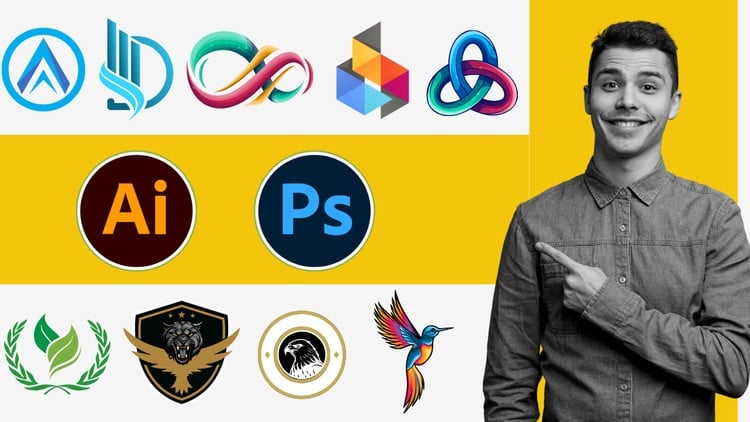
Learn Logo Design Techniques: A Comprehensive Guide with Photoshop and Illustrator
⏱️ Length: 4.0 total hours
⭐ 4.10/5 rating
👥 25,414 students
🔄 August 2024 update
Add-On Information:
Note➛ Make sure your 𝐔𝐝𝐞𝐦𝐲 cart has only this course you're going to enroll it now, Remove all other courses from the 𝐔𝐝𝐞𝐦𝐲 cart before Enrolling!
-
Course Overview
- This concise yet powerful 4-hour course, “Master Logo Design with Photoshop Illustrator Zero to Pro,” is meticulously designed to transform absolute beginners into proficient logo designers. Leveraging the industry-standard powerhouses of Adobe Photoshop and Illustrator, you will embark on a structured journey from conceptual ideation to polished, client-ready logo creation. It’s a comprehensive guide that distills complex design principles into digestible, actionable steps, ensuring a robust foundation in visual identity development. The curriculum goes beyond mere software tutorials, embedding critical design thinking and a strategic approach to crafting compelling brand marks. With a strong rating of 4.10/5 from over 25,000 students and an August 2024 update, this course offers fresh, relevant content that reflects current design trends and best practices, preparing you for immediate application in real-world scenarios.
- You will learn not just ‘how to use’ the tools, but ‘how to think’ like a professional designer, focusing on purposeful design choices that effectively communicate a brand’s essence. The “Zero to Pro” methodology ensures that every concept is broken down for easy understanding, progressively building your expertise to tackle increasingly sophisticated design challenges. Expect a practical, project-based learning experience where you apply theoretical knowledge to create a diverse portfolio of logos, solidifying your skills and confidence.
-
Requirements / Prerequisites
- While the course is structured for beginners, a personal computer (Mac or PC) capable of running Adobe Photoshop and Illustrator smoothly is essential.
- Access to licensed versions of Adobe Photoshop and Adobe Illustrator CC (Creative Cloud) is required, as the course will utilize features specific to these professional design applications.
- A stable internet connection for accessing course materials, updates, and any supplementary resources.
- No prior design experience or advanced technical skills are necessary; a willingness to learn and a keen interest in creative expression are your primary prerequisites.
- Basic computer literacy, including file management and navigation, will be beneficial but not strictly mandatory, as foundational software navigation will be covered.
-
Skills Covered / Tools Used
- Strategic Concept Development: Develop a robust methodology for brainstorming and ideating unique logo concepts that align with specific brand objectives and target audiences, moving beyond generic visual ideas.
- Advanced Vector Manipulation: Master the intricacies of vector path creation, precise node editing, and complex shape building using Illustrator’s core tools, enabling the design of scalable and versatile logo assets.
- Typographic Integration & Customization: Learn to select, pair, and meticulously adjust fonts to convey appropriate brand personalities, including techniques for custom lettering and logotype creation.
- Color Theory in Branding: Apply principles of color psychology and harmony to construct impactful color palettes that evoke desired emotions and create strong brand recognition.
- Grid Systems & Composition: Utilize advanced grid structures and layout techniques to ensure visual balance, consistency, and professional appeal in your logo designs, achieving optimal proportions.
- Raster-to-Vector Conversion: Acquire methods for effectively transforming pixel-based imagery into scalable vector graphics, useful for incorporating specific textures or scanned elements into logos.
- Brand Identity Cohesion: Understand how to design a logo as a cornerstone of a larger brand identity, ensuring its adaptability and consistent application across various marketing collaterals.
- Professional Design Workflow: Establish an efficient and organized design process from initial sketch to final file delivery, optimizing your productivity and project management.
- Prototyping & Mockup Creation: Learn to present logo designs effectively using mockups, demonstrating how the logo would appear in real-world applications such as on business cards, websites, or merchandise.
- Intellectual Property Awareness: Gain a foundational understanding of copyright and trademark considerations relevant to logo design, helping you create original and legally sound visual identities.
-
Benefits / Outcomes
- Build a Professional Portfolio: By completing the practical projects, you will amass a diverse collection of high-quality logo designs, ready to showcase your capabilities to potential clients or employers.
- Launch a Freelance Career: Gain the confidence and practical skills necessary to offer logo design services independently, understanding the full design process from brief to delivery.
- Enhance Brand Understanding: Develop a profound appreciation for how visual elements contribute to a brand’s narrative, allowing you to make informed design decisions that resonate deeply.
- Master Industry-Standard Software: Become highly proficient in using Adobe Photoshop and Illustrator specifically for logo creation, equipping you with essential tools for any graphic design role.
- Achieve Creative Autonomy: Transform your abstract ideas into tangible, professional-grade logos, gaining the ability to bring your unique design visions to life independently.
- Strategic Problem Solving: Cultivate a systematic approach to design challenges, learning to overcome creative blocks and technical hurdles with structured solutions.
- Unlock Business Opportunities: Equip yourself with a skill sought after across industries, opening doors to various design roles, or allowing you to design your own business’s branding effectively.
- Stay Current with Trends: The course’s recent update ensures you’re learning contemporary techniques and design aesthetics, keeping your skills relevant and competitive in the market.
-
PROS
- Beginner-Friendly Approach: The “Zero to Pro” structure makes it highly accessible for individuals with no prior design experience, providing a solid foundational understanding.
- Highly Rated and Popular: A 4.10/5 rating from over 25,000 students signifies a proven track record of student satisfaction and effective instruction.
- Up-to-Date Content: The August 2024 update ensures the course material, techniques, and software demonstrations are current with the latest industry standards.
- Concise and Efficient: With a total length of 4.0 hours, it’s an ideal option for learners seeking to acquire significant skills without an extensive time commitment.
- Practical Application: Focuses on hands-on project work, allowing immediate application of learned concepts to build a portfolio.
-
CONS
- Requires a significant investment in Adobe Creative Cloud subscriptions for Photoshop and Illustrator to fully participate and practice the skills taught.
Learning Tracks: English,Design,Graphic Design & Illustration