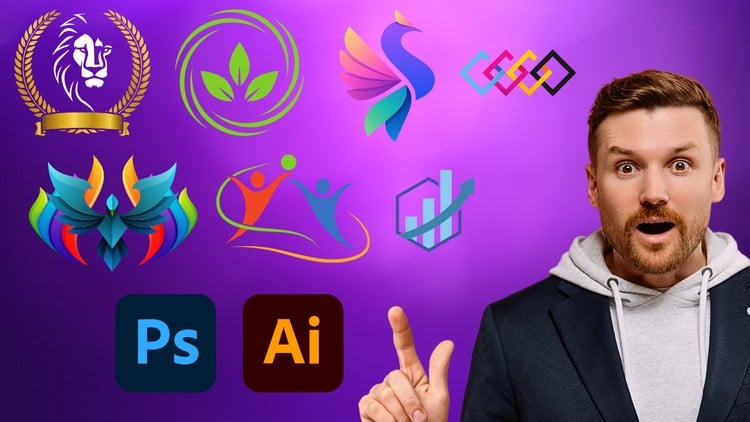
Essential Skills for Logo Designers
⏱️ Length: 4.3 total hours
⭐ 4.23/5 rating
👥 19,799 students
🔄 September 2024 update
Add-On Information:
Note➛ Make sure your 𝐔𝐝𝐞𝐦𝐲 cart has only this course you're going to enroll it now, Remove all other courses from the 𝐔𝐝𝐞𝐦𝐲 cart before Enrolling!
-
Course Overview
- Practical Foundation: Delve into the core principles and practical application of creating effective and memorable logos, building a robust foundation for any aspiring brand designer. This course provides a clear pathway to understanding the essence of visual identity.
- Software Synergy: Explore the seamless integration of Adobe Photoshop for conceptualization and initial ideation, alongside Adobe Illustrator for vector precision, mastering industry-standard tools for producing professional and scalable logo outputs.
- Project-Based Learning: Engage deeply with comprehensive, hands-on projects that accurately simulate real-world design challenges, ensuring practical skill development and enabling you to build a strong, relevant portfolio from day one.
- Efficient Skill Acquisition: A highly focused 4.3-hour curriculum is designed for maximum impact, delivering essential, actionable skills quickly and effectively, making it ideal for immediate application in your design journey.
- Up-to-Date Content: Benefit significantly from the meticulously updated September 2024 content, ensuring you learn the very latest techniques, contemporary trends, and indispensable best practices prevalent in the dynamic field of modern logo design.
- Bridging Theory and Execution: Beyond mere technical steps, understand not just the ‘how-to’ but also the strategic ‘why’ behind critical design decisions, leading to the creation of more impactful, purposeful, and resonating logo creations.
- For All Design Levels: Whether you’re a complete beginner eager to start your design journey or an experienced designer seeking to refine existing skills and master new software techniques, this course offers a clear, progressive path to logo design mastery for everyone.
- Community & Growth: Become part of a vibrant learning community, allowing for peer interaction, shared insights, and opportunities for collaborative growth within the design space.
-
Requirements / Prerequisites
- Basic Computer Proficiency: A fundamental comfort with navigating your operating system, managing files, and basic software interaction is expected for an optimal learning experience.
- Adobe Creative Cloud Access: Active and essential subscriptions to both Adobe Photoshop and Adobe Illustrator are absolutely required for participating in all practical exercises and completing course projects.
- No Prior Design Knowledge: This comprehensive course is meticulously structured and explicitly assumes no previous experience in graphic design principles or complex design software, making it beginner-friendly.
- Commitment to Practice: A proactive, dedicated, and enthusiastic approach, coupled with consistent practice of all learned techniques, is unequivocally key to achieving success and mastery in logo design.
- Stable Internet Connection: A reliable and consistent internet connection is strongly recommended for seamless access to all online course materials, downloadable resources, and updates.
-
Skills Covered / Tools Used
- Illustrator Vector Mastery: Develop in-depth expertise in utilizing Illustrator’s powerful tools, including the Pen Tool for precise paths, Shape Builder for complex forms, and advanced Pathfinder operations for crafting infinitely scalable, crisp vector logos.
- Advanced Typography: Learn sophisticated techniques to select, customize, and expertly manipulate fonts, creating compelling textual brand marks and integrating type effectively to convey specific brand personalities.
- Photoshop for Ideation: Effectively utilize Photoshop’s versatile capabilities for initial concept sketching, creating inspiring mood boards, and refining preliminary visual ideas before transferring them for vectorization in Illustrator.
- Practical Color Theory: Apply sophisticated color psychology and develop harmonious color palette creation techniques, ensuring your designs are impactful, consistent, and evoke the desired emotional response for brand identities.
- Geometric Precision: Master the strategic use of grids, guides, and smart guides in both applications for achieving unparalleled balance, perfect symmetry, and precise proportion in all your logo designs.
- Iconography Development: Learn the art of simplifying complex concepts into clear, universally memorable visual symbols and icons that resonate effectively with diverse target audiences across various platforms.
- Asset Export & Management: Understand and implement best practices for exporting finished logos in a multitude of crucial formats (e.g., SVG, PNG, EPS, JPEG, AI) and efficient file organization strategies for professional client delivery.
- Layer & Artboard Efficiency: Become proficient in establishing and maintaining an organized workflow using layers and multiple artboards, crucial for managing complex projects, facilitating revisions, and presenting diverse design variations.
- Visual Effects Fundamentals: Thoughtfully explore subtle gradients, transparencies, and blending modes to add depth and professional polish to your logos, all while meticulously maintaining the inherent integrity and scalability of vector graphics.
- Branding Fundamentals: Gain a clear understanding of how to align your design choices not just with aesthetics, but with overarching brand narratives, strategic goals, and market positioning for maximum impact.
- Iterative Design Process: Cultivate a systematic approach to design iteration, effectively incorporating feedback, and meticulously refining concepts through multiple development stages to achieve optimal results.
- Logo Presentation Techniques: Learn how to effectively present your logo designs to clients, articulating your design choices and showcasing the versatility of the logo across different mockups and applications.
-
Benefits / Outcomes
- Design Professional Logos: Confidently create distinctive, impactful, and market-ready logos that flawlessly communicate any brand’s unique identity and values.
- Build a Strong Portfolio: Generate a collection of high-quality, diverse design assets that are perfectly suited for inclusion in your professional design portfolio, attracting potential clients.
- Software Proficiency: Achieve expert-level command and practical fluency in Adobe Photoshop and Adobe Illustrator, specifically tailored for the intricate demands of logo design workflows.
- Strategic Design Thinking: Develop a profound understanding of logos’ critical role in broader branding strategies and commercial success, enabling more informed design decisions.
- Enhanced Problem-Solving: Sharpen your analytical ability to deconstruct complex client briefs and translate them into innovative, visually compelling, and effective design solutions.
- Career Advancement: Significantly boost your prospects for new career opportunities in roles such as a freelance logo designer, junior graphic designer, or a valuable team member within creative agencies.
- Efficient Workflow: Adopt and implement streamlined, professional design processes spanning from initial concept generation to final asset delivery, ensuring consistency and efficiency.
- Critical Design Eye: Cultivate a refined aesthetic sensibility and the ability to critically analyze and improve design quality, effectiveness, and appropriateness for its intended purpose.
- Creative Community: Actively connect and engage with a global network of fellow learners, sharing insights, receiving constructive feedback, and expanding your professional network within the vibrant design sphere.
-
PROS
- Highly Rated & Popular: With a robust 4.23/5 rating from 19,799 students, the course undeniably demonstrates proven effectiveness, high learner satisfaction, and widespread appeal.
- Time-Efficient: Its incredibly focused 4.3-hour length makes it an ideal choice for busy individuals seeking rapid, impactful skill development without a lengthy time commitment.
- Industry-Relevant Tools: Teaches indispensable skills in Adobe Photoshop and Adobe Illustrator, making graduates immediately valuable and competitive in the current job market.
- Up-to-Date Curriculum: The significant September 2024 update guarantees that the content remains entirely current with modern design trends, evolving software capabilities, and industry best practices.
- Beginner-Friendly: The course is thoughtfully structured to be entirely accessible and welcoming for individuals with absolutely no prior design background, providing a solid and reassuring entry point.
- Strong Community Engagement: The large student base offers potential for networking, peer support, and shared learning experiences, enriching the educational journey.
-
CONS
- Software Subscription Required: The essential reliance on active Adobe Creative Cloud subscriptions for both Photoshop and Illustrator could potentially represent an additional, ongoing cost barrier for some prospective learners.
Learning Tracks: English,Design,Graphic Design & Illustration