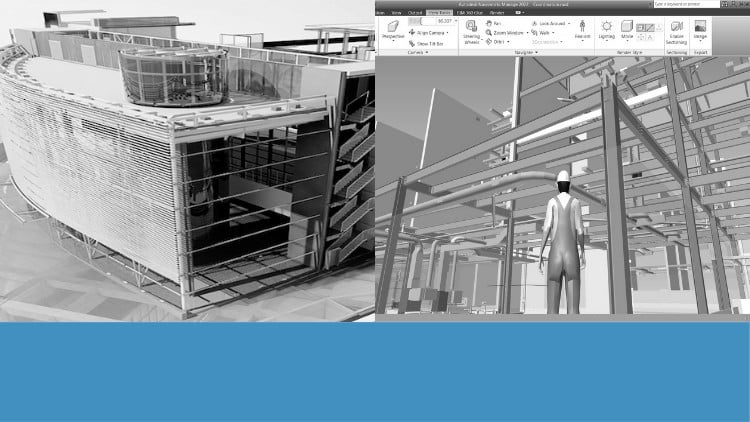
Tutorials on Navisworks: Navigation, Timeliner, Scripter, Clash Detection, Animator, Quantification, and Rendering
⏱️ Length: 2.9 total hours
⭐ 4.29/5 rating
👥 7,090 students
🔄 July 2024 update
Add-On Information:
Note➛ Make sure your 𝐔𝐝𝐞𝐦𝐲 cart has only this course you're going to enroll it now, Remove all other courses from the 𝐔𝐝𝐞𝐦𝐲 cart before Enrolling!
-
Course Overview
- Dive into ‘Exploring Navisworks: BIM Tutorials from Basics to Advanced’, a meticulously crafted course designed to transform your understanding and application of Navisworks for integrated project review. This program serves as your comprehensive guide, starting from fundamental interface navigation and progressing through advanced functionalities crucial for modern BIM workflows.
- Whether you’re an aspiring BIM coordinator, a project manager seeking enhanced visualization tools, an architect keen on better design validation, or an engineer focused on construction analysis, this course provides the essential skills to master Navisworks Simulate and Manage.
- Learn to aggregate multi-disciplinary models, streamline coordination processes, and generate insightful project data, all within the robust Navisworks environment. The curriculum is built around practical, step-by-step tutorials, ensuring a hands-on learning experience that directly translates to real-world project scenarios.
- Elevate your capability to facilitate better communication, proactive problem-solving, and informed decision-making across your project lifecycle, fostering greater efficiency and collaboration from design to construction.
-
Requirements / Prerequisites
- Basic BIM understanding: A foundational grasp of Building Information Modeling concepts will be beneficial, though not strictly mandatory for course comprehension.
- Software access: Students are expected to have access to Autodesk Navisworks Simulate or Manage (educational or trial versions are suitable) to actively participate in the hands-on exercises and practical applications.
- Computer capabilities: A personal computer capable of running Navisworks software smoothly is required for optimal learning and practice, ensuring you can follow along with all demonstrations.
- No prior Navisworks experience: This course is specifically designed to guide you from the ground up, making previous exposure to Navisworks unnecessary.
-
Skills Covered / Tools Used
- Model Aggregation Proficiency: Learn advanced techniques for consolidating disparate 3D models from various authoring tools (e.g., Revit, AutoCAD, Inventor) into a unified, reviewable federated model.
- Intelligent Data Querying: Develop skills to efficiently interrogate model elements, extract critical property data, and create dynamic search sets for automated analysis and information extraction.
- Workflow Optimization: Master the creation and management of selection sets, saved viewpoints, and sectioning tools to streamline coordination meetings and design reviews, enhancing productivity.
- Professional Report Generation: Acquire the ability to produce detailed, customizable reports from clash tests, quantification data, and timelines, suitable for stakeholder communication and project documentation.
- Interoperability Management: Understand and utilize various Navisworks native and export file formats (NWD, NWC, NWF) to ensure seamless data exchange and collaborative workflows across project teams.
- Immersive Walkthroughs: Gain expertise in navigating complex models using advanced camera controls, creating engaging walkthroughs for detailed design validation and client presentations.
- Customizable Environments: Discover how to personalize the Navisworks interface and settings to maximize personal productivity and adapt to specific project requirements or company standards.
- Visual Communication Mastery: Utilize rendering presets, lighting adjustments, and material application to elevate the visual fidelity and impact of your project presentations, making them more compelling.
- Dynamic Scripting for Automation: Explore the Scripter tool beyond basic animation, learning to automate sequences and interactions for enhanced model review and presentation capabilities.
- Data Export & Sharing: Learn to effectively export visual data, reports, and NWD files for broader project team consumption and external sharing, maintaining data integrity.
- Strategic Data Interpretation: Develop an eye for interpreting complex BIM data within Navisworks, translating raw information into actionable project insights and strategic recommendations.
-
Benefits / Outcomes
- Accelerated Project Delivery: Contribute to reducing project timelines and improving efficiency by proactively identifying and resolving potential issues before construction commences.
- Enhanced Cost Predictability: Leverage 5D quantification skills to provide more accurate budget estimates and achieve better financial oversight throughout the project lifecycle.
- Superior Collaboration & Communication: Become a central figure in fostering improved information exchange and shared understanding across multi-disciplinary project teams.
- Minimized Rework & Waste: Directly impact project profitability by mitigating costly on-site errors, clashes, and associated material waste through proactive coordination.
- Informed Decision-Making: Empower project stakeholders with clear, data-driven visualizations and analyses, enabling swift and sound choices at every stage.
- Career Growth in BIM: Position yourself for advanced roles in BIM coordination, project engineering, and construction management with a highly sought-after and practical skillset.
- Compelling Project Storytelling: Create visually rich animations and renderings that effectively communicate design intent, construction sequences, and project milestones to diverse audiences.
- Holistic Project Understanding: Develop a comprehensive grasp of how various BIM components integrate, enabling a more holistic approach to project review and management from a single platform.
-
PROS
- Rapid Skill Acquisition: The concise 2.9-hour duration is perfectly designed for busy professionals, enabling quick mastery of core Navisworks functionalities without extensive time commitment.
- Proven Quality: A stellar 4.29/5 rating from over 7,000 students attests to the high quality, relevance, and effectiveness of the instructional content.
- Up-to-Date Relevance: Regularly updated, with the latest refresh in July 2024, ensuring you learn with the most current Navisworks features and best practices.
- Practical, Project-Based Learning: Strong emphasis on real-world projects and examples allows for immediate application of learned skills to professional scenarios, boosting confidence.
- Foundational to Advanced: Seamlessly guides learners from basic navigation to advanced simulations, providing a solid skillset applicable to various project complexities and roles.
-
CONS
- Limited In-Depth Case Studies: Due to the course’s brief nature, it may not delve into highly complex, niche, or extensive real-world project case studies that require prolonged analysis.
Learning Tracks: English,Design,Design Tools