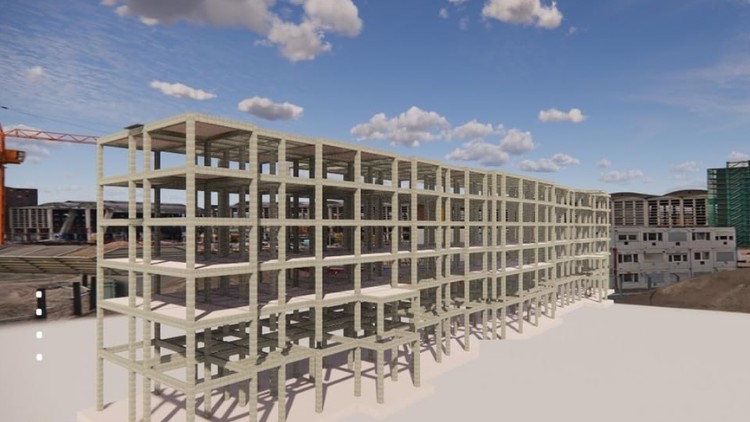
Tutorials on Revit for Structure: Concrete and Steel Structure, Structural Analysis, Family Creation, and Documentation
What you will learn
Note➛ Make sure your 𝐔𝐝𝐞𝐦𝐲 cart has only this course you're going to enroll it now, Remove all other courses from the 𝐔𝐝𝐞𝐦𝐲 cart before Enrolling!
Understand Revit’s Structural Components
Develop BIM Modeling Skills
Utilize Advanced Analysis Tools:
Generate and Customize Structural Documentation:
Add-On Information:
- Master Structural Element Implementation: Gain practical proficiency in placing, modifying, and managing diverse structural elements, including advanced concrete framing, specialized foundations, and complex steel systems, ensuring accuracy and constructability from the outset.
- Optimize Collaborative Workflows: Learn seamless integration of structural models within multidisciplinary BIM projects, facilitating efficient data exchange, minimizing clashes, and streamlining coordination with architectural and MEP teams.
- Extract Data for Project Management: Discover techniques to leverage the structural model for generating precise quantity take-offs, material schedules, and rebar lists, empowering accurate cost estimation and procurement planning.
- Detail Reinforcement for Concrete Structures: Acquire skills to model intricate reinforcement layouts for various concrete members (beams, columns, slabs, walls), ensuring compliance with design specifications and aiding fabrication.
- Design and Detail Steel Connections: Explore methods for modeling, documenting, and managing steel connections—from standard to complex custom configurations—enhancing fabrication readiness and assembly efficiency.
- Leverage Parametric Capabilities for Adaptability: Understand how to create and modify intelligent, parametric structural families and components, enabling rapid design iterations, easy adaptation, and consistent detailing.
- Develop Advanced Annotation and Detailing Strategies: Master creating comprehensive structural drawing sets, incorporating advanced annotations, tags, dimensions, callouts, and section views for clear communication of structural intent.
- Prepare Analytical Models for Export: Learn to construct accurate analytical models within Revit, understanding their relationship to the physical model, and preparing them for seamless export to specialized structural analysis software.
- PROS:
- Hands-on Project Application: Gain practical experience through structured tutorials mirroring real-world structural engineering scenarios, solidifying theoretical knowledge with immediate application.
- Industry-Relevant Skill Development: Equip yourself with highly sought-after BIM skills in structural engineering, significantly enhancing employability and career prospects in a digitalized construction industry.
- Efficiency & Accuracy Gains: Discover methods to dramatically improve workflow efficiency, reduce errors, and ensure higher accuracy in structural design and documentation via intelligent model-based approaches.
- CONS:
- Software Prerequisites: While comprehensive, some prior basic familiarity with CAD environments or fundamental structural engineering concepts might ease the initial learning curve.
English
language