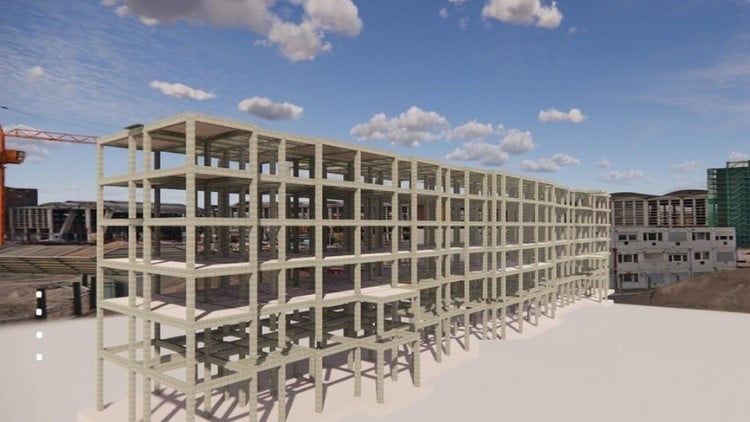
Tutorials on Revit for Structure: Concrete and Steel Structure, Structural Analysis, Family Creation, and Documentation
⏱️ Length: 3.3 total hours
⭐ 4.30/5 rating
👥 6,401 students
🔄 August 2024 update
Add-On Information:
Note➛ Make sure your 𝐔𝐝𝐞𝐦𝐲 cart has only this course you're going to enroll it now, Remove all other courses from the 𝐔𝐝𝐞𝐦𝐲 cart before Enrolling!
- Course Overview
- This ‘Exploring Autodesk Revit for Structure: BIM Tutorials‘ offers a practical deep dive into Autodesk Revit for structural engineering. It meticulously covers modeling, analysis preparation, and documentation for both concrete and steel structures using essential BIM principles. Through hands-on tutorials, learners master structural component creation and comprehensive construction documentation. The course highlights Revit’s critical role in modern BIM workflows, emphasizing information flow and data extraction. With a concise 3.3 total hours, it boasts an impressive 4.30/5 rating from 6,401 students, updated in August 2024. This makes it an ideal resource for anyone seeking a strong foundation in structural BIM with Revit.
- Requirements / Prerequisites
- To benefit most, a basic understanding of structural engineering principles (e.g., load paths, material properties) is recommended. Prior Revit experience is not required, but CAD concepts familiarity helps. Participants must have access to Autodesk Revit software (a compatible, recent version advised) installed on a suitable computer. A stable internet connection is necessary, alongside a commitment to hands-on practice.
- Skills Covered / Tools Used
- This course equips learners with a robust set of practical skills and deep understanding of key Autodesk Revit tools for structural applications:
- Precision Structural Element Modeling: Master creating and detailing diverse concrete and steel components (columns, beams, bracing, slabs, walls, foundations). Apply correct material properties and sizes for accurate, information-rich models.
- Parametric Structural Family Customization: Gain expertise modifying existing Revit families and creating custom parametric components. Essential for unique elements or maintaining project standards, enabling intelligent, adaptable objects.
- Analytical Model Development for Integration: Learn to generate and refine the analytical model. Understand how to adjust analytical lines and apply boundary conditions for seamless export to specialized structural analysis software.
- Automated Construction Drawing Production: Acquire proficiency transforming 3D structural models into professional 2D documents. Generate and organize plans, sections, elevations, and detailed views, applying appropriate templates and graphic overrides.
- Intelligent Annotation and Tagging: Develop skills efficiently annotating and tagging structural elements (beams, columns, dimensions, material labels). This ensures clear information conveyance on drawings, boosting accuracy and consistency.
- Accurate Quantity Take-off and Scheduling: Utilize Revit’s scheduling features to extract precise material quantities and create various structural schedules (e.g., column, beam, rebar). Vital for cost estimation and material procurement.
- Reinforcement Detailing and Scheduling (Concrete): Model and detail concrete reinforcement bars (rebar), including placing individual bars, creating sets, and generating comprehensive rebar and bending schedules directly from the model.
- BIM Interoperability Best Practices: Understand Revit’s integration with other software and disciplines. Learn about exporting/importing data (IFC, DWG) and effective collaboration to minimize clashes.
- Project Setup and Template Utilization: Gain insights into initiating new structural projects, customizing templates, and establishing worksharing environments for efficient management.
- This course equips learners with a robust set of practical skills and deep understanding of key Autodesk Revit tools for structural applications:
- Benefits / Outcomes
- Upon completion, participants will achieve significant professional advantages:
- Enhanced Employability: Acquire highly sought-after structural BIM skills, increasing competitiveness for roles in structural engineering, architectural, and construction firms.
- Increased Project Efficiency: Execute structural modeling and documentation with greater speed and accuracy, reducing errors and streamlining design-to-construction processes.
- Improved Collaboration: Understand BIM’s collaborative nature, enabling effective participation in multi-disciplinary teams for better coordination.
- Confident Software Application: Gain practical confidence to independently utilize Autodesk Revit for complex structural projects, contributing valuable expertise.
- Foundation for Advanced BIM: Establish a robust base for exploring advanced BIM concepts, analysis, or pursuing BIM coordination roles.
- Portfolio Enhancement: Generate project examples suitable for a professional portfolio, showcasing structural BIM proficiency.
- Current Industry Relevance: The August 2024 update ensures skills are current with latest software features and industry best practices.
- Upon completion, participants will achieve significant professional advantages:
- PROS
- Highly Practical: Tutorial-driven format ensures actionable skill acquisition.
- Comprehensive Coverage: Both concrete and steel structures are holistically covered.
- Strong BIM Focus: Instills deep understanding of BIM principles.
- Excellent Satisfaction: 4.30/5 rating from over 6,000 students.
- Up-to-Date: Recently updated in August 2024 for maximum relevance.
- Efficient Learning: 3.3 hours delivers substantial knowledge concisely.
- Analysis Bridge: Teaches preparing models for external structural analysis.
- Boosts Employability: Equips learners with in-demand industry skills.
- CONS
- Limited Advanced Analysis Depth: Focuses on model preparation, not intricate theoretical depth or specialized analytical techniques of dedicated structural analysis software.
Learning Tracks: English,Design,Design Tools