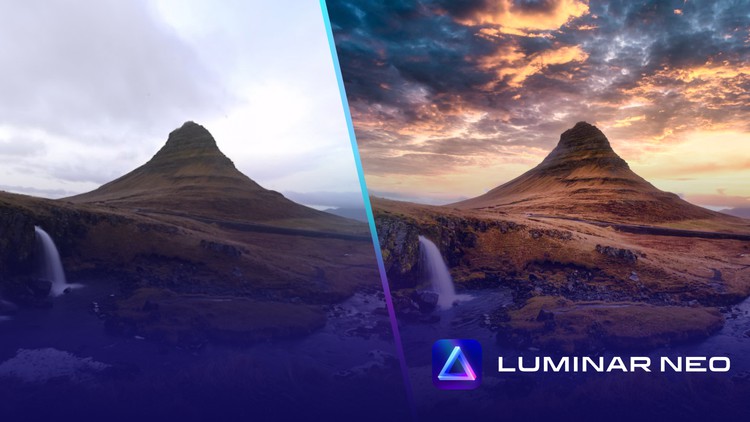
Start With Adobe Lightroom Classic Photo Editing and Empower Your First Masterpieces With the Luminar Neo Plugin
What you will learn
Note➛ Make sure your 𝐔𝐝𝐞𝐦𝐲 cart has only this course you're going to enroll it now, Remove all other courses from the 𝐔𝐝𝐞𝐦𝐲 cart before Enrolling!
What plugins are and how they can assist in photo editing with Lightroom Classic
Variety of popular plugins for Lightroom Classic
How to start with plugins for Lightroom Classic (installing and beginning the work)
The interface of Lightroom Classic and the Luminar Neo plugin
Influence of different adjustments on photos (from basic to advanced)
How to practically set up White Balance, Tone, and Presence adjustments in Lightroom Classic and enhance them with the Luminar Neo plugin
The way of using the Tone Curve, HSL/Color, Color Grading, and Detail adjustments in Lightroom Classic with the Luminar Neo plugin
Possibilities of using masking in photo editing and practical experience on how to use the AI Masking Luminar Neo feature
How to work with Lens Corrections, Transform, Effects, and Calibration adjustments in Lightroom Classic
Benefits of using layers in photo editing and understanding how to use them in the Luminar Neo Plugin
Why photos need to be cropped and how to do so practically with the Luminar Neo plugin
How to combine different adjustments from Lightroom Classic and the Luminar Neo plugin
AI Luminar Neo plugin features to art photos or edit portrait photography
Presets as a quick way to improve photos
Different extensions for the Luminar Neo plugin
Add-On Information:
- Unlock the full potential of your Adobe Lightroom Classic workflow by integrating the powerful Luminar Neo plugin.
- Discover a seamless transition from foundational Lightroom editing to advanced, AI-driven enhancements that breathe life into your images.
- Master sophisticated color grading techniques, transforming ordinary shots into captivating visual narratives with strategic tool combinations.
- Elevate your portrait retouching with intelligent AI features, achieving natural-looking skin tones and eye-catching details.
- Learn to harness the power of Luminar Neo’s AI-powered masking for precise subject isolation and targeted adjustments, without the manual hassle.
- Explore creative stylistic approaches and achieve dramatic artistic transformations using Luminar Neo’s unique creative tools and filters.
- Understand how to strategically layer adjustments from both Lightroom Classic and Luminar Neo to build complex, professional-grade edits.
- Optimize your composition and impact through expert cropping techniques, enhanced by Luminar Neo’s intelligent straightening and aspect ratio tools.
- Effortlessly refine highlights, shadows, and midtones, achieving balanced exposure and stunning visual clarity.
- Dive deep into color theory and application, mastering the nuances of hue, saturation, and luminance for evocative imagery.
- Gain confidence in applying advanced sharpening and noise reduction, ensuring pristine detail and smooth textures.
- Streamline your editing process with efficient workflow strategies, leveraging the synergy between Lightroom Classic and Luminar Neo.
- Transform everyday scenes into extraordinary visuals with intuitive, intelligent editing solutions.
- PROS:
- Accelerate your editing speed with AI-powered tools.
- Achieve professional-level results with less effort.
- Expand your creative toolkit beyond Lightroom’s native capabilities.
- CONS:
- Requires an understanding of foundational Lightroom Classic editing principles.
English
language