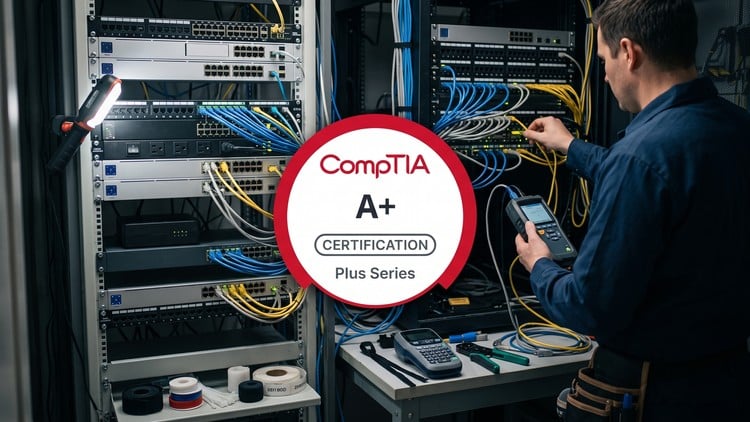
800+ questions and comprehensive breakdowns, structured into domain-specific examinations.
What You Will Learn:
- Mobile Devices
- Networking
- Hardware
- Virtualization and Cloud Computing
- Hardware and Network Troubleshooting
The Truth About Modern Certification Prep: A Deep Dive into Core 1
Let’s be honest: the IT landscape is crowded with “get certified quick” schemes that promise the world but deliver nothing but outdated PDFs. When I first looked at the CompTIA A+ 220-1201 V15 (Core 1): Practice Tests, I was skeptical. I’ve been in the trenches of hardware repair and network administration for years, and I’ve seen how certification prep materials can often miss the mark by focusing on theory while ignoring the actual “oh no, the server is screaming” reality of the job.
However, this specific V15 iteration feels different. It doesn’t just ask you to memorize port numbers; it forces you to think like a technician. The Core 1 exam is notoriously heavy on hardware and troubleshooting, and these practice tests lean hard into that. What I appreciated most was the nuance in the 800+ questions. In the real world, you aren’t always looking for the “right” answer; you’re looking for the “best” answer given a specific set of constraints. These tests capture that frustration and logic perfectly, moving the needle from beginner to advanced understanding through sheer repetition and high-quality feedback loops.
Prerequisites: What Do You Actually Need?
You don’t need a computer science degree to dive into these practice tests, but you do need a foundational “tinkerers” mindset. Ideally, you should have a basic grasp of what’s inside a computer case—knowing your RAM from your SSD is a start. CompTIA officially recommends about 9 to 12 months of hands-on experience in the lab or field, but let’s be real: many people use these tests as their primary vehicle for career growth.
If you are coming in cold, I’d suggest pairing these tests with some hands-on labs or even just an old “sacrificial” PC you can tear down and rebuild. The V15 material assumes you aren’t afraid of a command prompt or a BIOS menu. If you’ve ever fixed your neighbor’s Wi-Fi or upgraded your own gaming rig, you have enough of a foundation to start seeing the value here.
Skills & Tools: Beyond the Screwdriver
While the A+ is often associated with physical hardware, this course focuses heavily on the industry-standard tools required for modern infrastructure. You’re going to be tested on your ability to use more than just a Phillips-head screwdriver. We’re talking about multimeters, cable testers, loopback plugs, and the software-side tools like Wi-Fi analyzers and terminal emulators.
The “Virtualization and Cloud Computing” domain is particularly sharp in this version. It’s no longer enough to know how to plug in a motherboard; you need to understand how thin clients interact with the cloud and how to troubleshoot a virtual machine that refuses to boot. These practice tests bridge the gap between physical hardware and the abstract layers of modern networking, ensuring you develop job-ready skills that go beyond just swapping out broken parts.
Career Benefits & Job Roles
Passing the Core 1 is the first major hurdle toward becoming a “full” A+ certified professional, which is the gold standard for entry-level IT roles. Once you’ve mastered this material, you aren’t just a “PC repair guy.” You are qualified for roles like Help Desk Technician, Field Service Technician, and Junior Systems Administrator.
The career growth trajectory here is significant. Most of my peers started with the A+ and used it as a springboard into specialized paths like cybersecurity or cloud architecture. Employers look for this certification because it proves you have the grit to handle the “Tier 1” grind. By working through real-world projects simulated in these practice questions—like diagnosing a flickering laptop screen or a flickering network connection—you’re building a mental library of solutions that will save your skin during your first week on the job.
The Pros
- Granular Feedback: The comprehensive breakdowns aren’t just “you got this wrong.” They explain the logic behind the distractors (the wrong answers), which is where the real learning happens in certification prep.
- Domain Specificity: Being able to target just “Networking” or “Mobile Devices” allows you to shore up your weaknesses without wasting time on what you already know.
- Updated for V15: It covers the latest tech, including DDR5, USB4, and the nuances of Windows 11/10 integration that older prep materials completely miss.
The Cons
The only real “gotcha” here is the sheer volume of information. With over 800 questions, it is very easy to hit “exam fatigue.” If you try to power through these in a single weekend, the questions start to blur together, and you might find yourself memorizing the answers rather than understanding the underlying concepts. It requires a disciplined, structured approach to truly extract the value.