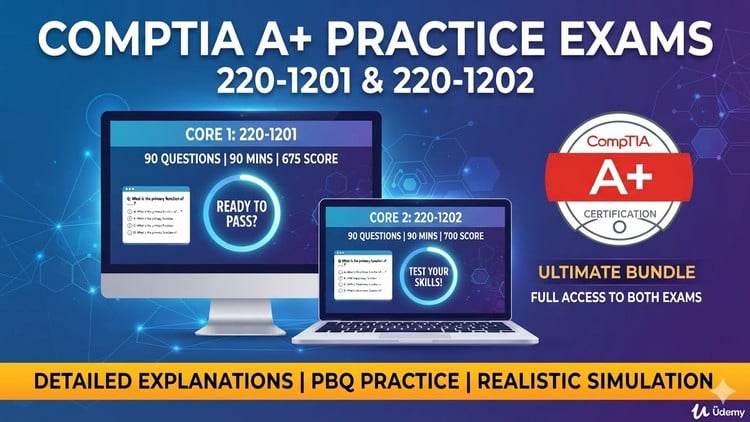
Pass the CompTIA A+ 220-1201 & 220-1202 Exams on Your First Try! Practice Tests with Detailed Explanations
What You Will Learn:
- Master Core 1 (220-1201) and Core 2 (220-1202) exam domains and passing requirements.
- Solve technical performance-based questions (PBQs) and troubleshooting scenarios.
- Identify correct procedures for hardware, software, security, and networking bugs.
- Gain confidence to pass the official CompTIA A+ certification on your first try.
Overview
Alright, let’s talk about the ‘Comptia A+ 220-1201 & 220-1202 Practice exam {Unofficial}’. As someone who’s been around the IT block a few times, I can tell you that solid **certification prep** is non-negotiable if you’re serious about breaking into or advancing in this field. This isn’t a full-blown learning course, so let’s be clear from the get-go: you should already have a grasp of the A+ material before diving in here. Think of this as your high-stakes dress rehearsal. What truly sets this practice exam apart, even with the “unofficial” tag, is the emphasis on detailed explanations for *every single question*. That’s where the real learning happens – understanding the “why” behind the correct and incorrect answers. It’s designed to push you to master both Core 1 (220-1201) and Core 2 (220-1202) exam domains, which are the absolute bedrock of entry-level IT. This practice test zeroes in on helping you nail those tricky **performance-based questions (PBQs)** and dissecting real-world troubleshooting scenarios, which are often the make-or-break elements on the actual exam. It’s about building genuine competence and confidence, not just memorizing answers.
Prerequisites
To get the most out of this practice exam, you shouldn’t be starting from absolute zero. This isn’t your first stop on the journey to becoming an IT pro; it’s a critical checkpoint. I’d strongly recommend that you’ve already completed a comprehensive A+ study course, read a reputable textbook, or gone through video lessons covering the CompTIA A+ 220-1201 and 220-1202 objectives. You should have a foundational understanding of computer hardware, operating systems (Windows, macOS, Linux basics), basic networking concepts, and security principles. If terms like “DHCP,” “RAID,” or “phishing” make your head spin, hit the books first. This practice exam is for solidifying existing knowledge, identifying your weak spots, and refining your test-taking strategy, not for learning core concepts for the first time.
Skills & Tools
Engaging with this practice exam is a direct path to honing several crucial **job-ready skills**. Primarily, you’ll sharpen your diagnostic and troubleshooting capabilities across various IT domains. This includes pinpointing issues with hardware components, resolving common software glitches, identifying networking problems, and addressing basic security vulnerabilities. The focus on **performance-based questions (PBQs)** means you’ll virtually apply your knowledge, mimicking the kind of scenarios you’d encounter in a live IT environment. While you’re not physically using **industry-standard tools** like multimeters or command-line interfaces here, the questions are structured to test your knowledge of their application and output. This helps you build a strong mental framework for interacting with operating system utilities, network commands (e.g., `ipconfig`, `ping`), and system monitoring tools. It’s all about translating theoretical knowledge into practical, actionable steps for resolving complex IT issues.
Career Benefits & Job Roles
Passing the CompTIA A+ certification, with the help of focused **certification prep** like this practice exam, is a significant leap toward **career growth** in IT. It validates a core set of skills that employers actively seek. This certification makes you highly attractive for entry-level roles such as:
- Help Desk Technician: The front line of IT support, assisting users with a wide range of issues.
- Desktop Support Specialist: Responsible for maintaining and troubleshooting end-user computer systems.
- Field Service Technician: Performing on-site repairs and installations.
- IT Support Specialist: A broader role encompassing various technical support functions.
These roles are often the stepping stones for more specialized positions. The A+ instills fundamental knowledge that is directly applicable to **real-world projects** and daily IT operations, making you an asset from day one. It’s also often a prerequisite for advancing to more specialized certifications like Network+ or Security+, providing a solid foundation from which to build an impressive IT career.
Pros
- Exceptional Explanations: This is the MVP feature. Each question comes with a thoroughly detailed explanation for why the correct answer is right and why the incorrect ones are wrong. This isn’t just about getting the answer; it’s about understanding the underlying concepts, which is invaluable for true learning and retention.
- Strong PBQ Coverage: The practice exam does a commendable job of simulating **performance-based questions**. These are often the most intimidating part of the A+ exam, and getting ample practice with scenarios that test your practical application of knowledge is crucial for building confidence.
- Comprehensive Domain Mastery: It rigorously covers all objectives for both Core 1 (220-1201) and Core 2 (220-1202). This ensures you’re not leaving any stone unturned and are well-prepared across the entire spectrum of the A+ syllabus, from hardware to networking, mobile devices to security.
- Confidence Builder: Going through these tests, especially with the detailed feedback, significantly reduces test anxiety. You’ll become familiar with the exam format, pacing, and the types of questions CompTIA throws at you, which is a massive psychological advantage when it comes to passing on your first try.
Cons
My only honest critique, and it’s a minor one given its nature as a practice exam, is that being “unofficial” means it can’t perfectly replicate the precise wording or nuances of the actual CompTIA exam. While it does an excellent job, there’s always a slim chance of slight discrepancies compared to the official CompTIA content. It also, by design, doesn’t offer true **hands-on labs** in the sense of a live virtual environment for direct interaction with operating systems or hardware. It simulates these through questions, which is good, but it’s not a substitute for real-world, tactile experience.