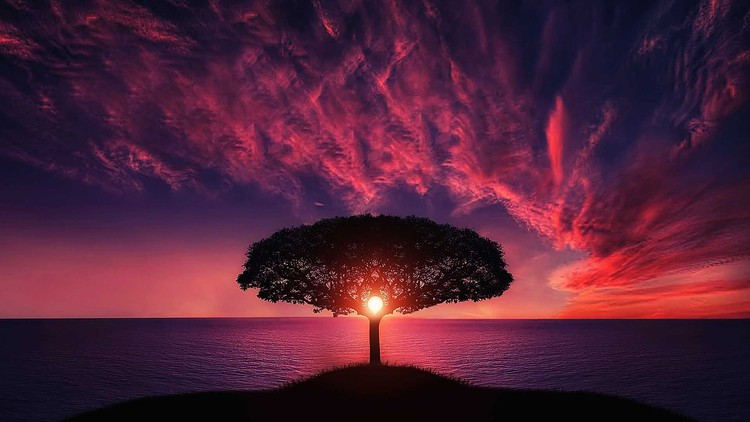
Become master in photography, basic concepts, HDR photos, Night photography, Adobe Lightroom, Adobe Photoshop and more.
What you will learn
Understand basic concepts of photography
Understand advanced concepts of photography
Will become Pro in Night Photography
Will become Pro in HDR Photography
Will become Pro in Photo/Image Editing
Description
—– Our students reviews regarding this course ——
“fantastic o am learn a lot from this lecture.. I always think i know a lot about photography but when i follow this course which is so easy to understant.. now i feel i know nothing… thanks for the explanations” — Eva
“It’s good and straight to the point.. and covers a lot of basic aspects you might need in photography and photo editing.” — Amin Shalaby
“Learned a lot. Best course for beginners.” — Darshan parmar
“Genuine course packed full of great information. Thank you” — Bobbie Smith
“Enjoying the professional technique” — Pranish Shrestha
Through this course you will become pro/master in the photography field. This course designed to deliver basic to advanced concepts of photography using step by step guidelines.
==== Course Contents ====
Understanding Photography Basics
- Intro to Photography Basics
- What is Exposure Triangle
- Understanding Aperture
- Understanding ISO
- Understanding Shutter Speed
- RAW vs. JPG
Mastering Architectural, Night and HDR Photography
- Equipment needed for Architectural photography
- How to shoot in low light
- How to shoot for HDR.
- How to process for HDR
- And many in-depth Photoshop techniques for beautiful architecture photography.
Mastering Photo Editing: Adobe Lightroom
- Lightroom Introduction
- Import photos
- Collections
- Working with White Balance
- Digging with color corrections
- Mastering Lens correction
- Working with Spot Healer
- Working with Graduated Filter
- Working with Radial Filter
- Working with Adjustment Filter
- Exporting images
- Working with presets
Mastering Photo Editing: Adobe Photoshop
- Mastering color pop
- Working with Matte
- Working with Sharpening
- Sun glass reflection
- HDR with Photoshop
- How to remove objects using Photoshop
- Working with warm B/W effect
- Working with Hue/Saturation in Photoshop
- Working with vintage effect
- Working with High Key effect
And more.
Content
Understanding Photography Basics
Mastering Architectural, Night & HDR Photography
Mastering Photo Editing: Lightroom
Mastering Adobe Photoshop
As someone who’s spent a good chunk of my career wrangling pixels and understanding the nitty-gritty of visual communication, I’m always on the lookout for resources that can genuinely level up skills. The ‘Complete Photography Masterclass: Beginner to Expert’ caught my eye because, let’s be honest, the promise of going from zero to hero in photography, covering everything from fundamentals to niche techniques and post-processing, is a tall order. After digging in, I can tell you it’s a pretty ambitious undertaking, but for the most part, it delivers.
Overview
This isn’t just another clickbait “learn photography in 5 minutes” course. It genuinely aims to build a robust foundation, starting with the absolute basics – think aperture, shutter speed, ISO, and composition – before launching into more complex territories. What impressed me was the structured progression. You don’t just jump into advanced HDR techniques without understanding exposure first. The course tackles specialized areas like night photography, which, as anyone who’s tried it knows, has its own unique set of challenges and rewards. Similarly, the HDR photography modules are well-explained, moving beyond just stacking images to understanding the artistic intent behind it. A significant chunk of the course is dedicated to Adobe Lightroom and Adobe Photoshop, which is crucial for any aspiring professional. They’re the industry-standard tools, and mastering them is non-negotiable for job-ready skills.
Prerequisites
Honestly, the primary prerequisite is a desire to learn and a willingness to put in the practice. Beyond that, a digital camera (DSLR or mirrorless is ideal, but even advanced smartphone cameras can be used for some initial learning, though you’ll hit limitations quickly) is obviously essential. A computer capable of running Adobe software smoothly is also a must, especially when you get into the editing sections. No prior photography knowledge is assumed, which is a huge plus for true beginners.
Skills & Tools
- Photography Fundamentals: Exposure triangle, composition, lighting, depth of field, white balance.
- Advanced Techniques: Long exposure, astrophotography basics (within night photography), bracketed exposures for HDR.
- Post-Processing: Proficient use of Adobe Lightroom for cataloging, editing RAW files, and global/local adjustments.
- Advanced Editing: Mastery of Adobe Photoshop for retouching, compositing, and creative manipulation.
- Workflow Optimization: Understanding file management and developing efficient editing processes.
- Industry-Standard Tools: Primarily focused on Adobe Creative Suite (Lightroom & Photoshop).
Career Benefits & Job Roles
This is where a course like this really shines. For anyone looking at career growth in photography, whether it’s freelance gigs, assisting established photographers, or even aiming for in-house roles, the skills acquired are highly relevant. It provides a solid grounding for roles such as Junior Photographer, Photo Editor, Retoucher, or even starting your own small business. The emphasis on industry-standard tools makes you immediately more marketable. While it might not offer formal certification prep in the traditional sense, the depth of knowledge gained is certainly comparable to what you’d need to pass many entry-level industry certifications.
Pros
- Comprehensive Curriculum: It truly covers a vast range of topics, from the absolute basics to specialized techniques and professional editing. The journey from beginner to advanced concepts is well-paced.
- Practical, Hands-On Approach: The course doesn’t just talk theory; it emphasizes practical application. The inclusion of editing software mastery means you’re not just learning concepts, you’re learning how to implement them with real-world projects.
- Strong Post-Processing Focus: The deep dive into Lightroom and Photoshop is a major strength. These are the tools that separate good snapshots from professional images, and the training here is invaluable.
Cons
My one honest critique is that while the course covers a lot, the sheer breadth can sometimes mean that the deeper aspects of certain niche subjects, like advanced astrophotography within the night photography section or very specific compositing techniques in Photoshop, might feel a bit brief. You’ll get a fantastic introduction and a solid working knowledge, but for truly specialized mastery in those super-niche areas, you might need to seek out more focused, advanced resources later on. Think of it as building a very strong foundation and then being equipped to build specialized wings on it.