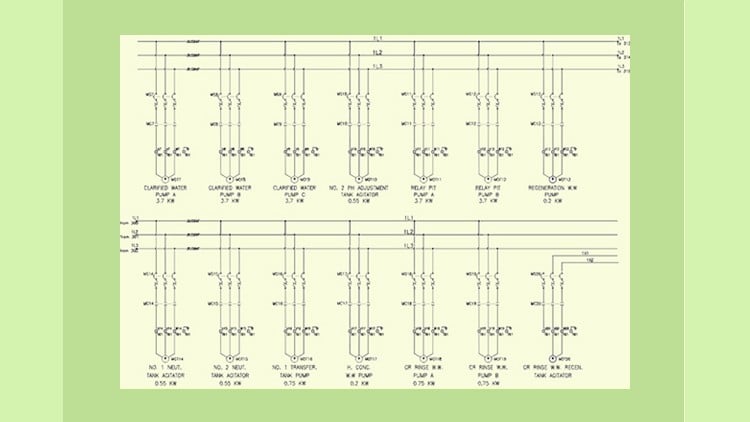
A Masterclass
⏱️ Length: 17.1 total hours
⭐ 4.10/5 rating
👥 20,982 students
🔄 April 2025 update
Add-On Information:
Note➛ Make sure your 𝐔𝐝𝐞𝐦𝐲 cart has only this course you're going to enroll it now, Remove all other courses from the 𝐔𝐝𝐞𝐦𝐲 cart before Enrolling!
-
Course Overview
- This comprehensive masterclass transcends basic software operation, immersing you in the strategic application of AutoCAD Electrical 2022 for intelligent electrical design.
- Beyond simply drawing lines, you will learn to leverage the software’s advanced automation capabilities to transform your design workflow, dramatically increasing efficiency and accuracy.
- The curriculum is meticulously structured to guide you through the entire lifecycle of an electrical project, from initial concept and symbol creation to robust reporting and project documentation.
- Gain a profound understanding of industry best practices for electrical schematic generation, panel layout, and component selection, ensuring your designs meet professional standards.
- Explore advanced techniques for managing complex projects, including multi-drawing management, cross-referencing, and streamlined revision control.
- Discover how to build and utilize intelligent libraries of reusable components, minimizing repetitive tasks and fostering design consistency.
- This course empowers you to transition from manual, error-prone drafting to a data-driven, automated approach to electrical engineering design.
- Uncover methods for optimizing drawing performance, organizing project files efficiently, and integrating your designs with broader engineering workflows.
- Master the customization of the AutoCAD Electrical environment to enhance personal productivity and align with specific company or project requirements.
- Delve into generating dynamic reports, comprehensive Bills of Material (BOMs), wire lists, and other critical documentation with just a few clicks.
-
Requirements / Prerequisites
- Basic Computer Literacy: Fundamental understanding of computer operation and navigating a Windows operating system.
- Conceptual Electrical Knowledge: Familiarity with basic electrical principles, circuit components (e.g., relays, contactors, fuses), and reading electrical schematics is highly recommended.
- Software Access: A working installation of Autodesk AutoCAD Electrical 2022 (or a compatible later version) is essential for hands-on practice. Trial versions may suffice for initial learning.
- Internet Connection: Reliable internet access for streaming course content and potentially downloading supplementary materials.
- Dedication to Practice: A proactive attitude towards completing exercises and applying learned concepts to reinforce understanding.
- No Prior CAD Experience: While helpful, previous experience with other CAD software is not strictly required, as the course assumes a foundational learning path for AutoCAD Electrical specifics.
-
Skills Covered / Tools Used
- Intelligent Project Management: Setting up, structuring, and maintaining comprehensive electrical projects with linked drawings and shared databases.
- Custom Symbol Development: Creating and attributing unique electrical symbols, footprints, and custom components to expand existing libraries.
- Automated Reporting & Documentation: Generating accurate wire lists, terminal plans, Bills of Material (BOMs), and other critical reports with efficiency.
- Real-time Cross-Referencing: Managing and navigating intricate parent/child relationships and automatic component tagging across multiple drawings.
- Advanced Terminal Strip Editor: Designing, numbering, and documenting complex terminal strips, including multi-level terminals and jumper configurations.
- Wire Numbering & Tagging: Implementing various wire numbering schemes, managing multi-conductor cables, and assigning unique component tags automatically.
- Panel Layout Design: Creating precise 2D panel layouts, inserting smart devices, and generating detailed panel component reports.
- Database Integration & Catalog Management: Leveraging and customizing catalog databases for efficient component selection and data association.
- Design Rule Checking & Validation: Utilizing built-in tools to identify potential design errors, inconsistencies, and ensure adherence to standards.
- Configuration & Customization: Modifying program settings, tool palettes, menus, and drawing templates to optimize workflow and enforce company standards.
- Connector Design & Pin Assignments: Efficiently defining and managing multi-pin connectors with intelligent wire and component assignments.
- Title Block Management: Automating title block updates and data integration across entire project drawing sets.
-
Benefits / Outcomes
- Accelerated Design Efficiency: Drastically reduce design time and effort by mastering automation features, freeing up time for critical design thinking.
- Elevated Design Accuracy: Minimize human error and inconsistencies through intelligent checks, automated cross-referencing, and database-driven component selection.
- Superior Documentation Quality: Produce clear, professional, and comprehensive electrical documentation that meets stringent industry and client standards.
- Enhanced Career Prospects: Position yourself as a highly skilled professional proficient in a leading electrical CAD software, opening doors to advanced engineering and design roles.
- Seamless Project Collaboration: Gain the ability to contribute effectively to integrated design teams, sharing intelligent data rather than static drawings.
- Cost Reduction & Material Optimization: Design more efficiently and accurately, leading to fewer material errors, reduced rework, and optimized component usage.
- Mastery of Industry Standards: Develop a practical understanding of how to apply relevant electrical design standards and best practices within the software.
- Effective Problem-Solving: Cultivate a systematic approach to tackling complex electrical design challenges using powerful, intelligent software tools.
- Versatility in Design Projects: Be equipped to handle a wide array of electrical projects, from intricate control systems to robust power distribution schematics.
- Foundation for Advanced Specialties: Establish a strong knowledge base for further specialization in areas such as industrial automation, instrumentation, or building electrical systems.
-
PROS
- Comprehensive Skill Development: Offers an end-to-end journey through AutoCAD Electrical, covering both fundamental and advanced functionalities.
- Real-world Application Focus: Strong emphasis on practical usage, ensuring learners can apply skills directly to professional projects.
- Instructor-Led Masterclass: Implies high-quality instruction and in-depth expertise, leading to a deeper understanding.
- Proven Effectiveness: A high rating from a large number of students validates the course’s quality and educational value.
- Up-to-Date Content: Regular updates ensure the course material remains current with the latest software versions and industry practices.
- Significant Time-Saving Potential: Equips learners with skills to automate tedious tasks, vastly improving productivity in electrical design.
-
CONS
- Software Acquisition: Requires learners to independently obtain and install AutoCAD Electrical 2022, which may incur additional cost.
Learning Tracks: English,IT & Software,Other IT & Software