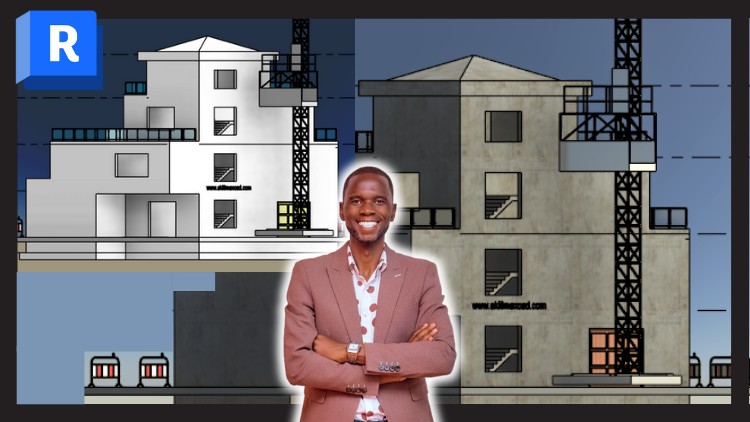
Become a proficient Architectural + Structural BIM modeler for FREE using Autodesk Revit. Work on the real project.
What you will learn
Note➛ Make sure your 𝐔𝐝𝐞𝐦𝐲 cart has only this course you're going to enroll it now, Remove all other courses from the 𝐔𝐝𝐞𝐦𝐲 cart before Enrolling!
Understand the Revit workspace, tools, and settings to create an efficient modeling environment.
Create and manage project levels and grid lines to ensure precise alignment of building elements.
Model and edit walls, floors, and concrete roofs, including adding door and window openings
Model staircases, shafts, and gutter systems to achieve functional and realistic building models.
Model foundation elements such as foundation walls and footings
Add-On Information:
-
- Grasp the fundamental principles of Building Information Modeling (BIM), understanding its transformative role in modern construction and design workflows beyond traditional CAD.
- Become proficient in navigating the Revit interface, mastering essential navigation tools and viewing controls for efficient project exploration.
- Learn to create and manage intelligent, parametric building components, understanding how changes automatically update across the entire model and associated documentation.
- Develop skills in modeling diverse architectural elements such as curtain walls, railings, custom joinery, and interior fixtures to enhance model detail and realism.
- Master the generation of comprehensive construction documentation directly from your 3D model, including detailed plans, sections, elevations, and specific callouts.
- Acquire the ability to extract crucial quantitative data, including precise material take-offs and schedules, essential for accurate cost estimation and project planning.
- Explore basic visualization techniques within Revit, applying materials, setting up cameras, and creating compelling design presentations.
- Understand the seamless integration of structural elements within the BIM environment, ensuring precise placement and coordination with architectural designs.
- Gain proficiency in setting up and managing various project views, controlling visibility, graphic overrides, and filters for tailored documentation outputs.
- Learn best practices for project organization, maintaining model health, and preparing models for potential collaborative workflows with other disciplines.
- Develop a strong foundation in annotating drawings with dimensions, tags, and text, ensuring clarity and adherence to industry standards for construction sets.
- Understand basic site modeling concepts, including creating accurate toposurfaces and placing essential site components to integrate your building within its environment.
- PROS:
- Free access to comprehensive, industry-standard BIM software training.
- Gain invaluable hands-on experience by working on a realistic project from start to finish.
- Develop highly sought-after skills in both architectural and structural BIM modeling.
- Build a strong portfolio and foundation for entry-level BIM roles or further specialization.
- Flexible learning structure, allowing you to master Revit at your own pace.
- Empower yourself to conceptualize, design, and document projects with precision and efficiency.
- CONS:
- Requires significant self-discipline and motivation to complete a comprehensive course independently.
- May lack direct, personalized instructor feedback or advanced real-time support, typical of paid courses.
English
language