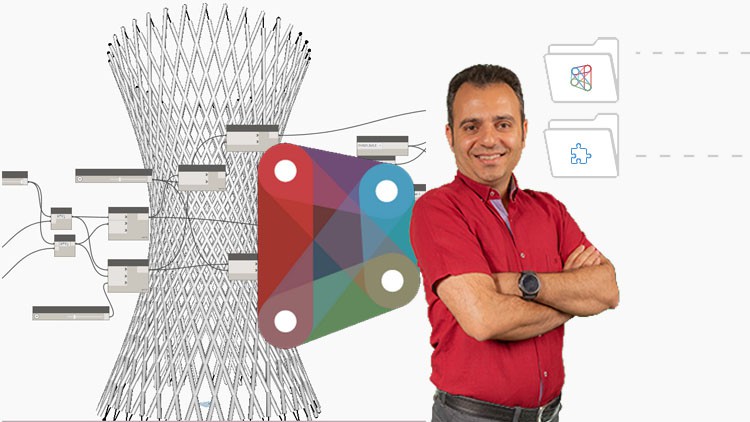
Mastering Dynamo and Generative Design: From Fundamentals to Advanced Techniques- Complex Forms and Data Management
What you will learn
Introduction to Dynamo: Environment and Node Basics
Creating Basic Shapes with Point and Line Nodes
Generating Sequential Numbers with Code Block and List Nodes
Advanced Shape Creation with Circle, Polygon, and Ellipse Nodes
Creating Furniture Forms with Rectangle and Plane Nodes
Adding Volume to Shapes with Extrude and Loft Nodes
Transforming and Mirroring Shapes with Translate and Mirror Nodes
Creating Complex Shapes with Nurb and Polycurve Nodes
Advanced Shape Manipulation with Offset and Sweep Nodes
Building Tower and Bridge Forms with Advanced Nodes
Description
Do you want to know how to automate tasks in Revit using Dynamo?
Do you want to know how to optimize your complex Revit models for performance and efficiency?
Do you want to know how parametric design can help in creating complex shapes and designs in architecture and engineering?
The Dynamo course covers the fundamentals of using Dynamo in building information modeling. The course starts with an introduction to Dynamo’s environment, node types, and integer and number values. It then moves on to more advanced topics such as creating forms parametrically, creating circles, polygons, and ellipses using nodes, and extruding shapes. You will also learn to manipulate geometry using translation and mirroring. The course includes several exercises to reinforce learning, including creating a multi-story parking garage, a forest tower, and Athens Olympic Sports Complex by Calatrava.
Headlines:
- Dynamo Fundamentals: Getting Started with Node-Based Design
- Building Custom Shapes: Exploring Integer and Number Values in Dynamo
- Creating Parametric Forms: Using Line and Circle Nodes in Dynamo
- Advanced Geometry: From Regular Polygons to Lofted Solids in Dynamo
- Practical Applications: Extruding Shapes and Creating Curved Surfaces in Dynamo
- Parametric Modeling: Using Transpose, Offset, and Sweep Nodes in Dynamo
- Mastering Curves: Using Polycurves and Fillet Nodes in Dynamo
- Dynamic Design: Creating Custom Forms with NURBS and Control Points in Dynamo
- Advanced Techniques: Using List Manipulation and Lacing in Dynamo
- From Sketch to Structure: Building Complex Forms with Dynamo’s Node-Based Workflow
This course is packed with real-life examples that immerse you in project situations and facilitate effective learning. Additionally, you’re encouraged to ask any questions you may have while watching the course, ensuring a comprehensive understanding of the subject matter.
Content
Introduction
S02
S03
S04
As someone who’s spent years navigating the ever-evolving landscape of BIM and its associated technologies, I’ve seen my fair share of training programs. When I heard about “BIM- Dynamo for Revit- Master Class: Mastering Dynamo and Generative Design: From Fundamentals to Advanced Techniques – Complex Forms and Data Management,” I was curious, if a little skeptical. Could a single course truly bridge the gap from beginner to mastering complex forms and data management in Dynamo? After diving in, I’m happy to report that this program largely delivers on its ambitious promise.
Overview
This isn’t your typical “click through the interface” kind of course. The “Master Class” title is well-earned. It genuinely takes you on a journey, starting with the absolute fundamentals of the Dynamo environment and its node-based logic. What impressed me from the outset was the pedagogical approach to explaining not just *how* to use the nodes, but *why* you’d choose one over another, especially when it comes to building intricate geometric forms. The course meticulously breaks down complex concepts like NURBS and polycurves, moving beyond simple extrusions to truly tackle challenging architectural and structural elements. The progression from basic shapes to building entire tower and bridge forms is a testament to the structured curriculum. Crucially, it doesn’t just focus on geometry; the emphasis on data management is a game-changer for anyone looking to scale their Dynamo workflows and integrate them seamlessly with Revit.
Prerequisites
For anyone looking to get the most out of this course, a foundational understanding of Revit is non-negotiable. You don’t need to be a Revit guru, but being comfortable with its interface, basic modeling principles, and project setup will make the Dynamo integration feel much more natural. Familiarity with basic computational design concepts or any prior exposure to visual programming will be a bonus, but the course does a commendable job of bringing those new to the paradigm up to speed.
Skills & Tools
By the end of this Master Class, you’ll be wielding a formidable set of skills. You’ll gain proficiency in:
- Dynamo scripting for parametric modeling.
- Generating and manipulating complex geometric forms using a wide array of nodes.
- Implementing generative design principles for design exploration.
- Efficiently managing and manipulating data within Dynamo.
- Creating custom Revit families and populating models programmatically.
- Understanding and applying NURBS and polycurve concepts in practice.
The primary tool, of course, is Dynamo for Revit. The course also implicitly emphasizes the importance of understanding Revit’s API to some extent, as the Dynamo nodes are essentially the visual representation of those underlying commands. While not explicitly a tool, a strong understanding of algorithmic thinking is paramount.
Career Benefits & Job Roles
This course is an absolute goldmine for anyone serious about career growth in the AEC industry. The skills you’ll acquire are highly sought after, directly contributing to a more efficient and innovative design and construction process. This Master Class is excellent certification prep for advanced Dynamo users. It positions you for roles such as:
- BIM Specialist
- Computational Designer
- Parametric Modeler
- Digital Design Lead
- BIM Coordinator with advanced scripting capabilities
Having these job-ready skills will undoubtedly set you apart in a competitive market.
Pros
- Comprehensive Curriculum: It truly covers the spectrum from fundamental node operations to advanced complex form generation and crucial data management.
- Practical Application: The focus on building tangible elements like furniture, towers, and bridges makes the learning process highly practical and relatable.
- Deep Dive into Geometry: The course excels at demystifying advanced geometric concepts like NURBS, which are critical for complex design challenges.
- Focus on Data Management: This is often an overlooked aspect of Dynamo training, and its inclusion here is a significant advantage for real-world project scalability.
Cons
My one honest critique would be that the sheer depth of material means that while it provides a robust foundation for real-world projects, truly mastering every facet might require additional, dedicated practice beyond the course’s scope. The speed at which some advanced topics are covered could be challenging for absolute beginners with no prior exposure to programming logic. However, the included resources and the structure of the lessons still make it a worthwhile endeavor.