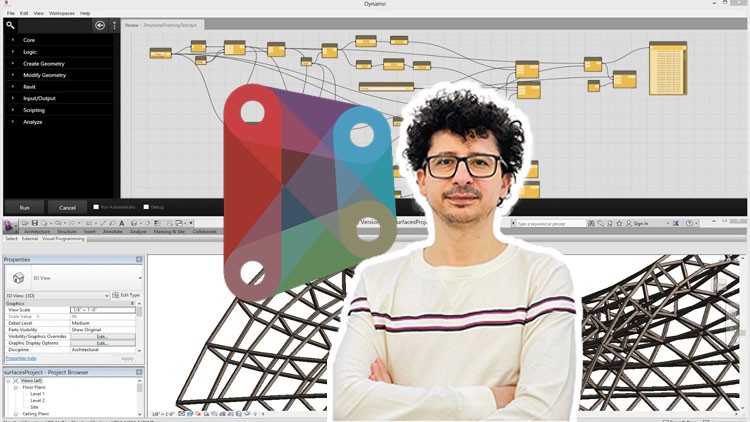
A Comprehensive Guide to Dynamo Visual Programming for Creating and Modifying- With several projects using Dynamo
What you will learn
Introduction to Dynamo and its Interface
Data Types and Data Structures in Dynamo
Creating and Modifying Geometry in Dynamo
Essential Nodes in Dynamo
Working with Lists and Loops
Using Conditional Statements and Boolean Logic
Working with Text and Strings in Dynamo
Importing and Exporting Data in Dynamo
Collaborating and Sharing Workflows in Dynamo
Creating Custom Nodes in Dynamo
Description
Note: The main difference in this course compared to others is that we have not confined ourselves to explaining simple techniques. Instead, we have conveyed the subject through challenging projects and specific tricks, which are the result of numerous experiences.
- Curious about visual programming and its impact on design?
- Want to take your design and engineering skills to new heights?
- Are you tired of repetitive tasks holding back your creative design process?
Dynamo stands out as an immensely potent visual programming platform, a tool that not only empowers its users to automate intricate tasks but also allows them to craft customized workflows that can significantly enhance their design capabilities. In the realm of design, engineering, and architecture.
This comprehensive course has been meticulously crafted to serve as your guide on an enlightening journey through the fundamental principles of Dynamo. Through a meticulously structured curriculum, you’ll embark on a step-by-step exploration of Dynamo’s features, gradually unraveling its intricacies.
Headlines:
- Introduction to Dynamo and its Interface
- Data Types and Data Structures in Dynamo
- Creating and Modifying Geometry in Dynamo
- Essential Nodes in Dynamo
- Working with Lists and Loops
- Using Conditional Statements and Boolean Logic
- Working with Text and Strings in Dynamo
- Importing and Exporting Data in Dynamo
- Collaborating and Sharing Workflows in Dynamo
- Creating Custom Nodes in Dynamo
If you are currently a BIM modeler or planning to become one, it is essential not to limit yourself to any form. You should be able to manage any architectural design in the BIM process And in the end, you will be an expert BIM Modeler. Please watch this course and feel free to ask me any questions you have while watching it.
Content
What is Dynamo
The Difference Between Dynamo and Grasshoper
Comparison Between Coding and Dynamo
The Difference Between C# and Dynamo Script
Dynamo Installation and Software That Can be Installed
Benefits of Dynamo Player
Dynamo User Interface
Installation and Use Dynamo Packages
Settings Menu Options in Dynamo
Meaning and Usage of Dynamo Library
Nodes in Dynamo
Types of Inputs Nodes in Dynamo
Operational Nodes
List Nodes in the First Part of Dynamo
Lacing Features
List Nodes in Dynamo Part Two
Meaning of Level in Dynamo
Points and Curves Nodes in Dynamo
Dynamo Introductory Examples
Surface Nodes in Dynamo
Solid Nodes in Dynamo
Some Examples in Dynamo
Example of Absorption Point in Dynamo
An Example of Image-Based Modeling in Dynamo
An Example of Randomly Coloring Glass Wall Panels
An Example of Stair Modeling with Dynamo
Example of Porosity in Geometry
Panels in Dynamo
Tower Modeling
Complex Tower Structure
Alright, let’s talk about the BIM-Dynamo Elementary (Level 1) – Project Based course. As someone who’s been in the trenches with BIM and automation for a good few years, I was curious to see how this one stacks up, especially with its “project-based” moniker. You see, a lot of these courses throw around buzzwords, but the real test is whether they actually equip you with job-ready skills that translate into tangible career growth. So, I dove in, ready to give it an honest appraisal.
Overview
This isn’t your typical sit-back-and-listen lecture. The course truly embraces the project-based learning philosophy, which, in my book, is crucial for mastering any industry-standard tool like Dynamo. Instead of just listing nodes, you’re immediately thrown into scenarios that require you to *use* them to solve problems. The way they break down complex concepts into digestible chunks, focusing on how to create and modify geometry from the ground up, is a standout feature. They’re not just teaching you the “what,” but the “why” and “how” – essential for developing true hands-on labs experience. The emphasis on real-world projects means you’re not just fiddling with abstract concepts; you’re building things that mimic actual design and documentation workflows. This is what separates a good course from one that’s truly certification prep ready.
Prerequisites
To be frank, you don’t need to be a Dynamo guru walking in. The course is explicitly designed for beginners. However, a basic understanding of Revit is a massive advantage. If you’ve ever used Revit for modeling or documentation, even at a foundational level, you’ll pick up Dynamo concepts much faster. Familiarity with general computer operations is a given, of course, but no prior programming experience is necessary. They do a solid job of easing you into the visual programming paradigm.
Skills & Tools
By the end of this course, you’ll be comfortable navigating the Dynamo interface, understanding its core principles like data types and data structures, and crucially, you’ll be able to create and modify geometry using a variety of essential nodes. The modules on working with lists and loops, along with conditional statements and boolean logic, are where the real power of Dynamo starts to unlock. You’ll also get a grasp on manipulating text and strings, and the practicalities of importing and exporting data – a huge time-saver in any BIM workflow. The ability to start thinking about creating custom nodes, even at a basic level, sets you up for more advanced applications down the line. Essentially, you’re learning to leverage Dynamo as a potent extension of your BIM toolkit.
Career Benefits & Job Roles
This course is a direct pipeline to enhancing your value in the BIM industry. Mastering Dynamo opens doors to roles that demand more than just standard modeling. Think BIM Coordinator, BIM Specialist, Computational Designer, or even enhancing your current role as an Architect or Engineer looking to automate repetitive tasks. The ability to create custom scripts and workflows demonstrates a proactive approach to problem-solving and efficiency, which is highly prized by employers. It’s about making yourself indispensable and positioning yourself for career growth in a rapidly evolving field.
Pros
- Project-Driven Learning: The emphasis on solving practical problems through hands-on projects makes the learning stick.
- Clear Progression: The course builds knowledge logically, starting with the fundamentals and progressing to more complex concepts like lists and conditional logic.
- Real-World Application: The projects are designed to be relevant to common BIM workflows, making the skills immediately transferable.
- Foundation for Advanced Concepts: It provides a solid stepping stone for those looking to dive deeper into computational design and complex automation.
Cons
My one honest critique? While the course covers essential nodes, the depth of exploration into truly complex data structures or advanced algorithmic techniques could be more extensive. For those aiming for highly specialized roles in parametric design, this is a fantastic starting point, but it’s not the end of the road for mastering Dynamo’s full potential.