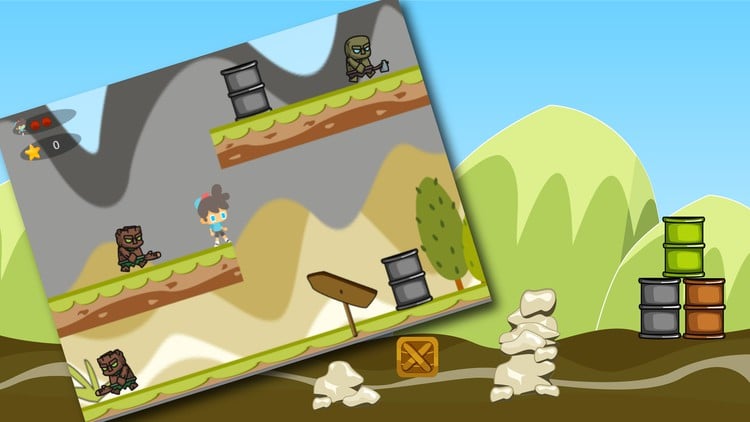
Make a Complete game in Unity for beginners
⏱️ Length: 3.4 total hours
👥 36 students
Add-On Information:
Note➛ Make sure your 𝐔𝐝𝐞𝐦𝐲 cart has only this course you're going to enroll it now, Remove all other courses from the 𝐔𝐝𝐞𝐦𝐲 cart before Enrolling!
-
Course Overview
- Dive into an immersive, project-centric journey where you’ll construct a classic arcade-style “Big Bomber” game from the ground up, providing a tangible output of your initial game development efforts and showcasing the foundational elements of interactive design. This course is meticulously designed to get you building immediately, bypassing extensive theoretical discussions in favor of direct, hands-on application within the Unity environment.
- Experience the profound satisfaction of turning a blank Unity canvas into a fully playable, engaging arcade experience, encompassing crucial mechanics such as player movement, projectile generation, fundamental enemy behaviors, and the essential game loop that defines a complete interactive system. You will witness firsthand how individual components coalesce to form a cohesive and enjoyable gaming product, all within a compressed learning schedule.
- Uncover the fundamental building blocks of interactive digital entertainment within the powerful Unity engine, focusing on core concepts that are universally applicable to a vast array of game genres, beyond just the bomber-style project. This includes an introduction to game object hierarchies, component-based architecture, and scene management, crucial for any future game development endeavors.
- Embark on a concise yet comprehensive educational adventure specifically designed to demystify game creation, proving that crafting engaging interactive experiences is genuinely accessible to everyone, regardless of prior coding expertise or artistic background. The course breaks down complex game development into manageable, step-by-step instructions, ensuring a smooth learning curve for absolute novices.
- Gain practical insights into the iterative process of game design and development, observing how individual programming scripts, graphical assets, and user interface elements combine and refine to form a cohesive and enjoyable gaming experience. This course emphasizes the practical aspects of building rather than just abstract concepts, giving you a functional game by its conclusion.
-
Requirements / Prerequisites
- Basic Computer Literacy: A fundamental understanding of navigating operating systems (Windows or macOS), managing files and folders, and using standard applications is the primary prerequisite. No prior programming knowledge or Unity experience is assumed or required for this beginner-friendly course.
- Enthusiasm for Learning and Problem-Solving: An open mind, a genuine interest in how video games are made, and a willingness to engage with new technical concepts are the most valuable assets you can bring to this creative journey. Your curiosity will be your greatest guide.
- Unity Hub and Editor Installed: You will need the free Unity Hub application and a recent stable version of the Unity Editor downloaded and installed on your system, ready for action. Instructions on how to acquire and set these up will be provided or are easily found online if you need guidance before starting.
- Reliable Internet Connection: Essential for downloading Unity software, accessing course materials, following along with video lectures, and potentially seeking additional resources or community support if you encounter challenges. A stable connection ensures an uninterrupted learning flow.
- Functional Computer System: A PC or Mac capable of comfortably running the Unity Editor, ideally with at least 8GB of RAM and a dedicated graphics card (though integrated graphics may suffice for this 2D project), to ensure a fluid development experience without significant performance bottlenecks.
-
Skills Covered / Tools Used
- Unity Editor Navigation & Interface Mastery: Gain proficiency in navigating and efficiently utilizing the essential layouts and panels within the Unity Editor, including the Scene view for spatial arrangement, the Game view for playback, the Hierarchy for object management, the Project window for assets, and the Inspector for component properties.
- Core C# Scripting for Game Logic: Grasp fundamental C# programming concepts suched as declaring and manipulating variables, understanding different data types, implementing basic conditional statements (if/else), utilizing loops, and making function calls, all applied directly to controlling game elements and creating interactive behaviors.
- Player Input and Movement Implementation: Learn to detect and process user input from the keyboard or mouse, translating these actions into smooth, responsive player character movement and interactions within the 2D game environment, providing the player with direct control over the game’s protagonist.
- Projectile and Collision Mechanics: Master the implementation of object spawning for projectiles (e.g., bombs or bullets) and effectively manage interactions between various game entities using Unity’s robust 2D physics system, including proper setup of colliders, rigidbodies, and understanding collision detection logic.
- Enemy AI and Spawning Patterns: Develop simple artificial intelligence behaviors for enemy characters, including basic movement paths, randomized spawning mechanisms to introduce dynamic challenges, and defining how enemies react to player actions or projectiles, creating engaging gameplay loops.
- Asset Integration (Sprites, Audio): Understand the practical process of importing 2D sprite sheets for characters, backgrounds, and user interface elements, as well as integrating sound effects for actions (e.g., explosions, shots) and background music to significantly enhance the game’s atmosphere and player immersion.
- Prefab Creation and Management: Utilize Unity’s powerful Prefab system to create reusable game objects like enemies, projectiles, and environmental elements, streamlining your development workflow, enabling easy instantiations, and ensuring consistency across your game scenes.
- User Interface (UI) Fundamentals: Design and implement essential user interface elements such as score displays, health indicators, ‘Game Over’ screens, and start menus using Unity’s UI Canvas system, providing critical visual feedback and navigation options to the player.
- Game State Management: Learn to control the overall flow and various states of your game, including initiating the game, pausing gameplay, handling game-over conditions, and implementing mechanisms for resetting the game for replayability, ensuring a complete player experience.
- Basic Optimization Practices: Discover rudimentary techniques for keeping your game running smoothly, even at a small scale, such as efficient object pooling for repeatedly instantiated items like projectiles, which helps reduce performance overhead and maintain frame rates.
-
Benefits / Outcomes
- Your First Playable Game: Successfully complete and proudly possess a fully functional “Big Bomber” arcade game, a tangible and exciting portfolio piece that unequivocally demonstrates your foundational game development abilities and creative prowess.
- Solid Foundation in Unity: Establish a robust and practical understanding of the Unity engine’s core functionalities, empowering you to confidently navigate and utilize its interface for diverse future projects and more complex game concepts.
- Confidence to Pursue Further Development: Gain the self-assurance, initial momentum, and practical experience needed to comfortably explore more advanced game development tutorials, learn new techniques, and confidently embark on your own unique game ideas.
- Practical C# Scripting Skills: Develop hands-on proficiency in writing basic C# scripts to effectively control game objects, manage complex interactions, and implement core gameplay mechanics, laying the groundwork for more intricate programming challenges.
- Insight into the Game Development Workflow: Achieve a clear understanding of the complete end-to-end process of taking a game concept from initial setup through to a fully playable product, encompassing asset integration, scripting, UI design, and basic iteration.
- Cultivated Problem-Solving Mindset: Develop an iterative and analytical approach to identifying, diagnosing, and effectively resolving common development challenges and bugs, a critical and transferable skill for any aspiring game creator or developer.
- Expanded Creative Horizons: Unlock new avenues for personal creative expression by learning the fundamental tools and essential techniques required to translate your imaginative game concepts into interactive, digital experiences.
- Empowerment through Creation: Experience the profound and rewarding satisfaction of bringing a functional and fun interactive product to life from scratch, igniting a lasting passion for continued learning and innovation in game design and development.
-
PROS
- Project-Based Learning: Experience immediate and direct application of concepts by building a complete game, reinforcing understanding through practical, hands-on implementation rather than abstract theory, leading to better retention.
- Highly Accessible for Newcomers: Specifically designed with absolute beginners in mind, breaking down complex topics into easily digestible, step-by-step segments without requiring any prior coding or Unity experience.
- Rapid Skill Acquisition: The exceptionally concise 3.4-hour duration ensures a highly focused and efficient learning path, allowing you to acquire fundamental game development skills quickly and effectively.
- Tangible Outcome: You’ll successfully walk away with a fully playable game, representing a significant personal achievement and providing a solid, demonstrable starting point for a game development portfolio.
-
CONS
- Limited Advanced Concepts: Due to its beginner focus and condensed duration, the course necessarily omits deeper dives into advanced programming patterns, complex game mechanics, extensive optimization techniques, or multi-platform deployment strategies.
Learning Tracks: English,Development,Game Development