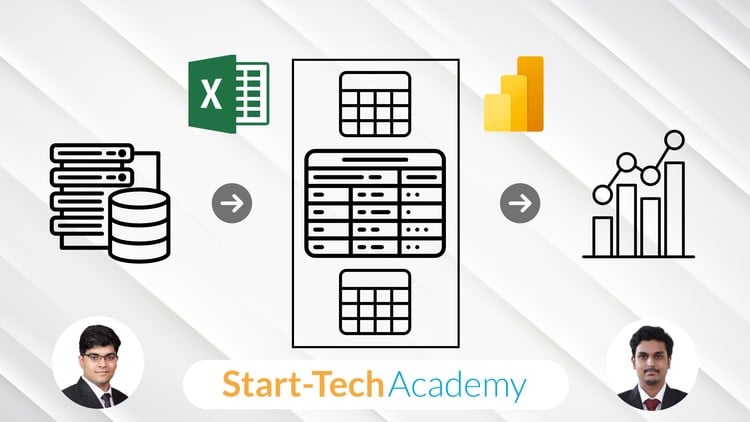
Master Data Import, Cleaning, Modeling, and Analysis Using Power Query, Power Pivot, and DAX in Excel
⏱️ Length: 4.3 total hours
⭐ 4.57/5 rating
👥 8,047 students
🔄 October 2025 update
Add-On Information:
Note➛ Make sure your 𝐔𝐝𝐞𝐦𝐲 cart has only this course you're going to enroll it now, Remove all other courses from the 𝐔𝐝𝐞𝐦𝐲 cart before Enrolling!
- Course Overview
- This course offers a comprehensive pathway to transform Excel into a formidable business intelligence powerhouse, transcending its traditional spreadsheet limitations. It introduces the revolutionary capabilities of Power Query, Power Pivot, and DAX, empowering users to efficiently manage, model, and analyze extensive datasets.
- Dive into the core principles of modern data analytics, directly within Excel. Learn to architect scalable, refreshable data solutions, converting raw, disparate information into precise, actionable insights.
- Grasp the critical role of clean, structured data in today’s analytical landscape. Leverage Excel’s advanced features to conquer common data preparation and reporting challenges, positioning yourself at the forefront of contemporary data management.
- Gain a strategic understanding of how these integrated Excel tools ensure superior, data-driven decision-making by providing a consistent analytical source, thereby significantly reducing manual data handling errors and inconsistencies.
- Requirements / Prerequisites
- A firm grasp of Excel’s fundamental functionalities, including basic formula creation, cell referencing, and comfortable navigation within spreadsheets.
- Prior hands-on experience with data manipulation in Excel, such as sorting, filtering, and basic PivotTable usage, will be advantageous to fully appreciate the advanced concepts.
- A strong desire to elevate your Excel skills from a basic data handling tool to a sophisticated analytical and reporting engine.
- Access to a compatible Excel version (Microsoft 365, Excel 2016, Excel 2019, or Excel for Mac 2019 with Power Query enabled) is mandatory for practical application of the course material.
- Skills Covered / Tools Used
- Power Query Mastery: Develop expertise in the Extract, Transform, Load (ETL) process. Build robust, repeatable data ingestion workflows connecting to diverse enterprise sources. Apply extensive transformations to cleanse, reshape, and structure data for analytical readiness, creating refreshable data queries.
- Dimensional Data Modeling with Power Pivot: Construct advanced in-memory data models within Excel, understanding star and snowflake schema principles. Learn to define table relationships, optimize data storage, and prepare datasets for high-performance analytical queries without compromising Excel’s speed.
- DAX (Data Analysis Expressions) Proficiency: Master this powerful formula language specifically for analytical calculations within Power Pivot. Explore row context, filter context, and context transition to write complex measures and calculated columns for advanced business metrics, time intelligence, and dynamic aggregations.
- Advanced Reporting and Visualization: Utilize enhanced PivotTables and PivotCharts linked directly to your Power Pivot data model. Create dynamic, interactive dashboards and reports offering multi-dimensional data views for deeper insights and comprehensive scenario analysis.
- Automation and Efficiency through M Language Insights: Gain an understanding of Power Query’s underlying M language, which automates data transformations. This provides a foundation for more advanced customization and efficient data pipeline management, though not a deep M-language programming course.
- Benefits / Outcomes
- Become a Data Architect: Transition from a basic Excel user to a proficient data analyst capable of architecting and solving complex data challenges, becoming an invaluable asset in any data-centric organization.
- Revolutionize Data Processes: Significantly reduce time spent on manual data cleaning, consolidation, and reporting. Build intelligent, refreshable data models and queries that update instantly, redirecting efforts towards strategic analysis.
- Uncover Profound Business Insights: Move beyond superficial analysis to reveal hidden trends, crucial patterns, and predictive insights through powerful DAX calculations and meticulously structured data models, fostering superior decision-making.
- Ensure Data Integrity and Reliability: Guarantee data consistency and accuracy across all reports by centralizing data sources and applying standardized transformation rules, thereby building unwavering confidence in your analytical outputs.
- Accelerate Career Growth: Acquire highly in-demand skills in business intelligence and data analytics, directly applicable across diverse industries, profoundly enhancing your professional value and opening new career pathways.
- Enterprise-Grade Reporting in Excel: Develop scalable reports and dashboards capable of handling massive data volumes without performance degradation, enabling comprehensive analysis previously unattainable within standard Excel.
- PROS
- Highly Practical and Immediately Applicable: Focuses on real-world problem-solving, making learned skills directly relevant to professional scenarios.
- Time-Efficient Skill Acquisition: Concise format enables rapid mastery of advanced capabilities without a prolonged time commitment, ideal for busy professionals.
- Market-Relevant Toolset: Teaches essential Power Query, Power Pivot, and DAX skills, increasingly standard for data professionals using Excel, boosting employability.
- Cost-Effective BI: Leverages existing Excel infrastructure to deliver robust business intelligence, bypassing the need for expensive specialized software.
- Structured and Progressive Learning: Designed to build skills incrementally, from data import and cleaning to sophisticated modeling and calculations.
- Access to Vast Resources: Benefits from Excel’s large user base, offering extensive online resources and communities for continuous learning and support.
- CONS
- Demands Consistent Application: True mastery of DAX and data modeling requires dedicated, hands-on practice beyond the course material to fully integrate and effectively apply the concepts.
Learning Tracks: English,Office Productivity,Microsoft