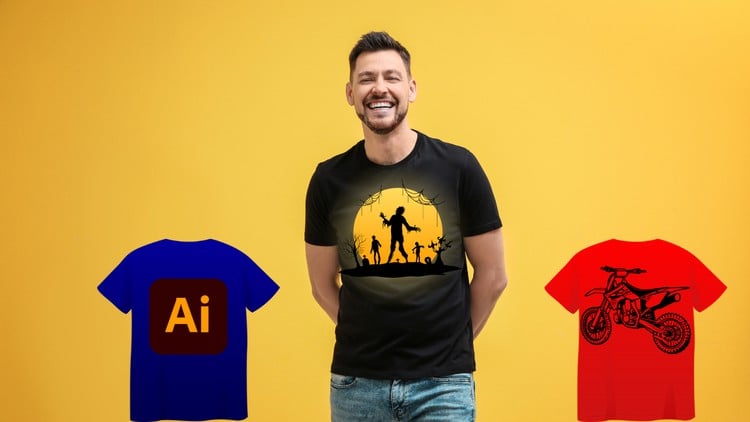
Become a T-Shirt Design Pro: Create Eye-Catching Tees with Illustrator
⏱️ Length: 5.0 total hours
⭐ 4.16/5 rating
👥 20,628 students
🔄 March 2025 update
Add-On Information:
Note➛ Make sure your 𝐔𝐝𝐞𝐦𝐲 cart has only this course you're going to enroll it now, Remove all other courses from the 𝐔𝐝𝐞𝐦𝐲 cart before Enrolling!
- Course Overview
- Embark on a creative journey designed to transform your artistic ideas into stunning, print-ready T-shirt designs using the industry-standard vector graphics software, Adobe Illustrator. This comprehensive course, highly rated by over 20,000 students, takes you from the foundational concepts of graphic design for apparel to advanced techniques, ensuring you gain the skills to produce eye-catching tees that stand out in any market. Whether you’re an aspiring entrepreneur, a budding graphic designer, or simply looking to express your creativity on fabric, this program provides a structured and engaging path to mastering T-shirt design from initial sketch to final production file, reflecting its March 2025 update.
- Discover the iterative process of T-shirt design, learning how to conceptualize, visualize, and meticulously craft designs that resonate with specific audiences and current trends.
- Uncover the power of vector art in creating scalable, versatile designs perfect for various printing methods without any loss of quality or detail.
- Engage in practical, project-based learning that culminates in a robust portfolio of diverse T-shirt designs, ready to launch your creative career or apparel brand.
- Requirements / Prerequisites
- No prior experience with Adobe Illustrator is necessary: This course is specifically structured to guide complete beginners through the software’s interface and functionalities relevant to T-shirt design.
- Access to Adobe Illustrator software: A subscription or trial version of Adobe Illustrator is required to follow along with the practical exercises and complete your design projects.
- Basic computer literacy: Familiarity with navigating a computer operating system, managing files, and performing basic software operations.
- A passion for creativity and design: An eagerness to learn and experiment with visual concepts and a desire to bring artistic visions to life on apparel is highly beneficial.
- Optional: A sketchbook and basic drawing tools for initial concept ideation, though not strictly required, can enhance the “sketch to print” workflow for those who prefer starting with hand-drawn elements.
- Skills Covered / Tools Used
- Mastering Adobe Illustrator Fundamentals: Gain proficiency in core tools, panels, and shortcuts essential for efficient graphic design workflows, focusing on precision and vector manipulation techniques tailored for apparel.
- Advanced Typography and Text Effects: Learn to manipulate text creatively, exploring custom font treatments, text warping, path type, and the creation of dynamic textual elements for impactful messaging on tees.
- Vector Shape Creation and Transformation: Develop expertise in constructing complex designs from basic geometric shapes, utilizing the Pathfinder panel, shape builder tool, and various transformation techniques to craft unique graphics.
- Effective Color Theory and Application: Understand how to select and apply harmonious color palettes, manage color modes (RGB vs. CMYK), and prepare files for accurate color reproduction in print, accounting for fabric type.
- Custom Brush Design and Usage: Explore the creation and application of unique art brushes and pattern brushes to add intricate details, textures, and artistic flair to your T-shirt designs.
- Composition and Layout Principles: Apply fundamental design principles such as balance, contrast, hierarchy, and proximity to arrange elements effectively within the T-shirt canvas for maximum visual impact and wearer appeal.
- Integrating Hand-Drawn Elements: Discover techniques for digitizing sketches or raster images into scalable vector artwork using Illustrator’s powerful tracing functionalities, seamlessly bridging traditional art with digital design.
- Preparing Files for Professional Printing: Learn the critical steps for exporting print-ready files, including understanding bleed, resolution, specific file formats, and best practices for various printing methods like screen printing, direct-to-garment (DTG), and sublimation.
- Developing Unique Design Concepts: Cultivate a systematic approach to ideation, brainstorming, and translating abstract concepts into tangible, visually appealing designs tailored for specific demographics or market niches.
- Applying Artistic Filters and Effects: Utilize Illustrator’s array of effects to add depth, dimension, and stylistic touches to your artwork, creating everything from distressed vintage looks to polished, modern aesthetics.
- Leveraging Graphic Resources: Learn how to effectively incorporate external assets like stock vectors, patterns, and textures while maintaining a cohesive design language and avoiding common pitfalls.
- Benefits / Outcomes
- Become a Confident Illustrator User: Develop a strong command over Adobe Illustrator, empowering you to tackle a wide range of graphic design projects beyond just T-shirts with precision and creativity.
- Build a Professional T-Shirt Design Portfolio: Graduate with a collection of high-quality, diverse T-shirt designs showcasing your newly acquired skills and creative potential to prospective clients or employers.
- Launch Your Own Apparel Brand or Freelance Career: Gain the practical knowledge and technical skills necessary to start selling your unique designs online or offer professional T-shirt design services to a growing market.
- Master the Entire Design-to-Print Workflow: Understand every step from initial concept generation to preparing production-ready files, minimizing errors and ensuring successful, high-quality prints every time.
- Design for Specific Niches and Trends: Acquire the insight to create designs that appeal to target markets, incorporating current fashion trends and effectively communicating brand messages through apparel.
- Unleash Your Creative Potential: Transform your raw ideas and artistic visions into tangible, wearable art, expressing your unique style and perspective to the world through custom clothing.
- Develop an Eye for Marketable Designs: Learn the principles behind creating “hot-selling” designs, understanding what makes a T-shirt visually appealing, commercially successful, and resonant with buyers.
- Problem-Solve Design Challenges: Enhance your ability to overcome creative blocks and technical hurdles in the design process, fostering resilience, innovation, and an adaptive approach to graphic design.
- PROS
- Highly practical, project-centric approach ensures immediate application of learned skills to real-world design scenarios.
- Excellent social proof with a high rating (4.16/5) and a large student base (20,628+), indicating quality instruction and student satisfaction.
- Content is regularly updated, ensuring relevance with the latest software features and industry trends (March 2025 update mentioned in caption).
- Comprehensive scope covers both creative design elements and crucial print preparation, offering a complete skill set for aspiring T-shirt designers.
- Empowers beginners to achieve professional-level output with clear, step-by-step guidance from concept through to final production.
- Focuses on creating commercially viable designs, providing a direct pathway to potentially monetizing your creative skills.
- CONS
- Requires a financial investment in Adobe Illustrator software, which operates on a subscription-based model.
Learning Tracks: English,Design,Graphic Design & Illustration