A Masterclass
What you will learn
Note➛ Make sure your 𝐔𝐝𝐞𝐦𝐲 cart has only this course you're going to enroll it now, Remove all other courses from the 𝐔𝐝𝐞𝐦𝐲 cart before Enrolling!
Students will get an in depth knowledge of Functionality of AutoCAD Electrical software. Using this knowledge, students can create professional electrical control drawings.
Add-On Information:
- Master the Dedicated Interface: Navigate AutoCAD Electrical 2021’s specialized environment, leveraging tools tailored specifically for electrical engineering and control system design, moving beyond generic CAD functionalities.
- Efficient Schematic Design: Develop proficiency in creating intelligent, multi-wire schematics for power, control, and PLC circuits, ensuring accuracy, readability, and industry standard compliance from the ground up.
- Smart Component Libraries: Utilize and customize extensive symbol libraries (JIC, IEC, NFPA) for rapid, standardized component placement, drastically reducing manual drafting time and ensuring design consistency.
- Automated Wire & Component Tagging: Implement intelligent wire numbering and automatic component tagging schemes, minimizing human errors and streamlining documentation across complex, multi-page projects.
- Dynamic Cross-Referencing: Leverage automatic cross-referencing for components, contacts, and coils across drawings, significantly improving project navigation, clarity, and simplifying future troubleshooting efforts.
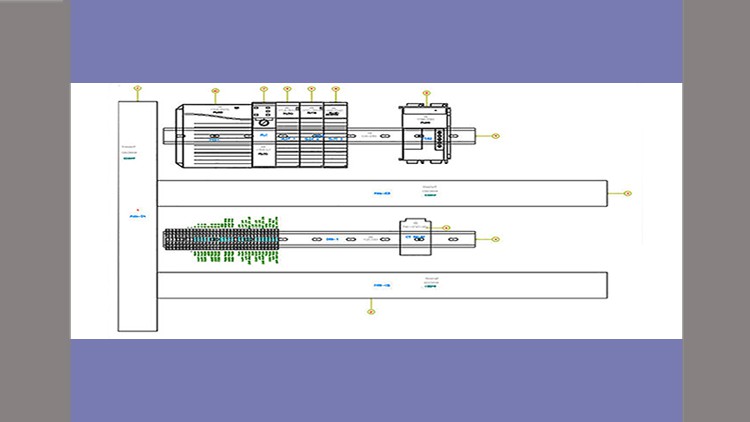
- Precision Panel Layouts: Design accurate and organized panel layouts, including intelligent placement of DIN rails, wire ducts, and components with correct scaling, annotations, and wire routing pathways for manufacturing.
- PLC I/O Integration: Seamlessly incorporate Programmable Logic Controller (PLC) I/O modules into your designs, generating detailed I/O assignments, terminal block layouts, and connection diagrams with minimal effort.
- Automated Report Generation: Generate critical project documentation automatically, including comprehensive Bills of Materials (BOMs), wire lists, terminal plans, and component summaries, vital for procurement and project management.
- Circuit Builder & Reusability: Employ the powerful Circuit Builder to rapidly assemble common circuits from pre-configured templates, promoting design consistency and significantly accelerating project completion.
- Custom Symbol & Footprint Creation: Learn to design and modify custom electrical symbols and footprints, expanding your design adaptability to meet unique project requirements and proprietary component specifications.
- Multi-Drawing Project Management: Master managing complex projects spanning multiple drawings, ensuring data consistency, component connectivity, and efficient navigation throughout the entire design lifecycle.
- Adherence to Industry Standards: Apply electrical engineering best practices (e.g., IEC, NFPA, JIC) to ensure your designs are compliant, efficient, maintainable, and globally recognized, enhancing your professional credibility.
- Streamlined Documentation & Collaboration: Understand how robust AutoCAD Electrical documentation enhances future troubleshooting, maintenance, and facilitates seamless data exchange and collaboration within engineering teams.
- PROS:
- Career Advancement: Equip yourself with highly sought-after, industry-specific skills in electrical CAD, opening doors to diverse engineering, design, and technician roles.
- Industry-Relevant Proficiency: Gain hands-on expertise with the global industry-standard software for electrical controls, making you immediately valuable and competitive in the job market.
- Boost Design Efficiency: Learn to leverage powerful automation features that drastically cut down design time, reduce costly errors, and significantly improve project turnaround times.
- Comprehensive Skill Set: Acquire a holistic understanding of the entire electrical design workflow, from initial schematic creation to precise panel layout and automated report generation.
- Expert-Led Instruction: Benefit from a structured curriculum developed by industry professionals, ensuring practical, real-world application of knowledge and best practices.
- CONS:
- Software License Dependency: Practical application and continued use of AutoCAD Electrical outside the course environment requires a separate, often subscription-based, software license which can be a significant ongoing cost.
English
language