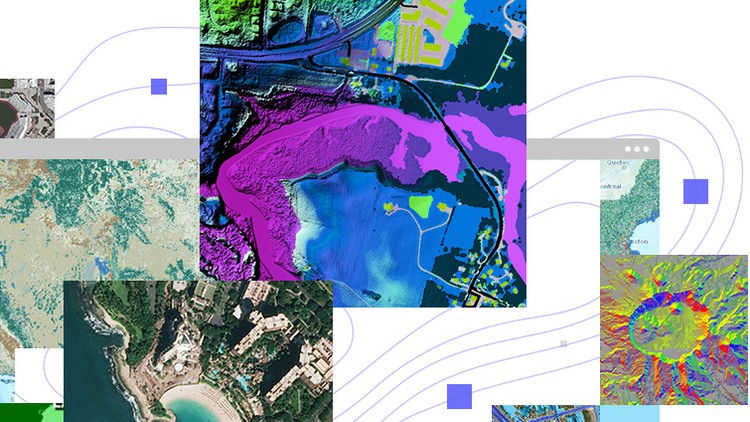
Embark on an exciting journey into the world of ArcGIS Pro with our video course, “Exploring ArcGIS Pro.”
What you will learn
Note➛ Make sure your 𝐔𝐝𝐞𝐦𝐲 cart has only this course you're going to enroll it now, Remove all other courses from the 𝐔𝐝𝐞𝐦𝐲 cart before Enrolling!
Students will demonstrate proficiency in accessing and utilizing various features and functionalities of the ArcGIS Pro interface, including the Home screen.
Students will be able to georeference raster images using control points accurately, ensuring spatial alignment and referencing to real-world coordinates.
Students will demonstrate proficiency in using tools such as Export, Merge, Mosaic, Clip, and Extract by Mask to manipulate and export spatial data efficiently
Students will be able to generate and interpret different types of maps, including slope maps, contour maps, and hillshade maps.
Add-On Information:
- Mastering Core GIS Principles: Grasp fundamental geographic information science concepts that underpin all operations within ArcGIS Pro, ensuring a solid theoretical foundation for practical application and informed decision-making.
- Effective Project Setup and Management: Learn to initiate, organize, and manage complex GIS projects within ArcGIS Pro, from establishing proper geodatabases to structuring your data effectively for optimal workflow and scalability.
- Advanced Data Creation and Editing: Develop skills in creating new spatial datasets from scratch, performing precise digitization of geographic features, and executing sophisticated attribute data management and editing tasks to maintain data integrity.
- Seamless Data Integration: Discover robust techniques for importing and integrating diverse data formats (e.g., CAD drawings, GPS logs, various raster and vector types) into your ArcGIS Pro environment, preparing them for comprehensive analysis.
- Comprehensive Spatial Analysis Techniques: Execute a wide array of analytical operations, including buffering, spatial joins, overlay analysis, network analysis, and proximity analysis, to derive meaningful insights and solve real-world geographic problems.
- Dynamic Data Visualization and Symbology: Transform raw data into compelling visual narratives by applying advanced symbology, labeling, and rendering techniques to create professional-grade maps and sophisticated visual representations for diverse audiences.
- Designing Professional Map Layouts: Acquire the expertise to design and export polished map layouts for print or digital distribution, incorporating essential cartographic elements such as legends, north arrows, scale bars, and dynamic text elements suitable for reports, presentations, or web content.
- Understanding Coordinate Systems and Projections: Gain a deep understanding of geographic and projected coordinate systems, learning how to correctly define, transform, and reproject data to ensure spatial accuracy, compatibility, and appropriate representation for various applications.
- Exploring 3D GIS Capabilities: Delve into the exciting realm of 3D visualization and analysis within ArcGIS Pro, including creating realistic 3D scenes, analyzing terrain, modeling urban environments, and visualizing subsurface features for enhanced spatial comprehension.
- Automating Workflows with Geoprocessing Tools: Learn to leverage the powerful geoprocessing framework to chain multiple operations, automate repetitive tasks, and build custom analytical models, significantly increasing efficiency and reproducibility in your GIS projects.
- Introduction to Web GIS Integration: Understand how to publish your ArcGIS Pro projects, maps, and data to ArcGIS Online or Portal, enabling seamless sharing, collaboration, and the deployment of interactive web maps and applications for broader accessibility.
- Harnessing Basemaps and Online Resources: Effectively utilize Esri’s rich collection of basemaps, living atlas content, and other online GIS services to enrich your projects, provide critical contextual information, and accelerate your data analysis.
- Effective Querying and Data Selection: Master advanced querying techniques using SQL expressions to select, filter, and extract specific subsets of data based on attribute values or spatial relationships, facilitating targeted analysis.
- PROS:
- Practical, Hands-On Learning: Engage with a project-based approach that ensures immediate application of learned concepts, reinforcing understanding through practical exercises.
- Current Industry Relevance: The course focuses on ArcGIS Pro, the latest and most powerful desktop GIS software from Esri, ensuring skills gained are highly relevant and sought after in today’s job market.
- Versatile Skill Development: Equip yourself with a comprehensive skillset applicable across numerous industries, including environmental science, urban planning, civil engineering, geology, public health, and business.
- Build a Robust Portfolio: Accumulate a collection of completed GIS projects and maps throughout the course, which can serve as tangible evidence of your capabilities for future employers or academic pursuits.
- Foundation for Advanced Specializations: Establish a strong foundation in GIS that prepares you for more specialized topics such as remote sensing, spatial statistics, or GIS programming with Python.
- CONS:
- Software Access Requirement: Learners will need access to an ArcGIS Pro license, which may involve additional cost or institutional access, as the software itself is not included with the course.
English
language