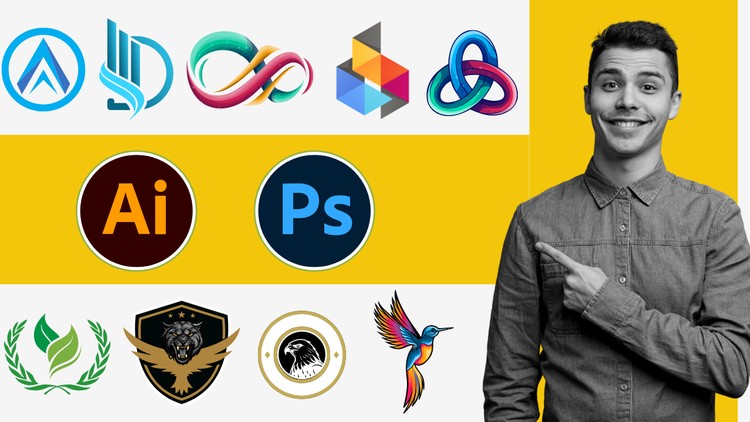
Learn Logo Design Techniques: A Comprehensive Guide with Photoshop and Illustrator
What you will learn
Understand the principles of effective logo design
Learn about different logo types
Explore the Photoshop and Illustrator interface and workspace
Learn image manipulation techniques for logo design
Learn to create complex shapes and illustrations for logos
Create stunning visual effects and treatments for logos
Develop advanced techniques for logo refinement and finishing
Overview: A Deep Dive into the Graphic Design Workflow
Listen, there’s a persistent myth in the design world that you only need one tool to be a “pro.” I’ve spent over a decade in the tech and creative sectors, and if there’s one thing I’ve learned, it’s that versatility is the only real job security. The Master Logo Design with Photoshop Illustrator Zero to Pro course tackles this head-on. Most courses lazily stick to vector-only workflows, but this one bridges the gap between the pixel-perfect precision of Photoshop and the infinitely scalable power of Illustrator.
What I found most refreshing here wasn’t just the “how-to” of clicking buttons; it was the “why.” The course treats logo design as a strategic business asset, not just a pretty picture. It moves from beginner to advanced by forcing you to think about how a logo survives in the wild—whether it’s on a massive billboard or a tiny favicon. It’s an opinionated look at branding that mirrors how we actually work in high-stakes agency environments. You aren’t just learning to draw; you’re learning to solve visual problems using industry-standard tools.
Prerequisites: What You Actually Need
Don’t fall for the trap of thinking you need a master’s degree in fine arts. However, you do need a machine that doesn’t crawl to a halt when you have both Photoshop and Illustrator open simultaneously. Here’s the reality of what you need to bring to the table:
- Software Access: You’ll need a Creative Cloud subscription. Trying to follow this with open-source alternatives will only frustrate you because the shortcuts and specific hands-on labs are built for Adobe’s ecosystem.
- Basic Computer Literacy: If you know how to manage files and navigate a Windows or Mac OS, you’re ready.
- A Creative Itch: This isn’t a passive watch. You need the patience to tinker with Bezier curves until they’re perfect.
- No Prior Design Experience Required: The “Zero” in the title is literal. The instructor assumes you’re starting from scratch, which is great for career switchers.
Skills & Tools: Building Your Technical Arsenal
The course curriculum is heavy on job-ready skills. You’ll spend a significant amount of time mastering the Pen Tool—the bane of every beginner’s existence—but by the end, it’ll feel like an extension of your hand. You’ll dive deep into vector construction in Illustrator, learning how to manipulate paths and use the Shape Builder tool to create those “mathematically perfect” logos you see from top-tier brands.
Then comes the Photoshop side of the house. This is where you learn to add soul to your vectors. We’re talking about advanced masking, textures, and lighting effects that transform a flat icon into a premium brand identity. The integration of real-world projects ensures you aren’t just making “logo-like objects,” but actual assets that could be handed off to a client tomorrow. You’ll also touch on typography, which is often the difference between a $50 logo and a $5,000 branding package.
Career Benefits & Job Roles: Beyond the Art
Let’s talk about career growth. Taking a course like this isn’t just about adding a line to your LinkedIn; it’s about building a portfolio that proves you can handle the pressure of a professional brief. The certification prep aspect of the course helps you validate your skills, but the real value is the real-world projects you’ll finish with.
Once you’ve mastered these techniques, you’re looking at several viable paths:
- Junior Brand Designer: Working within an agency to develop visual identities for startups.
- Freelance Identity Specialist: Carving out a niche on platforms like Upwork or working directly with local businesses.
- UI/UX Contributor: Understanding how to create clean, scalable icons is a massive advantage in product design.
- Creative Lead: Even if you move into management, knowing the technical constraints of Photoshop and Illustrator allows you to lead teams more effectively.
Pros: Why This Course Stands Out
- The Hybrid Approach: Teaching Photoshop and Illustrator in tandem is the “correct” way to work, yet so few courses do it well. This gives you a massive leg up in terms of workflow efficiency.
- Practical Momentum: The hands-on labs are structured to give you “quick wins” early on, which keeps you motivated through the more tedious technical sections.
- Focus on Principles: It doesn’t just teach the tools; it teaches color theory, negative space, and hierarchy—the stuff that actually makes a logo “good.”
Cons: The Honest Truth
If I have one gripe, it’s the pacing in the middle sections. When the course transitions into complex shape building, the instructor occasionally moves at a “pro” speed while still addressing a “zero” audience. You might find yourself hitting the “back 10 seconds” button more than a few times to see exactly where a specific anchor point was placed. It’s not a dealbreaker, but be prepared to pause and practice alongside the video.