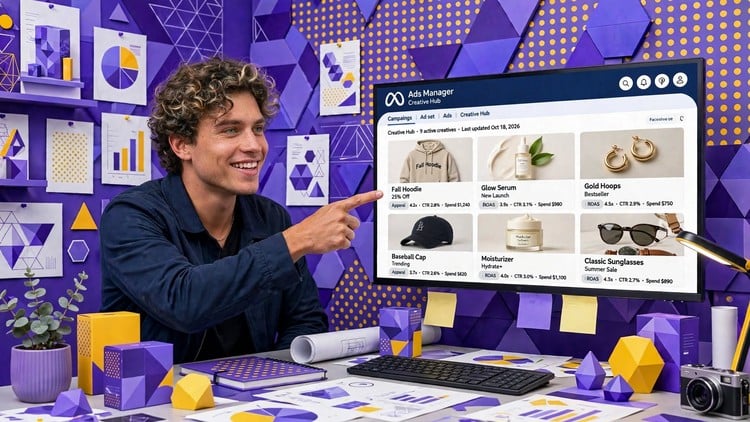
Write copy, design visuals & launch Facebook & Instagram ads with Meta AI or Gemini + Canva. Save time and design costs.
What You Will Learn:
- Understand how Meta Ads work across Facebook, Instagram and WhatsApp, and how campaigns, ad sets and ads fit together
- Use Google Gemini to generate ad visuals from your product, logo and brand identity
- Resize one approved design for multiple placements, with logos and CTAs placed correctly
- Basics of WhatsApp ad and launch your ads in Meta Business Suite using a pre-launch checklist
- Turn AI-generated designs into editable, on-brand creatives in Canva
- Use Meta AI to write ad copy and generate ad creative images, with multiple variations
- Choose the right ad sizes, formats and safe zones (4:5, 1:1, 9:16) for Feed, Stories and Reels
- Spot what works and what doesn’t in Meta ad creatives, so you avoid mistakes that hurt delivery
- Choose between the Meta AI workflow and the Gemini + Canva workflow for your own ads
Overview: Beyond the “Boost Post” Button
Let’s be real—the days of just throwing a few bucks at a “Boost Post” button and praying for a return on ad spend (ROAS) are long gone. If you’ve spent any time in the trenches of performance marketing, you know that the biggest bottleneck isn’t the technical setup of a campaign; it’s the creative exhaustion. Feeding the Meta algorithm requires a constant stream of high-quality visuals and compelling copy that doesn’t just look good, but actually converts. This course, “Meta Ads with AI,” hits the sweet spot by addressing the “Content Monster” head-on.
What I appreciated most isn’t just the technical walkthrough of the Meta Business Suite, but the strategic pivot toward rapid prototyping. Instead of waiting three days for a design department to turn around a single set of banners, this course teaches you how to leverage Generative AI to build out a month’s worth of assets in an afternoon. It moves away from the “technical manual” vibe and feels more like a hands-on lab for modern growth hackers. The course bridges the gap between raw AI output and industry-standard tools, ensuring that your ads don’t look like generic “AI art” but rather polished, brand-consistent marketing collateral. It’s about shifting your role from a “click-monkey” to a high-level creative strategist.
Prerequisites
You don’t need a computer science degree or a background in advanced data science to get value here. However, having a basic understanding of how social media works from a user perspective is essential. You’ll need a functional Facebook account and, ideally, a business page you can experiment with. While the course covers the basics, being “tech-curious” is your biggest asset. If you’ve ever used a drag-and-drop editor or prompted a chatbot, you’re already halfway there. No prior experience with certification prep or professional design software is required, as the curriculum is designed to take you from beginner to advanced workflows quite rapidly.
Skills & Tools
The curriculum is packed with job-ready skills that focus on the intersection of AI and paid social. You’ll dive deep into:
- Meta Business Suite & Ads Manager: Navigating the complex architecture of campaigns, ad sets, and ads.
- Google Gemini: Learning to use LLMs not just for text, but as a visual conceptualization engine for your brand identity.
- Canva Workflow: This is the “secret sauce”—taking AI-generated images and turning them into editable, on-brand creatives with proper safe zones for Reels and Stories.
- Meta AI Copywriting: Moving beyond “Buy Now” to generate high-converting, emotive copy variations.
- Format Mastery: Understanding the technical nuances of 4:5, 1:1, and 9:16 aspect ratios to ensure maximum real estate on the mobile feed.
- Creative Auditing: Developing the “eye” to spot high-performing patterns versus costly mistakes that kill delivery.
Career Benefits & Job Roles
In the current market, simply knowing “how to run ads” is becoming a commoditized skill. Employers are looking for AI-integrated marketers who can do more with less. Mastering these workflows provides significant career growth opportunities because you become a “department of one.”
This course is a goldmine for Digital Marketing Managers, Content Strategists, and Small Business Owners who are tired of high agency retainers. If you’re looking into job-ready skills for roles like “Growth Marketer” or “Social Media Lead,” being able to demonstrate a workflow that saves 70% of design time is a massive competitive advantage. It also serves as excellent certification prep for those eyeing the Meta Certified Creative Strategy Professional exam, as it reinforces the core principles of creative-led growth.
Pros
- Dual Workflow Strategy: I loved that it doesn’t force a “one size fits all” approach. You get to compare the Meta AI native workflow against the Gemini + Canva stack, allowing you to choose what fits your specific real-world projects best.
- Focus on “Safe Zones”: It sounds minor, but seeing exactly where the UI elements of Instagram and TikTok overlay your design saves hours of ad delivery headaches.
- Efficiency-First Mindset: The course is built for the “time-poor” professional. It focuses on shortcuts, templates, and pre-launch checklists that prevent expensive mistakes.
- Practical Creative Direction: It teaches you how to maintain brand integrity. You learn to ensure logos and CTAs are placed correctly, so your AI creations still look like professional-grade marketing.
Cons
The only real drawback is the inherent volatility of AI tools. Because Google Gemini and Meta AI update their interfaces and capabilities almost monthly, some of the specific button placements in the videos might shift slightly by the time you watch them. You’ll need to be comfortable with a bit of “interface hunting” if the UI changes, though the underlying logic of the prompts and strategy remains solid.