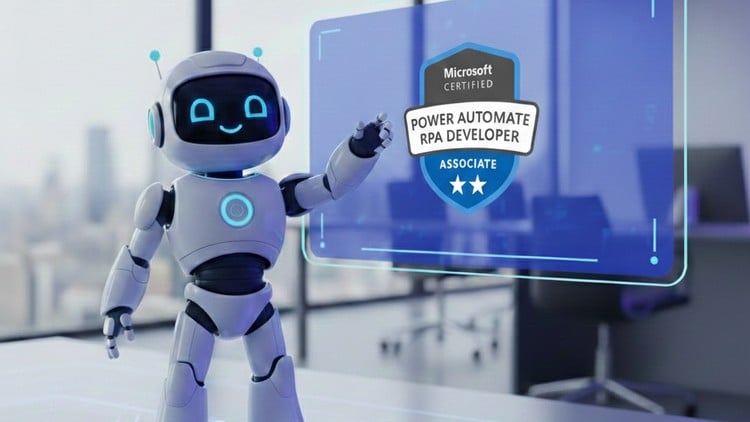
Complete PL-500 Certification Bootcamp, Mastering PL500 RPA with Microsoft Power Automate
What You Will Learn:
- Developers building robotic process automation (RPA) solutions
- Professionals automating legacy systems and repetitive tasks
- Developers working with Power Automate Desktop and cloud flows
- Individuals integrating APIs, AI Builder, and connectors
Overview: Beyond the Low-Code Hype
Let’s get one thing straight: the market is currently flooded with “citizen developer” fluff that promises you can automate your entire life with three clicks. If you’ve been in the trenches of IT for a while, you know that’s rarely the case. That’s why the PL-500 Microsoft Power Automate RPA Developer certification is such a breath of fresh air. It isn’t just another entry-level badge; it’s a deep dive into the bridge between modern SaaS and those stubborn, legacy “green screen” applications that simply refuse to die.
During my time with this certification prep bootcamp, I realized this isn’t just about dragging and dropping boxes. It’s about digital transformation at the molecular level. This course takes a “pro-code” approach to a low-code platform, forcing you to think about exception handling, variable manipulation, and lifecycle management. It moves past the honeymoon phase of simple cloud flows and gets into the grit of Power Automate Desktop (PAD). This is where the real work happens—automating the “un-automatable.” If you’re tired of hearing buzzwords and actually want to build something that doesn’t break the moment a UI element shifts three pixels to the left, this is the path you need to be on.
Prerequisites: What You Actually Need
Microsoft says you need a basic understanding of the Power Platform, which is technically true, but let’s be real. To truly succeed here and gain job-ready skills, you should have a solid grasp of logical programming structures. You don’t need to be a C# wizard, but if concepts like JSON, loops, and “If/Else” statements make your head spin, you’ll struggle.
- A fundamental understanding of REST APIs and how data moves between services.
- Familiarity with Windows environments—since a huge chunk of RPA involves desktop interaction.
- The PL-900 (Power Platform Fundamentals) is a good warmup, but not strictly mandatory if you’ve spent any time in technical operations.
- A “trial” or “sandbox” tenant is vital for the hands-on labs—you can’t learn RPA by just watching videos.
Skills & Tools: The RPA Swiss Army Knife
The core of this bootcamp is mastering industry-standard tools that separate the amateurs from the architects. We spent a massive amount of time in Power Automate Desktop, learning how to record actions, edit selectors (the secret sauce of any RPA dev), and handle dynamic data.
- UI Automation & Selectors: Learning how to tell a bot exactly which button to click, even when the web page updates.
- AI Builder Integration: This is where the career growth happens. We used AI to extract data from unstructured invoices—turning a manual 4-hour task into a 4-second flow.
- Governance & Security: Understanding Data Loss Prevention (DLP) policies and how to manage credentials securely using Azure Key Vault.
- Debugging & Error Handling: The course emphasizes “Try-Catch” blocks, which is essential because, in the real world, bots fail constantly.
Career Benefits & Job Roles
The demand for RPA Developers is skyrocketing because companies are desperate to save on labor costs without replacing their legacy infrastructure. Completing this certification prep places you in a very specific, high-value niche. You aren’t just a “Power Platform guy”; you are an Automation Architect.
The career growth potential here is massive. Once you have “PL-500 Certified” on your LinkedIn, you’re looking at roles like RPA Developer, Solutions Architect, or Digital Transformation Lead. These aren’t just lateral moves; they often come with significant salary bumps because you are directly responsible for ROI. You are the person who saves the company 1,000 man-hours a month by automating the back-office drudgery. That makes you indispensable.
Pros: Why This Bootcamp Wins
- Real-World Projects: The hands-on labs aren’t just “Hello World” scenarios. You’re building real-world projects like automated invoice processing and cross-platform data synchronization.
- Beginner to Advanced Pathing: It respects your time. It starts with the basics but scales rapidly to complex unattended automation and custom API connectors.
- Alignment with Exam Objectives: There’s zero fluff. Every module directly correlates to the PL-500 exam domains, making it the ultimate tool for passing on your first attempt.
- Focus on Hybrid Solutions: It teaches you when to use a Cloud Flow and when to trigger a Desktop Flow, which is a nuance many other courses miss.
Cons: The Honest Truth
If I have one gripe, it’s the pace of the Power Automate Desktop updates. Microsoft moves fast—sometimes too fast. Occasionally, the UI in the hands-on labs looked slightly different from the latest version of the software. It’s not a dealbreaker, but if you’re a complete beginner, you might find yourself hunting for a button that has been moved or renamed in a recent patch. You need to be comfortable with a little bit of “figure-it-out” energy.