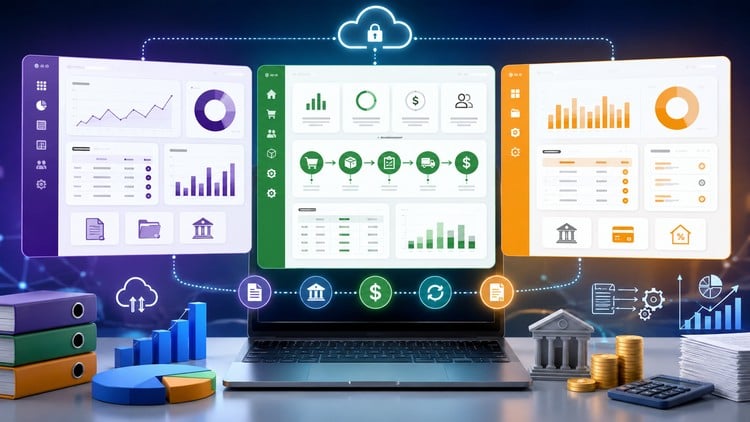
Master Odoo 19, QuickBooks, Zoho Books, FreshBooks & Wave Accounting with real-world workflows and automation
What You Will Learn:
- Configure and manage complete accounting systems in Odoo 19.
- Set up taxes, VAT, GST, and compliance workflows in accounting software.
- Create, manage, and automate customer invoices.
- Record and track customer payments accurately.
- Perform bank reconciliations and transaction matching.
- Manage accounts receivable and improve cash collection.
- Manage accounts payable and vendor payment workflows.
- Configure and optimize chart of accounts structures.
- Show more
Why This Multi-Platform Approach Actually Works
In my decade plus of working across various tech stacks, I’ve noticed a recurring problem: most accountants are experts in one tool but completely lost when a client migrates to a different ecosystem. That’s why Accounting Software Mastery: Odoo, QuickBooks & Zoho ERP Pro caught my eye. It isn’t just another dry lecture series on debits and credits; it’s a comprehensive deep dive into the practical “under the hood” mechanics of the industry’s heavy hitters. We’re talking about moving beyond basic data entry and actually architecting a financial system that scales.
What sets this course apart is the heavy focus on Odoo 19. While QuickBooks is the old reliable, Odoo is rapidly becoming the go-to for companies that need an integrated ERP rather than just a standalone accounting tool. The course treats accounting not as a siloed task, but as a central nervous system for business operations. It’s refreshing to see a curriculum that values automation and real-world workflows over theoretical nonsense. If you’ve ever struggled to reconcile a messy bank feed or felt intimidated by VAT and GST compliance across different jurisdictions, this course offers a very grounded, “I’ve been there” perspective that simplifies the complex.
What You Need Before Diving In
You don’t need a CPA or a Master’s degree to get value out of this, but you shouldn’t go in totally blind either. To really get the most out of the hands-on labs, I’d suggest having:
- A baseline understanding of the accounting equation (Assets = Liabilities + Equity).
- Comfort navigating cloud-based software interfaces.
- A computer capable of running multiple browser tabs (Odoo’s web interface can be a bit of a resource hog).
- The patience to troubleshoot—because in real-world projects, the data is rarely clean the first time around.
The Toolkit: Skills & Industry-Standard Tools
This course is essentially a Swiss Army knife for the modern financial professional. You aren’t just learning where to click; you’re learning the logic of industry-standard tools. You will gain mastery over:
- Odoo 19 & Zoho Books: Managing the complexity of ERP-based accounting.
- QuickBooks Online & FreshBooks: Mastering the platforms preferred by small-to-medium enterprises (SMEs).
- Wave Accounting: A great beginner to advanced look at free tools for freelancers and micro-businesses.
- Advanced Configuration: Designing a Chart of Accounts (CoA) that actually makes sense for reporting.
- Compliance Logic: Setting up automated tax rules for VAT, GST, and local sales taxes.
- Bank Reconciliation: Moving past manual matching to high-speed automation workflows.
Career Growth & Lucrative Job Roles
Let’s talk money. Specializing in a single tool is fine, but being a multi-platform expert makes you indispensable. This course is a massive boost for certification prep and provides the job-ready skills needed for roles that are currently in high demand. By finishing this, you’re positioning yourself for roles such as:
- ERP Implementation Consultant: Helping companies migrate from legacy systems to Odoo or Zoho.
- Fractional Controller: Managing the books for multiple startups using different software stacks.
- Cloud Accounting Specialist: A role that is seeing massive career growth as firms move away from desktop software.
- Systems Auditor: Ensuring that the automation and tax configurations are compliant and accurate.
The Pros: Where This Course Shines
- Cross-Platform Comparisons: It is incredibly helpful to see how a “Vendor Bill” is handled in Odoo versus how it’s done in QuickBooks. This helps you understand the *logic* of accounting software, not just the interface.
- Focus on Odoo 19: Most courses are stuck on Odoo 16 or 17. Getting fresh content on version 19 is a huge win for anyone looking to stay ahead of the curve.
- Automation-First Mindset: The course spends a significant amount of time on how to make the software do the work for you, which is the only way to survive in modern accounting.
- High-Quality Labs: The hands-on labs aren’t just “follow the leader.” They force you to actually think through AR/AP workflows and reconciliation discrepancies.
The Cons: An Honest Critique
If I have one gripe, it’s the sheer volume of information. Because it covers Odoo, QuickBooks, Zoho, FreshBooks, and Wave, it can occasionally feel like a whirlwind. If you are a total beginner, you might feel the “context switching” between five different pieces of software is a bit overwhelming. I would have liked to see a slightly slower module specifically on the initial migration phase between these platforms, as that is where most real-world headaches happen. However, for anyone with a bit of grit, the breadth of the course is ultimately its greatest strength.