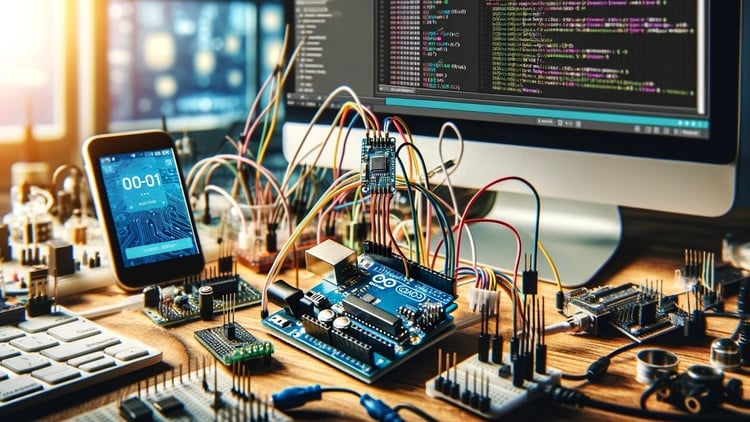
Learn how to send and receive SMS using the A6 GSM module and control gadgets via SMS
What You Will Learn:
- Learn how to use Arduino and GSM to create Internet of Things applications
- Learn SENDING AND RECEIVING MESSAGES USING GSM MODULE
- Learn the software and hardware requirements
- Learn how to connect your Arduino to your smartphone and the Internet of Things.
- Learn how to use the Arduino GSM Shield and the SIM900 GSM module for IoT projects.
- Learn how to use Arduino and GSM technology for fun and profit!
- Learn how to use the Arduino GSM Shield and the SIM900 GSM module for IoT projects.
The Reality of Cellular IoT: An Honest Review
Let’s be real for a second: most beginners think the Internet of Things is just about connecting a device to a home Wi-Fi router. But if you’ve spent any time in the trenches of hardware development or field engineering, you know that Wi-Fi is a luxury you don’t always have. Whether you’re monitoring a remote pump station in the middle of a farm or building a security system for a construction site, you need cellular connectivity. That’s why I decided to dive into the Arduino GSM Communication for Internet of Things course.
The curriculum doesn’t just scratch the surface; it’s a deep dive into using the industry-standard tools required to bridge the gap between a local microcontroller and a global cellular network. This isn’t just a “hobbyist” tutorial. It’s structured more like certification prep for anyone looking to understand the core mechanics of GSM modules like the SIM900 and the A6. The instructor moves away from the “magic” of pre-built libraries and gets you comfortable with the underlying logic, which is exactly what you need if you’re looking to develop job-ready skills in the embedded space.
What I appreciated most was the shift in perspective from beginner to advanced methodologies. Most courses stop at “send an SMS.” This one pushes you to think about how these real-world projects scale—how to handle incoming data without crashing your stack and how to ensure your hardware is actually communicating with the smartphone interface effectively. It’s a no-nonsense approach to hardware integration that focuses on reliability over just “making it work once.”
Prerequisites
Before you jump into the hands-on labs, you need to have your house in order. This isn’t a “coding only” course; you’ll need physical components.
- A solid grasp of the Arduino IDE and basic C++ syntax (variables, loops, and functions).
- An Arduino Uno or Mega (Mega is preferred if you want multiple hardware serial ports).
- A SIM900 or A6 GSM module with a compatible 2G/3G SIM card (make sure your local carriers still support the bands these modules use!).
- A high-current power supply (GSM modules are notorious for current spikes during network registration).
- Basic knowledge of electronic circuits (using breadboards and jumper wires).
Skills & Tools Mastered
By the end of this course, your toolkit will be significantly more professional. You aren’t just “using an Arduino”; you’re mastering the interface between hardware and telecommunications.
- AT Commands: You’ll master the low-level language that GSM modules speak. This is the gold standard for communicating with almost any cellular or Bluetooth radio.
- Serial Communication: Understanding how to manage SoftwareSerial vs. HardwareSerial to debug your code while communicating with the module.
- Power Management: Learning why your module is rebooting (and how to fix it) is a rite of passage in real-world projects.
- Logic Level Shifting: Ensuring your 5V Arduino doesn’t fry your 3.3V GSM module—a critical skill for career growth in hardware design.
- IoT Architecture: Building a functional loop where a remote device acts on SMS triggers, effectively turning a phone into a global remote control.
Career Benefits & Job Roles
In today’s market, companies are desperate for engineers who can build “edge” devices. Taking this course isn’t just about fun; it’s about building a portfolio that proves you can handle the complexities of remote connectivity.
- Embedded Systems Developer: Use these job-ready skills to design remote monitoring systems for industrial clients.
- IoT Solutions Architect: Understand the connectivity layer of the IoT stack, helping you choose between GSM, LoRa, or Wi-Fi for corporate deployments.
- Field Service Engineer: Gain the ability to troubleshoot smart meters or telematics units that rely on cellular backhaul.
- Prototyping Specialist: Quickly spin up proof-of-concept devices for startups looking to disrupt the smart-city or AgTech sectors.
Pros
- Practical Over Theoretical: The focus is on hands-on labs. You spend less time looking at slides and more time looking at the serial monitor, which is where the real learning happens.
- Deep Hardware Insight: It covers the A6 and SIM900 modules specifically, providing industry-standard tools knowledge that is directly applicable to most commercial GSM shields.
- Logical Progression: The course scales nicely from beginner to advanced, making sure you understand *why* the code works before moving on to complex SMS-controlled gadgetry.
Cons
- Hardware Sensitivity: The course assumes your hardware works perfectly. In reality, GSM modules are finicky about power and signal strength. If you’re in an area with poor 2G coverage, you might struggle to replicate the results without some additional troubleshooting that isn’t fully covered in the lectures.