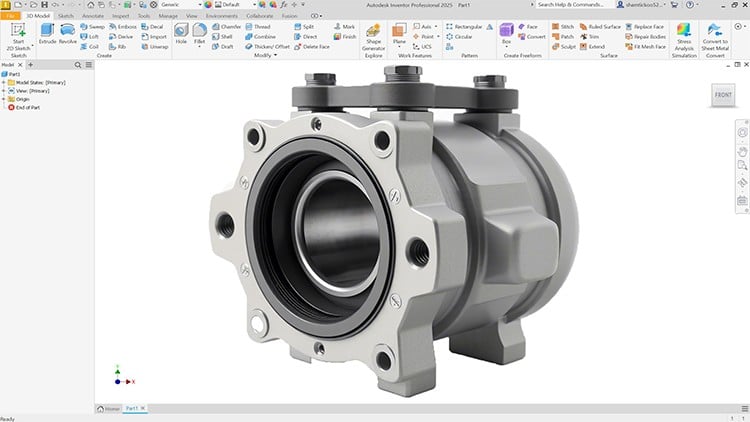
Master Autodesk Inventor 2025: From Sketching to Simulation
⏱️ Length: 9.2 total hours
⭐ 4.50/5 rating
👥 4,263 students
🔄 June 2025 update
Add-On Information:
Note➛ Make sure your 𝐔𝐝𝐞𝐦𝐲 cart has only this course you're going to enroll it now, Remove all other courses from the 𝐔𝐝𝐞𝐦𝐲 cart before Enrolling!
- Course Overview
- This comprehensive tutorial offers an immersive journey into Autodesk Inventor 2025, meticulously structured to transform beginners into proficient CAD professionals. It’s designed to teach not just what to do, but why and how to do it effectively, integrating practical design principles with Inventor’s robust capabilities. You will confidently navigate the user interface, understanding the logical flow from initial concept to detailed engineering documentation. The curriculum emphasizes a hands-on approach, ensuring theoretical knowledge is immediately reinforced through practical exercises and real-world project scenarios, making complex functionalities approachable.
- Beyond foundational elements, the course delves into advanced modules crucial for modern product development, including intricate component interaction, material selection, and iterative design refinement based on analytical feedback. It highlights Inventor’s integrated environment, showcasing how various design stages seamlessly connect, reducing friction in your workflow. This guide also touches upon the philosophical underpinnings of good engineering design, preparing you for informed decisions impacting product performance and manufacturability. The latest 2025 update ensures you are learning with current features and best practices.
- Requirements / Prerequisites
- A fundamental understanding of basic mechanical engineering principles or a general interest in product design is recommended, though not strictly mandatory. Familiarity with 2D drafting concepts or previous CAD exposure is advantageous but not required, as the course builds from the ground up.
- Access to a computer capable of running Autodesk Inventor 2025 is essential. A stable internet connection for accessing course materials is also necessary. No prior Inventor experience is assumed; the course starts with absolute basics, making it accessible to novices.
- A willingness to learn and dedicate time to practice the techniques presented is the most crucial requirement, encouraging active learning through experimentation and independent problem-solving.
- Skills Covered / Tools Used
- Intuitive UI Navigation: Master Inventor’s ribbon interface, browser panel, and command manager. Efficiently locate tools, utilize context-sensitive menus, and leverage keyboard shortcuts for accelerated design workflows.
- Robust Part Modeling: Progress beyond basic sketching to advanced feature creation including lofts, sweeps, and multi-body solids. Explore direct editing tools for manipulating imported geometry and refining complex, non-prismatic shapes.
- Advanced Assembly Management: Discover strategies for large assembly performance, sub-assembly creation, and flexible assembly states. Employ adaptive parts, constraint sets, and the contact solver for realistic mechanism analysis beyond simple mating.
- Detailed Technical Drawings: Create professional 2D engineering drawings from 3D models. Include various projection views, section views, detail views, and broken views. Master dimensioning standards (GD&T basics), annotation, and automated bill of material generation.
- iFeatures and iParts/iAssemblies: Automate repetitive design tasks. Create reusable iFeatures and configure families of parts or assemblies using design tables and parameters, significantly boosting productivity and standardization for common components.
- Presentation and Animation Tools: Develop compelling exploded views of assemblies to illustrate component relationships and assembly sequences. Create dynamic animations for design reviews, marketing, or instructional purposes, effectively showcasing product functionality.
- Data Exchange and Collaboration: Learn to import and export various CAD file formats, facilitating seamless collaboration across different software platforms and design teams. Understand best practices for managing design data and revision control within Inventor.
- Customization and Productivity Hacks: Personalize your Inventor environment with custom toolbars, keyboard shortcuts, and project templates. Discover advanced tips and tricks to optimize your workflow and efficiently tackle common design challenges.
- Benefits / Outcomes
- Accelerated Design Proficiency: Rapidly transition from conceptual ideas to fully realized, manufacturable 3D models, significantly shortening your design cycle and increasing overall efficiency in product development.
- Enhanced Problem-Solving Capabilities: Develop a systematic approach to design challenges, leveraging Inventor’s analytical tools to predict performance, optimize geometry, and troubleshoot potential issues before physical prototyping.
- Improved Communication and Collaboration: Produce clear, unambiguous technical documentation, high-quality renderings, and animations that effectively convey design intent to stakeholders, fostering better team synergy.
- Career Advancement Opportunities: Gain a highly sought-after skill set in the CAD industry, opening doors to roles in mechanical design, product engineering, manufacturing, and technical illustration across diverse sectors.
- Confidence in Complex Projects: Acquire the foundational knowledge and practical experience to confidently undertake and manage intricate design projects, from individual components to large-scale, multi-part assemblies.
- PROS
- Up-to-Date Content: Specifically tailored for Autodesk Inventor 2025, ensuring relevance with the latest software features and interface enhancements for current industry demands.
- Practical, Project-Based Learning: Emphasizes hands-on application through numerous exercises and real-world examples, reinforcing theoretical concepts with immediate practical experience.
- Comprehensive Scope: Covers a broad spectrum of Inventor functionalities, providing a holistic understanding from foundational operations to more advanced techniques.
- Experienced Instructor Perspective: Benefits from an instructor sharing insights into industry best practices, common pitfalls, and efficient workflows gained from practical experience.
- Flexible Learning Pace: As a recorded tutorial, it allows students to learn at their own speed, revisiting complex topics and pausing for practice, accommodating different learning styles.
- CONS
- Limited Direct Interaction: As a pre-recorded tutorial, it typically lacks real-time Q&A or personalized feedback from the instructor, which some learners might find crucial.
Learning Tracks: English,Design,Design Tools