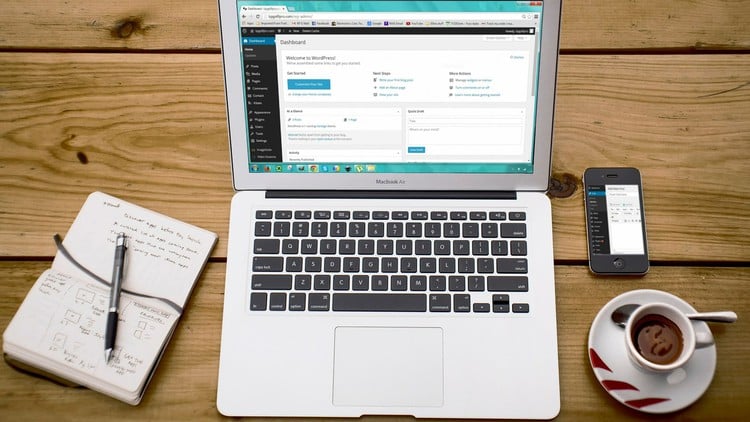
Installing and Customizing WordPress Themes, Working with Posts and Pages, Writing and Optimizing blog posts and more
⏱️ Length: 2.5 total hours
⭐ 4.17/5 rating
👥 120,307 students
🔄 October 2020 update
Add-On Information:
Note➛ Make sure your 𝐔𝐝𝐞𝐦𝐲 cart has only this course you're going to enroll it now, Remove all other courses from the 𝐔𝐝𝐞𝐦𝐲 cart before Enrolling!
- Course Overview
- This ‘WordPress for Absolute Beginners’ course is your gateway to building and managing a professional online presence without any prior coding or web development experience. It simplifies the complexities of website creation, guiding you through the foundational concepts of a Content Management System (CMS) and its intuitive interface. You’ll gain an essential understanding of how WordPress functions, making the journey from idea to live website accessible and engaging for anyone.
- Designed as a hands-on, practical learning experience, this 2.5-hour module provides a comprehensive introduction to launching and personalizing your digital platform. With a strong 4.17/5 rating from over 120,000 students and updated in October 2020, it’s a proven and highly effective starting point for anyone looking to establish a blog, portfolio, or small business website independently.
- Requirements / Prerequisites
- No prior experience with WordPress, web development, or coding is necessary; this course is tailored for complete beginners.
- Basic computer literacy, including familiarity with navigating operating systems and using web browsers, is expected.
- Reliable access to a computer (desktop or laptop) with a stable internet connection is required to follow along with practical exercises.
- An eagerness to learn and a desire to create an online presence are the most crucial prerequisites. No software purchases are needed before starting, but guidance on domain and hosting will be provided.
- Skills Covered / Tools Used
- WordPress Dashboard Navigation: Master the administrative backend, efficiently managing content, settings, and site health through its intuitive interface.
- Content Structuring & Media Management: Learn to effectively organize your blog posts and pages using categories and tags, and manage visual assets within the Media Library for optimal site performance and user experience.
- Visual Site Customization: Utilize the powerful WordPress Customizer to visually modify site appearance in real-time, implementing branding, adjusting layouts, and configuring crucial elements like menus and widgets without writing any code.
- Core Plugin Exploration: Understand the role of essential plugins in extending site functionality, including insights into security, performance optimization, and enhancing user interaction, thereby broadening your site’s capabilities beyond its default setup.
- Initial SEO Fundamentals: Acquire basic knowledge of making content discoverable by search engines, covering keyword integration for blog posts, crafting compelling titles and meta descriptions, and understanding site structure for better indexing.
- Hosting & Domain Connection: Gain practical insight into how web hosting works and its relationship with your domain name. You’ll learn the critical steps for connecting your chosen domain to your WordPress installation, establishing your site’s unique online address.
- Benefits / Outcomes
- Independent Website Launch: Acquire the confidence and practical skills to independently build, launch, and manage your own professional website or blog from inception, empowering you to control your online presence.
- Empowered Digital Presence: Develop the ability to craft engaging content, optimize it for readability, and present it effectively within an aesthetically pleasing and functional web environment, truly amplifying your digital voice.
- Foundational Monetization Understanding: Gain initial insights into integrating basic advertising and other revenue streams, setting the stage for transforming your blog or website into a potential income-generating asset.
- Enhanced Digital Competence: Significantly boost your overall digital literacy, fostering comfort with online technologies and developing a newfound confidence in pursuing future digital projects.
- Cost-Effective Web Solution: Learn to leverage WordPress as a powerful, flexible, and often free platform to build and maintain a professional online presence without incurring high development costs, making it accessible and affordable.
- Valuable Career Skill: Add a highly sought-after WordPress skill to your resume, opening doors to new opportunities in digital marketing, content creation, web administration, or enhancing your current professional standing.
- PROS
- Highly Accessible for Absolute Beginners: The course is specifically designed for individuals with no prior experience, breaking down complex concepts into easy-to-understand, actionable steps.
- Practical, Hands-On Learning: Emphasizes direct application, allowing students to build their own site alongside the instructor, ensuring immediate reinforcement of learned skills.
- Concise and Time-Efficient: At just 2.5 hours, it delivers a comprehensive overview of essential WordPress functionalities without demanding a significant time commitment.
- High Student Satisfaction: A strong rating of 4.17/5 from over 120,000 students reflects its proven effectiveness and quality as a beginner-level resource.
- Up-to-Date Content: Updated in October 2020, ensuring the material remains relevant and aligned with current WordPress versions and best practices.
- Fosters Self-Sufficiency: Equips learners with the foundational knowledge to not only build but also maintain and update a basic WordPress site independently.
- CONS
- Limited Advanced Scope: Its introductory nature and brief duration mean it doesn’t cover complex development, in-depth SEO, or advanced customization, requiring further study for sophisticated projects.
Learning Tracks: English,Development,Web Development