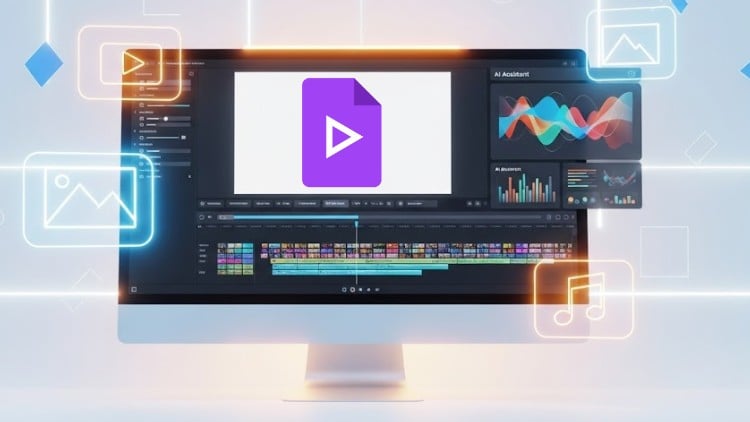
Master Google Vids from zero: Create, edit, and share stunning videos using AI tools, stock media, voiceovers, animation
What you will learn
Note➛ Make sure your 𝐔𝐝𝐞𝐦𝐲 cart has only this course you're going to enroll it now, Remove all other courses from the 𝐔𝐝𝐞𝐦𝐲 cart before Enrolling!
Create and manage video projects using Google Vids from scratch or by using built-in templates.
Navigate the Google Vids interface, including menus, timeline, canvas, and media panel.
Insert and customize media elements such as stock videos, images, GIFs, and uploaded content.
Add and style text, shapes, diagrams, and charts for professional-looking scenes.
Apply animations and transitions to text, shapes, and scenes for smooth storytelling.
Record voiceovers, camera video, or screen directly within Google Vids for narration and tutorials.
Use AI tools to generate scripts, narration, and entire video projects for faster content creation.
Export final projects to MP4 or Google Drive and share with proper permission settings.
Add-On Information:
- Crafting Engaging Narratives: Develop foundational skills in structuring compelling video stories, from concept to execution, ensuring your message resonates effectively with diverse audiences.
- Visual Storytelling Mastery: Learn to seamlessly integrate diverse visual assets—including a vast library of stock media and your personal uploads—to create visually rich, captivating, and dynamic scenes.
- Establishing Brand Presence: Apply consistent branding elements, custom styles, and unique typography across all your videos to build a professional, recognizable, and memorable visual identity.
- Designing for Clarity & Impact: Master principles of visual hierarchy and layout, strategically arranging text, shapes, diagrams, and charts for optimal readability, aesthetic appeal, and powerful communication.
- Dynamic Audience Engagement: Explore advanced animation techniques and transitions that go beyond basic movements, effectively guiding viewer attention and creating fluid, professional, and captivating presentations.
- Authentic Voice & Presence: Gain confidence in adding your personal touch through direct voiceovers, camera recordings, and screen captures, imbuing your educational content or presentations with genuine human connection and clarity.
- Accelerated Content Workflow: Leverage Google Vids’ innovative AI capabilities for rapid prototyping, intelligent script refinement, and efficient content generation, significantly streamlining your overall production timeline.
- Cross-Platform Optimization: Acquire best practices for formatting and exporting your videos, ensuring high-quality playback, optimal aspect ratios, and engaging experiences across various digital platforms and device types.
- Collaborative Project Management: Utilize Google Drive integration to facilitate seamless team collaboration, enabling easy sharing, efficient feedback collection, and iterative development of video projects with colleagues.
- Strategic Content Distribution: Understand crucial sharing permissions and privacy settings to control video access, ensuring your content reaches the intended audience securely and effectively, protecting your intellectual property.
- Building a Versatile Video Portfolio: Develop the expertise to consistently produce a range of professional-grade videos, laying a strong foundation for a compelling personal or business portfolio and expanding your creative capabilities.
- Iterative Refinement Skills: Cultivate a critical eye for reviewing and refining video drafts, identifying opportunities to enhance pacing, message clarity, and overall audience impact prior to final publishing.
- PROS:
- Accessibility and Ease of Use: Designed specifically for beginners, making high-quality video creation attainable without prior experience or complex, specialized software.
- AI-Powered Efficiency: Significantly speeds up the entire content creation process, allowing for rapid idea generation, scriptwriting, and video production.
- Integrated Ecosystem: Seamlessly works within the familiar Google Workspace environment, simplifying media management, project collaboration, and sharing.
- Cost-Effective Solution: Offers powerful video editing and creation capabilities often without the need for expensive software licenses or extensive hardware upgrades.
- CONS:
- Platform-Specific Limitations: While robust, Google Vids might not offer the extremely granular control or highly specialized effects found in dedicated, professional-grade video editing suites for advanced users.
English
language