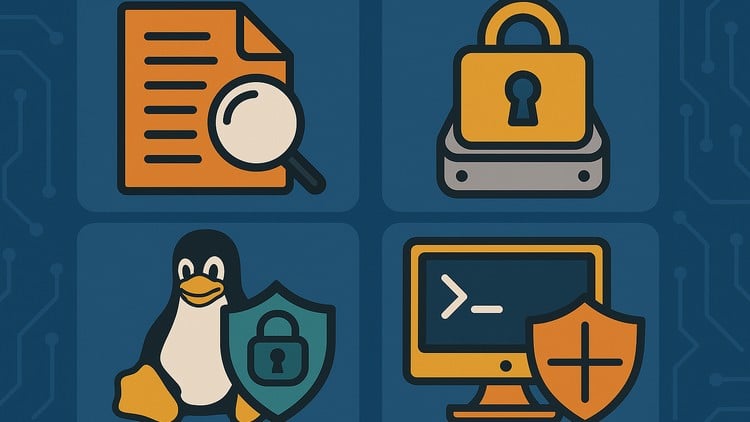
learn Linux security: logging, auditing, encrypting data, securing services, and using containers
What you will learn
Securely manage Linux logs with syslog, rsyslog, and journald for effective system monitoring
Audit user passwords and file system access with advanced tools like John the Ripper and Auditd
Encrypt disks and files with LUKS and GPG to protect sensitive data and ensure secure data transmission
Harden services with SELinux, chroot jails, and LXC containers for enhanced system isolation and security
The “No-Nonsense” Reality of Linux Defense: An Overview
Let’s be real for a second: most Linux tutorials stop at “how to install a web server” and “how to use sudo.” But in the professional world, that’s exactly how you get pwned. I’ve spent over a decade in the trenches of system administration, and if there is one thing I’ve learned, it’s that a default Linux installation is about as secure as a screen door in a hurricane. This is why I was genuinely curious to dive into Linux Security & Network Hardening: Practical Defense.
This isn’t your typical fluff-filled course designed to just help you pass a multiple-choice quiz. It feels more like a real-world project guide for anyone tasked with actually protecting infrastructure. What I appreciated most was the shift in perspective—moving away from “let’s just block ports” toward a “defense-in-depth” strategy. It takes you from a beginner to advanced mindset by treating security as a layered process rather than a one-time configuration. We aren’t just talking about theory here; the course focuses on hands-on labs that simulate what it’s actually like to be under the gun in a production environment. It’s about building a fortress around your data, whether it’s sitting on a local disk or moving across an untrusted network.
Prerequisites: What You Need Before You Start
Don’t expect to walk into this if you’ve never touched a terminal. To get the most out of these industry-standard tools, you should already be comfortable with the Linux command line (CLI). If you don’t know your way around `grep`, `find`, or basic file permissions, you’re going to struggle. I’d also argue that a fundamental understanding of networking—specifically how TCP/IP works—is non-negotiable. You don’t need to be a kernel developer, but if you’re looking for career growth in SecOps, you should at least understand how services communicate over a network before you try to harden them.
Developing Job-Ready Skills & Mastering the Tools
The curriculum is a “greatest hits” of industry-standard tools that every security professional needs to have in their utility belt. You aren’t just reading about security; you are implementing it. The course does a fantastic job of integrating real-world projects that mirror actual enterprise tasks. You’ll spend significant time in the guts of the system using tools like:
- Auditd: For tracking exactly who did what and when (the ultimate “blame” tool).
- John the Ripper: To proactively audit your own users’ password strength before the bad guys do.
- LUKS and GPG: To ensure that even if someone walks away with your hardware, they aren’t walking away with your data.
- SELinux and Chroot: For creating advanced isolation layers that prevent a single compromised service from taking down the entire system.
By the time you finish, you won’t just have a certificate; you’ll have job-ready skills that actually translate to a higher salary and more responsibility.
Career Benefits & Job Roles
If you’re looking for certification prep for exams like the CompTIA Security+, RHCSA, or the daunting LPIC-3 Security, this course provides a massive head start. In the current market, “Linux Admin” is a title that’s slowly being absorbed by “Site Reliability Engineer” or “DevSecOps Engineer.” Knowing how to secure the stack is what separates the $60k/year technicians from the $140k/year architects.
The roles this course prepares you for include:
- Security Consultant: Advising firms on how to harden their digital assets.
- System Auditor: Using tools like Auditd and journald to ensure compliance with standards like SOC2 or HIPAA.
- DevOps Engineer: Integrating LXC containers and secure service isolation into the CI/CD pipeline.
- Cybersecurity Analyst: Monitoring advanced system monitoring logs to detect and respond to live threats.
What I Liked (The Pros)
- Deep Dive into Logging: Most people ignore logs until something breaks. This course treats advanced system monitoring with `syslog` and `journald` as the critical forensic tools they are. It’s the most comprehensive take on logging I’ve seen in a while.
- Practical Encryption: The section on LUKS and GPG is brilliant. It moves past the “what” and into the “how” of securing data-at-rest and data-in-transit, which is vital for any modern cloud environment.
- Hardening Through Isolation: Using LXC containers and chroot jails is a game changer. It teaches you how to compartmentalize risks, ensuring that a vulnerability in one service doesn’t lead to a total system compromise.
The One Drawback (The Con)
If I’m being completely honest, the SELinux section is a bit of a steep climb. SELinux is notoriously complex, and while the course does a great job explaining it, some students might find the jump from basic permissions to SELinux policy writing a bit jarring. I would have loved to see a slightly longer “ramp-up” period for policy troubleshooting, as that’s where most admins usually give up and just set it to `permissive` mode (which you should never do!).