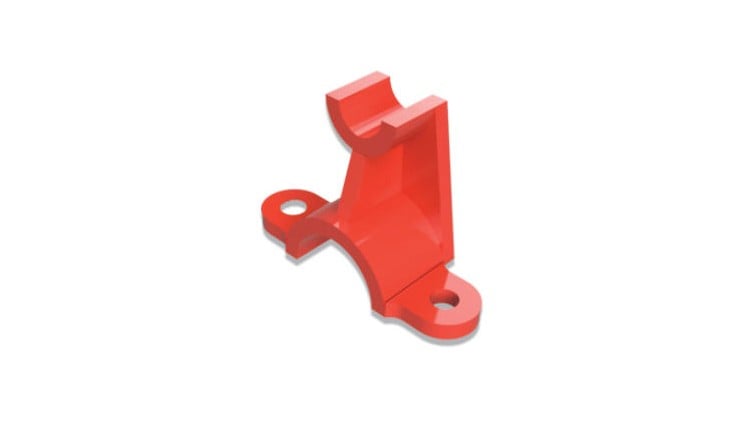
Step-by-Step Guide to Fusion 360
⏱️ Length: 8.7 total hours
⭐ 4.31/5 rating
👥 7,401 students
🔄 July 2025 update
Add-On Information:
Note➛ Make sure your 𝐔𝐝𝐞𝐦𝐲 cart has only this course you're going to enroll it now, Remove all other courses from the 𝐔𝐝𝐞𝐦𝐲 cart before Enrolling!
- Course Overview
- This definitive tutorial video course is your entry point into 3D modeling and product design with Autodesk Fusion 360, a powerful, cloud-based CAD/CAM/CAE tool known for its versatility.
- Structured as a step-by-step guide, it breaks down complex design principles into digestible lessons, making sophisticated 3D modeling approachable for beginners and those seeking to solidify fundamentals.
- The curriculum empowers learners to confidently translate conceptual ideas into precise digital prototypes, emphasizing a practical, hands-on approach through engaging video demonstrations.
- It focuses on core Fusion 360 functionalities, introducing an integrated design environment where ideation, solid modeling, and manufacturing preparation converge, fostering a holistic understanding of product development.
- Updated as of July 2025, the course ensures learning with the most current tools and best practices, future-proofing your skill set in an evolving industry.
- With 8.7 hours of high-quality instructional content, it offers ample opportunity for skill development, reinforced by clear explanations and expert guidance.
- Beyond software features, it cultivates a problem-solving mindset and develops spatial reasoning essential for industrial design, mechanical engineering, and hobbyist projects.
- Requirements / Prerequisites
- Basic Computer Literacy: Familiarity with PC operation, file management, and web browsers is essential for smooth course navigation.
- Access to Autodesk Fusion 360: Required software installed; a free personal-use or educational license is readily available from Autodesk.
- Stable Internet Connection: Necessary for Fusion 360’s cloud features, file storage, and optimal course engagement.
- Willingness to Learn and Practice: No prior CAD experience needed; a proactive attitude towards learning new concepts and consistent practice is key.
- Dual Monitors (Recommended): Can significantly enhance the learning experience by allowing simultaneous viewing of tutorials and practice in Fusion 360.
- Skills Covered / Tools Used
- Parametric Design Mastery: Learn to create designs driven by parameters for easy modification and iteration, crucial for agile product development.
- Direct Modeling Flexibility: Explore intuitive push-pull manipulation of geometries, offering a hybrid design approach alongside parametric methods.
- Advanced Sketching Techniques: Develop sophisticated 2D foundations using advanced geometric constraints, intelligent dimensioning, and projected geometry for adaptable designs.
- Complex Solid Body Manipulation: Gain proficiency in sculpting intricate forms through various additive, subtractive, patterning, and mirroring operations.
- Surface Modeling Basics: Understand creating smooth, organic shapes using surface tools, vital for industrial design aesthetics and complex curved forms.
- Assembly Design & Management: Learn to construct multi-component designs, establishing relationships and motion studies to ensure proper fit and function.
- Professional Drawing Generation: Develop the ability to create technical drawings from 3D models, complete with views, sections, dimensions, and annotations for manufacturing.
- Photorealistic Rendering: Explore the integrated rendering workspace to produce high-quality visualizations, effectively communicating product aesthetics and material properties.
- Introduction to Simulation: Get acquainted with evaluating design performance under loads, understanding basic stress analysis and material properties within Fusion 360.
- Cloud-Based Collaboration: Understand Fusion 360’s platform for team collaboration, version control, and secure file sharing, streamlining multi-user project management.
- Benefits / Outcomes
- Foundation for Professional CAD: Build a robust groundwork for careers in product design, engineering, or manufacturing by mastering an industry-standard software.
- Realize Your Ideas: Gain the technical skills and confidence to transform concepts into tangible, manufacturable 3D models for inventions or personal projects.
- Enhanced Problem-Solving: Develop a systematic approach to design challenges, effectively breaking down complex problems and troubleshooting design issues.
- Portfolio-Ready Designs: Complete the course with impressive 3D models for a professional portfolio, demonstrating Fusion 360 proficiency to employers.
- Versatile Design Capability: Acquire flexibility to design a wide array of products, from mechanical components and consumer goods to custom parts for 3D printing.
- Design for Manufacturability (DFM) Insight: Develop an intuitive understanding of how design choices impact manufacturing, leading to efficient and cost-effective product development.
- Access to Community & Resources: Become part of the extensive Fusion 360 user community, gaining access to a wealth of online resources and continuous learning opportunities.
- Personal Creative Empowerment: Experience the satisfaction of creating functional and visually appealing 3D designs, unlocking new avenues for innovation and personal projects.
- PROS
- Up-to-Date Content: July 2025 update ensures learning on the latest features and interface, guaranteeing current and relevant design practices.
- Structured & Clear Instruction: Step-by-step video format makes complex modeling concepts accessible and easy to follow for all levels.
- Proven Quality & Satisfaction: A 4.31/5 rating from over 7,400 students highlights effective instruction and a widely positive learning experience.
- Extensive Practical Application: 8.7 hours of content provides deep dives and ample opportunities for hands-on practice and skill development.
- Software Accessibility: Free personal-use or educational licenses for Fusion 360 eliminate barriers, allowing learning without additional software costs.
- Modern Collaborative Skills: Introduces cloud-based design advantages like version control and project sharing, fostering contemporary team workflows.
- CONS
- Requires Independent Practice: Mastery of 3D modeling demands significant dedicated time outside of lessons for self-practice and experimentation to fully internalize techniques.
Learning Tracks: English,Design,Design Tools