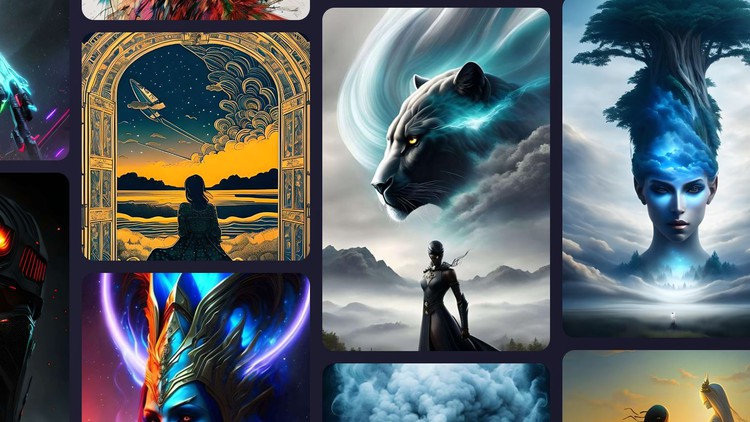
Learn tools like Leonardo AI, Nightcafe, Canva, Bing Image Generator, Gencraft, Photosonic, Blue Willow etc in 1 course.
What you will learn
Basics of Text to Image AI Generators
Different Tools to create Image/Art from Prompt, like Canva, Leonardo, Microsoft Designer etc
How to write descriptive prompts to generate the expected image
Advanced topics like Negative Prompts, Upscaling Image, Training Models etc.
Description
Are you ready to explore the cutting-edge world of AI art generation? Our exciting new course on text to image AI art generators is the perfect opportunity to learn about this exciting technology and its many applications.
AI image generators have been brewing (generating?) up a storm for the past year. If you’ve been on social media, watched prime time news shows, or read a magazine, AI-generated images have been impossible to miss. They’re everywhere, and it’s easy to see why: the tools necessary to make them are now good—and available to the public. If you want to join in the fun, or add some AI-powered features to your business workflows, the apps in this course will give you what you’re looking for.
In this course, we’ll explore the latest tools for generating stunning images from text input. You’ll learn about the different websites/tools for AI art generation, writing creative prompts and customizing the output to suit your needs.
But that’s not all! This is a combined course that covers many tools in one comprehensive package. We will cover tools like Bing, Canva, Microsoft Designer, Blue Willow, Leonardo etc.
And the best part? You’ll receive a certificate upon completion of the course, recognizing your mastery of this cutting-edge technology. Whether you’re an artist, a researcher, a developer, a business professional, or a student, this course is the perfect opportunity to explore the exciting world of AI art generation and gain practical experience with the latest tools and techniques.
So why wait? Sign up now and join us on a thrilling journey of discovery and creativity!
Content
Introduction
Exploring and Learning how to use the Text to Image AI Art Generators
End Notes
Overview: Why This Sampler Platter Actually Makes Sense
Look, if you’ve been working in tech or the creative space for more than five minutes, you know that the “AI revolution” isn’t coming—it’s already moved in and started rearranging the furniture. I’ve spent years navigating the shift from manual asset creation to automated workflows, and frankly, the biggest bottleneck for most professionals isn’t a lack of talent; it’s the sheer paralysis of choice. There are a thousand industry-standard tools popping up every week. That’s where the “10 in 1 Course: Text to Image AI Art Generators Masterclass” actually finds its footing.
Instead of pigeonholing you into one ecosystem like Midjourney, this course acts as a high-level architectural overview and hands-on lab for the entire landscape. It’s less of a “click here” tutorial and more of a strategic deep dive into the logic of latent diffusion. The real value here isn’t just learning where the buttons are on Leonardo AI or Nightcafe; it’s understanding the underlying “language” of generative art. We are moving toward a career growth trajectory where the role of “Artist” is being augmented into “AI Orchestrator,” and this course treats the tech with that level of professional respect. It bridges the gap between beginner to advanced by showing you that while the UI changes, the physics of a good prompt remains constant.
Prerequisites: What You Actually Need
The beauty of this masterclass is that it doesn’t require a PhD in Machine Learning or a high-end GPU that costs as much as a used car. Since most of these tools are cloud-based, you just need a stable internet connection and a browser. However, from a professional standpoint, I’d argue the real prerequisite is a basic understanding of visual composition. If you know what “depth of field” or “chiaroscuro” means, you’re going to get 10x more out of these real-world projects than someone just typing “cool robot” into Bing Image Generator. No coding is required, but a “tinkerer’s mindset” is non-negotiable.
Skills & Tools: The Full Technical Stack
This course covers a massive amount of ground, and it’s important to see these not just as apps, but as a multi-tool belt for job-ready skills. You’ll dive into:
- Leonardo AI & Blue Willow: Mastering high-fidelity, stylistically consistent assets.
- Canva & Microsoft Designer: Integrating AI art into professional marketing collateral and industry-standard tools.
- Prompt Engineering: Moving beyond basic descriptions into structured weighting and stylistic modifiers.
- Gencraft & Photosonic: Exploring niche generators for specific aesthetic outputs.
- Advanced Technicals: This is the “meat” for pros—learning negative prompts to prune artifacts, upscaling images for print-ready quality, and the basics of training models to maintain brand consistency.
Career Benefits & Job Roles: Beyond the Hobbyist
Let’s talk turkey: Why does this matter for your resume? We are seeing a massive shift in job roles across the board. By completing this certification prep style curriculum, you’re positioning yourself for roles that didn’t exist three years ago.
- Creative Strategist: Using AI to storyboard real-world projects in hours instead of weeks.
- Social Media Manager: Leveraging Canva and Bing Image Generator to kill the reliance on stale stock photos.
- UI/UX Designer: Rapidly prototyping icons, textures, and backgrounds without leaving the workflow.
- Content Architect: Understanding how to scale visual content production, which is a massive career growth lever in the current “content is king” economy.
The Pros: What They Got Right
- The Tool Diversity: Most courses stay in one lane. By covering Leonardo, Nightcafe, and Blue Willow, you learn the strengths and weaknesses of each. You’ll learn that Bing is great for quick ideation, while Leonardo is where you go for advanced control.
- Focus on “The Negative”: One of the best parts of the curriculum is the focus on negative prompts. Knowing what to tell the AI *not* to do is what separates a professional from an amateur.
- Upscaling Insights: Most people generate a 512×512 image and stop. This course teaches you how to make those images actually usable in industry-standard professional environments through proper upscaling.
- Actionable Hands-on Labs: It isn’t just theory; it’s about building a portfolio as you go, which is essential for proving your job-ready skills to a skeptical hiring manager.
The Cons: An Honest Critique
The only real “watch out” here is the speed of the industry. Because tools like Gencraft or Leonardo update their interfaces almost monthly, some of the screen recordings might look slightly different from what you see on your monitor today. It’s the nature of the beast in AI Art. You’ll need to focus more on the logic of the prompt and the workflow rather than memorizing exactly where a specific button sits on the screen. If you’re looking for a “set it and forget it” software, AI isn’t it.